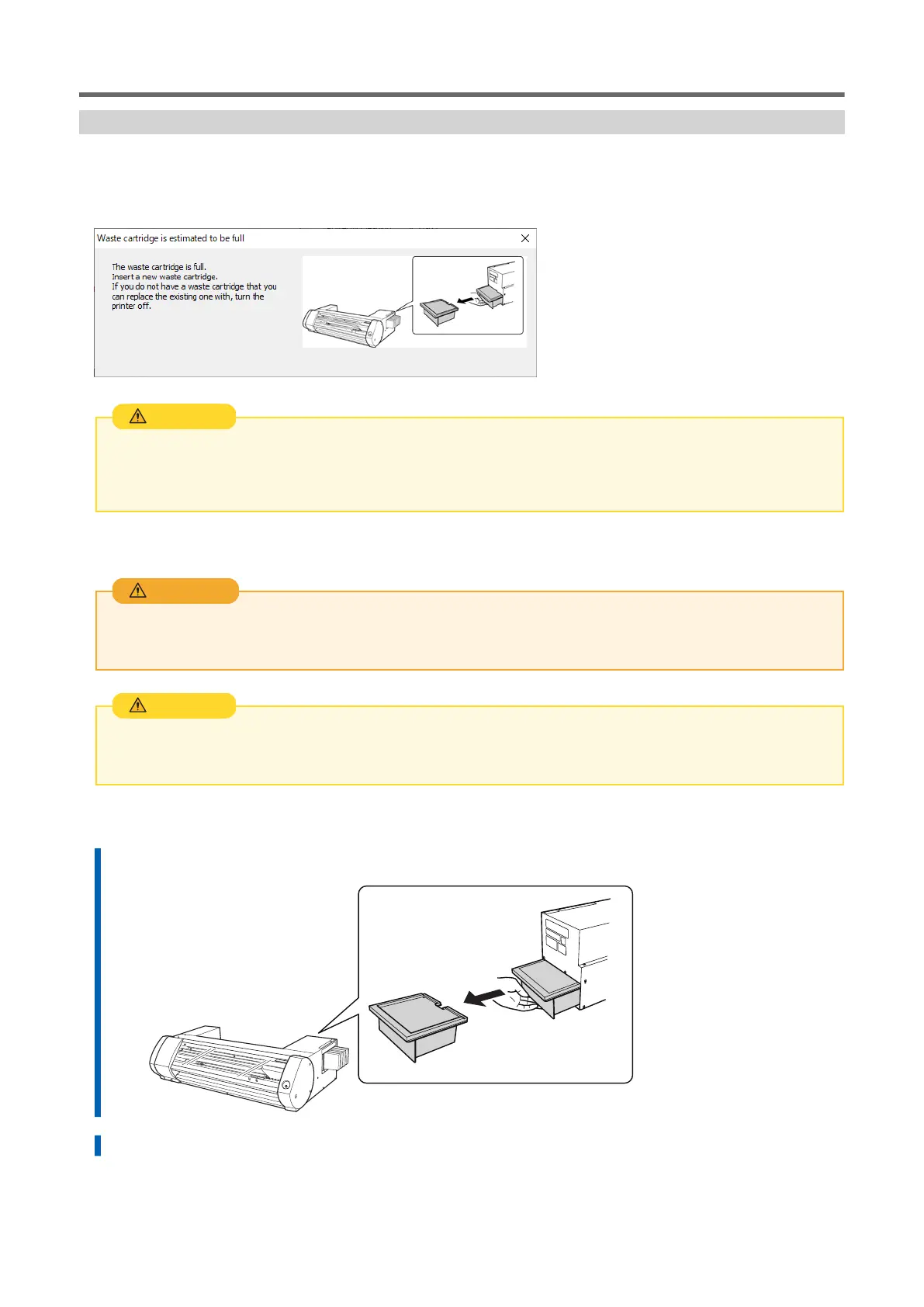
Replacing the Waste Cartridge
When the waste cartridge is filled with waste fluid, the Utility window automatically opens and displays a
message in the Status column that prompts the replacement of the cartridge. Follow the message's instruc-
tions and prepare a replacement waste cartridge or replace the cartridge.
Before you remove the drain cartridge, wait for a message to be displayed in the utility.
Failing to follow this procedure may cause discharged fluid to flow out of the tube and spill, soiling your hands or the
floor.
CAUTION
If you know that you will not use the machine for a prolonged period, follow the procedure below to re-
place the drain cartridge.
Never place the drain cartridge or ink near an open flame.
Doing so may cause a fire.
WARNING
Do not open the lid on the drain cartridge.
Any spillage or vapor leakage may cause fire, odor, or physical distress.
CAUTION
Procedure
1. Remove the drain cartridge.
2. Insert a new drain cartridge.
Daily Maintenance
66 Regular Maintenance















 To Next Page