20
Reference Manual
00809-0100-4803, Rev GA
Configuration
September 2017
Configuration
5. If appropriate, enter the optional data for the Natural Gas Characterization Method that was selected
in Step 2. Optional data for each method is listed in Table 2-3 on page 19.
6. Enter the Nominal Operating Pressure, then the Nominal Operating Temperature as the entry blanks
come available. Engineering Assistant will automatically fill in suggested operating ranges. Note that
these values may be edited by the user.
7. Select Next. This will open the Fluid Properties tab.
8. Proceed with the steps in “Fluid properties” on page 13.
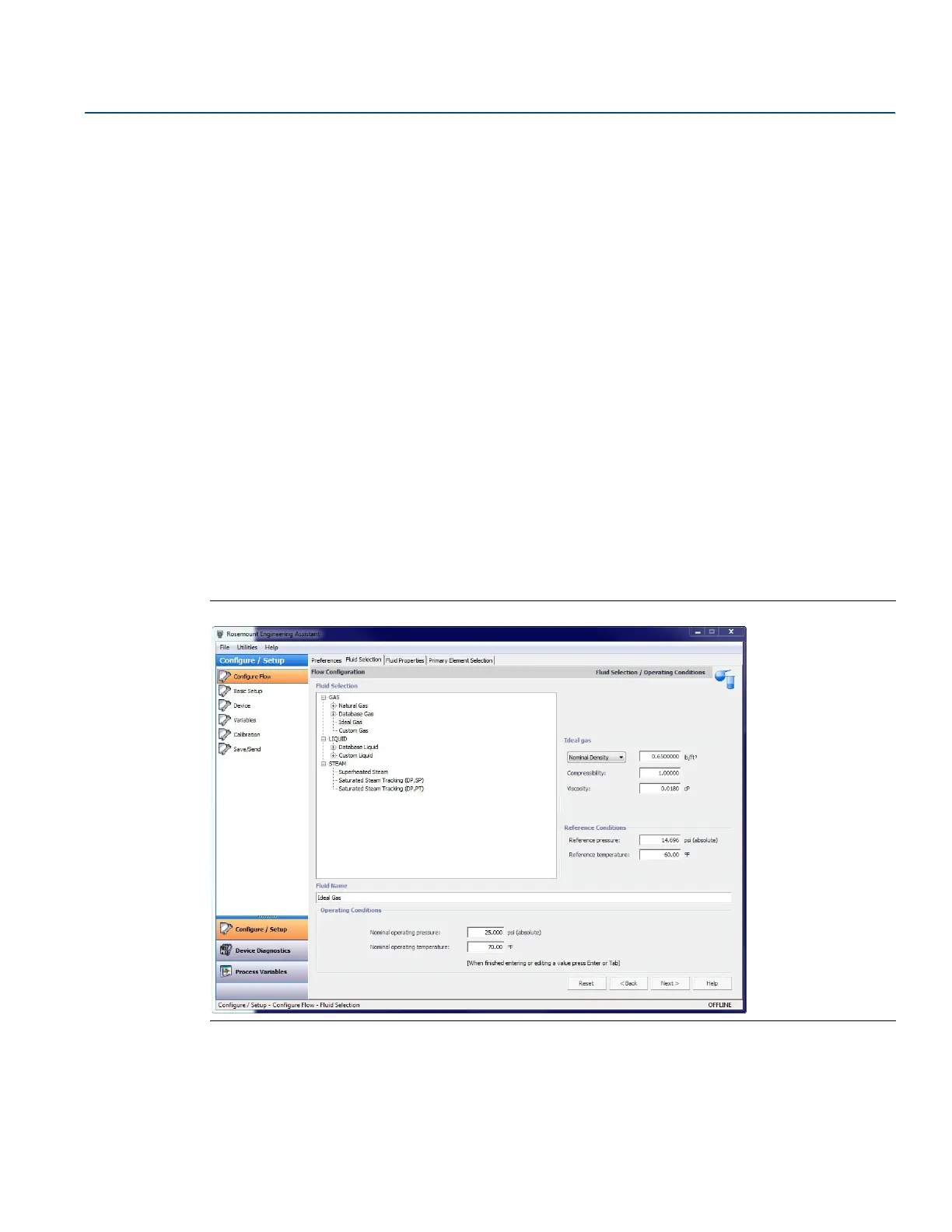
Ideal gas
The ideal gas option should be used when the fluid behavior can be modeled by the ideal gas law. This
option uses a modified version of the ideal gas law with a constant value of compressibility. The default
value for compressibility is 1.00 but it may be edited by the user. To use an ideal gas enter in the
operating pressure and temperature followed by either the density, specific gravity, or molecular weight.
1. Expand the GAS category.
2. Select the Ideal Gas option.
3. Enter the Nominal Operating Pressure and Temperature Ranges. Engineering Assistant will use these
ranges to identify the pressure and temperature values at which the fluid properties are required.
For the ideal gas being used the nominal density, specific gravity, or molecular weight must now be
entered using the drop-down menu. Once these are entered the other data entry fields, compressibility
and viscosity, are enabled as shown on Figure 2-14.
Figure 2-14. Fluid Selection Ideal Gas
4. Adjust the compressibility and viscosity to fit the ideal gas of the process.
5. Select Next to proceed to the Fluid Properties tab.











 To Next Page