45
Reference Manual
00809-0100-4803, Rev GA
Configuration
September 2017
Configuration
d. Select Apply.
e. Energy Rate Unit: From the drop-down menu, select the custom unit that was created in Step b.
Note
The custom unit may not be available as a selection in the Energy Rate Unit drop-down menu until the
drop-down menu is refreshed. To refresh the drop-down menu, navigate to the Basic Setup tab and then
return to the Variables - Energy tab.
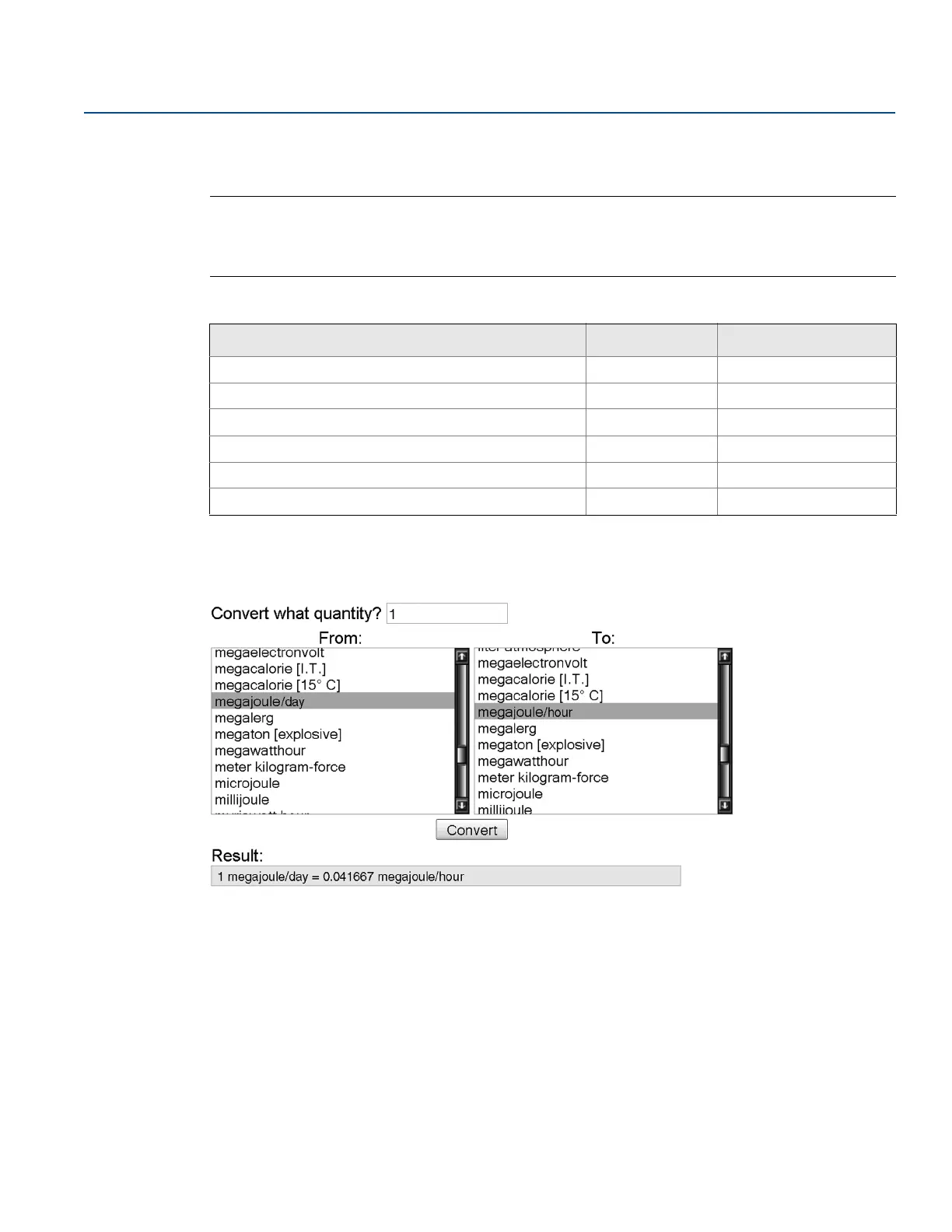
If conversion factor tables or internet search engines are used to determine the Base per Custom value, it
is important to enter the Custom Unit in the “From” field and the Base Unit in the “To” Field. An example
of this is shown below:
To calculate the Base per Custom value for a custom unit not shown in Table 2-10 on page 45, see one of
the following examples:
Energy conversion example: page 46
Time conversion example: page 47
Energy and time conversion example: page 47
Table 2-10. Common Custom Units - Energy Flow
Custom unit Base unit Base per custom
BTU per Day (BTU/D) Btu/h 0.041667
BTU per Minute (BTU/M) Btu/h 60
Megajoules per Day (MJ/D) MJ/h 0.041667
Megajoules per Minute (MJ/M) MJ/h 60
Thousands of BTU per Day (KBTUD) Btu/h 41.6667
Thousands of BTU per Hour (KBTUH) Btu/h 1000











 To Next Page