Rev 3 (XXXX 2019)
NexU INSTALLATION MANUAL
91
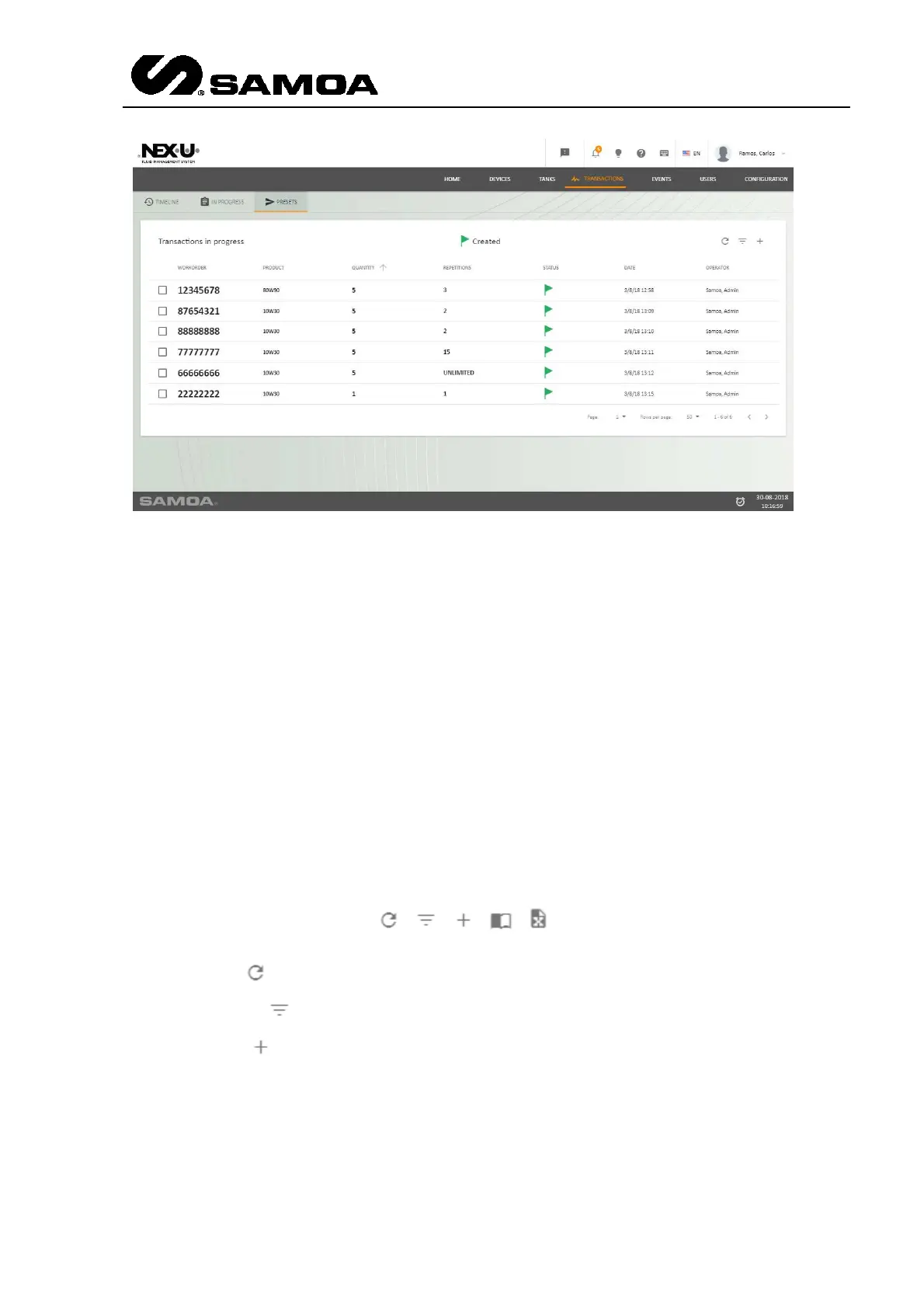
The columns show the following information:
First column: Number of work order that is being delivered or ready to be delivered.
Second column: Product that is to be delivered.
Third column: Preset quantity that is to be delivered.
Fourth column: Number of repetitions allowed to be used under the work order.
Fifth column: It shows the status of the delivery. A green flag represents a work order
that has been created.
Sixth column: It shows the transaction date of creation.
Seventh column: It shows who created the transaction.
In the upper left part, of this “Timeline” and “Presets” screens you will find several
options
The first one ( ) refreshes the screen.
The second one ( ) allows to filter the transactions according to the text you insert.
The third one ( ) lets you add new transactions (only for Presets)



 To Next Page