LCD Brightness Control
YoucanadjusttheLCDbrightnessin8levels.
Adjusting LCD Brightness Using Keyboard
Press the Fn+ or Fn+ toadjustthebrightness
of LCD.
TheLCDbrightnesshaseightlevelsofdegree.
By pressing the Fn+ ,theLCDgetsbrighterbyone
level of degree.
Adjusting LCD Brightness Samsung
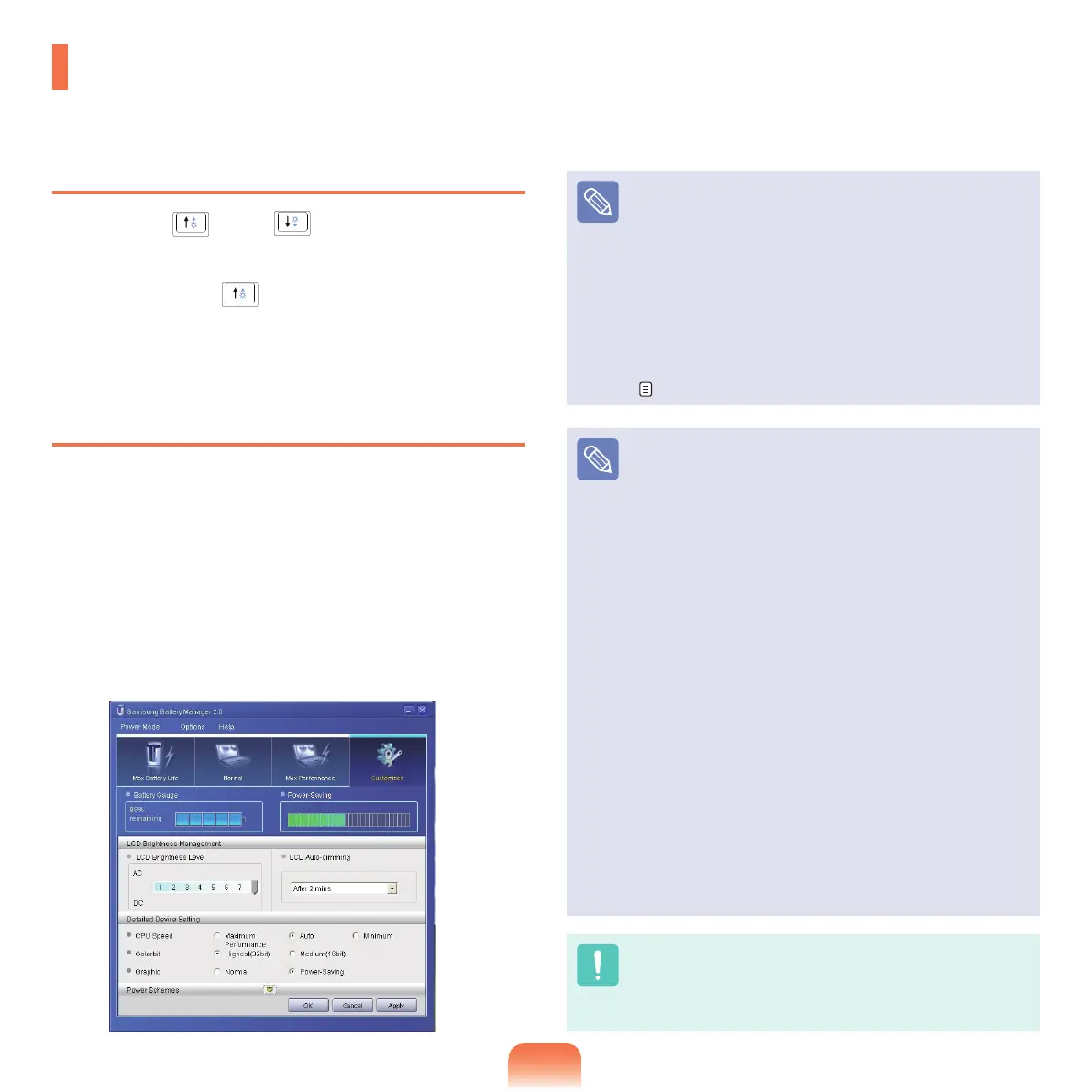
Battery Manager
AppropriateLCDbrightnessissetforeachmodein
SamsungBatteryManager.Inusersettingsmode,you
canselectthebrightnesslevel.
Click Start > All Programs > Samsung > Samsung
Battery Manager > Samsung Battery Manager.
(for
example,inCustomizedmode)
Inthismode,youcanchangethebrightnessanddevice
setting details.
LCD Brightness
TheLCDbrightnesssettingsformaximumbattery
mode,generalmode,andmaximumperformancemode
in Samsung Battery Manager are not maintained when
your
computerreboots.
OnlytheLCDbrightnesssettingintheusersettings
modeismaintainedonceyourebootthecomputer.
For information on the other features of Samsung
Battery
Manager,seethedescriptiononbatteries.
p.136
To Maintain the Changed LCD Brightness After
Reboot
Congure
thefollowingsettingstomaintaintheLCD
brightnesssetusingthescreenadjustmentkeyor
Samsung Battery Manager.
T
urnonthecomputer.IftheSAMSUNGlogo
appears,presstheF2
key.Then,setupwillstart.
Change the value of Brightness Mode Control on the
Boot menu to User Control.
Press the F10 key to save the change and complete
setup.
How to Reduce Battery Consumption
Adjust
thescreenbrightnesstoadarkervalueorselect
themaximumbatterymodeinSamsung Battery
Manager
toreducebatteryconsumption.
Bad pixels of an LCD
The
LCDmayhavelessthan10badpixelsbutitdoes
not affect the computer performance. This product may
have
badpixelsofthesamelevelastheproductsmade
byothercompanies.
Caution for Cleaning up LCD
WipetheLCDfromthecentertotheoutsidewithasoft
clothsoakedinacomputer-dedicateddetergent.Ifyou
wipetheLCDrmly,itmayhavedamage.



 To Next Page