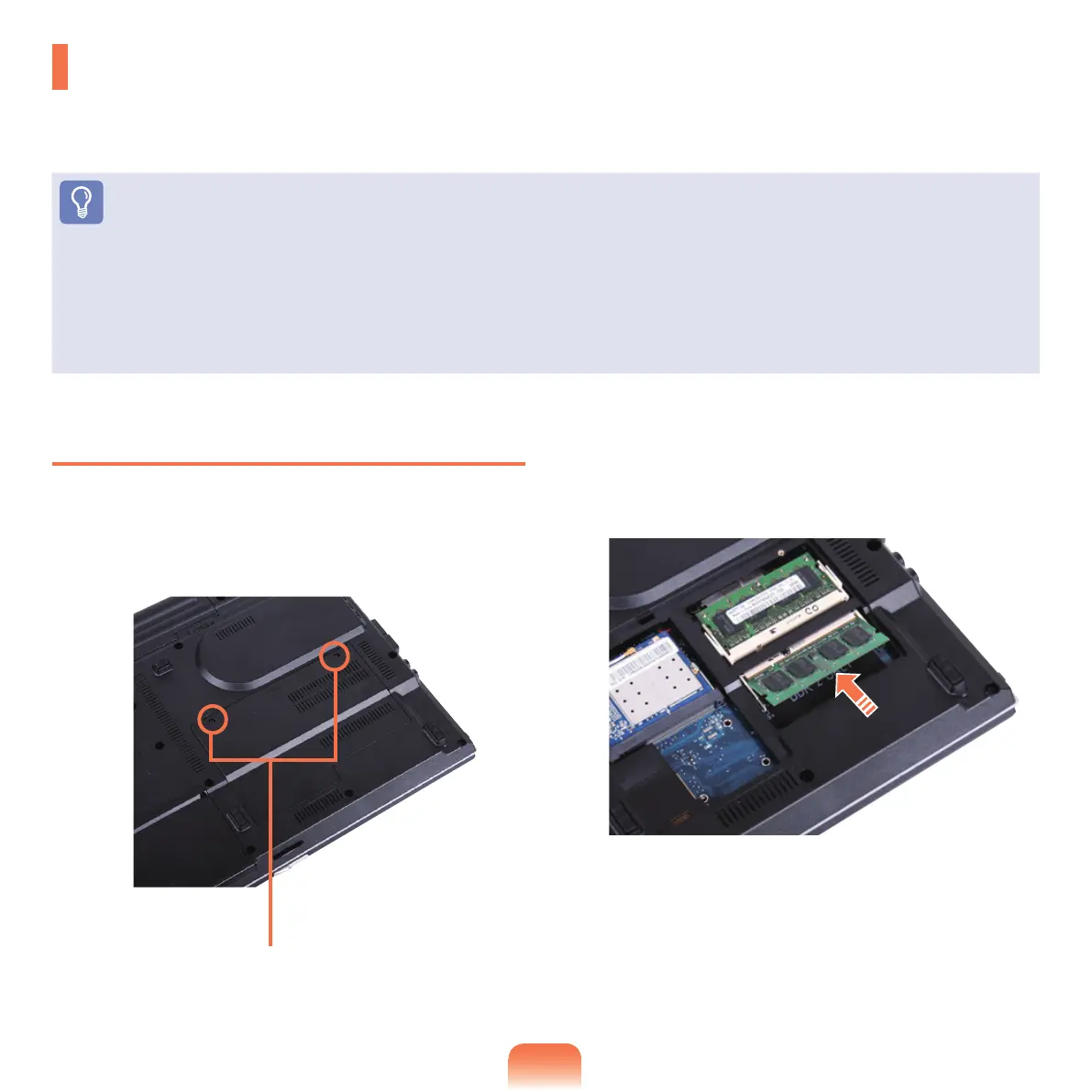
Adding a Memory Module
1
Remove the screw on the memory compartment
coveratthebottomofthecomputerusingascrew
driver.
2
Insert a new memory module into the memory slot at
anangleofapproximately30degreesaligningitto
the angle of the memory slot.
Upgrading Memory
One or more memory modules are installed on the computer.
There are 2 memory slots and users can replace the installed memory or add new memory.
Before You Start!
■
Replace or install new memory only after shutting the computer down completely. Do not replace or install memory when the
computer is in Sleep mode.
■
Disconnectmainspowerandremovethebatterybeforecontinuing.
■
Toutilizethedualchannelfeature,usingmemorymoduleswiththesamespecications(ofthesamecapacityandfromthesame
manufacturer) is recommended.
■
OnlyusethesametypeofmemoryasspeciedintheProductSpecication.
Fixing Screw



 To Next Page