33
Overview
Before You Start!
■
*
Theitemsmarkedwiththissymbolareoptionalitemswhichmaybechangedormaynotbeprovideddependingonthe
computer model.
■
The actual color and appearance of the computer may differ from the pictures used in this guide.
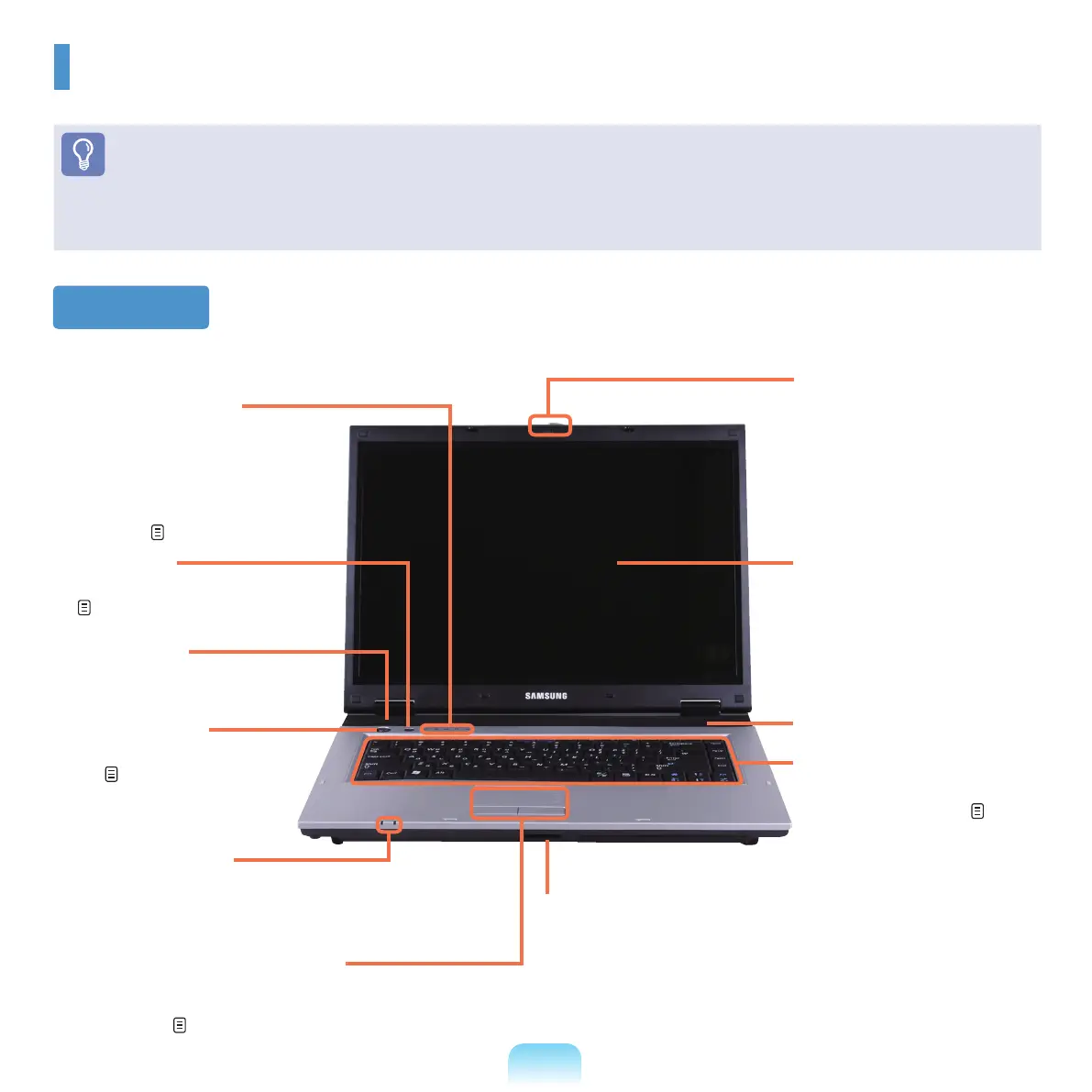
Front View
8
LCD
The screen images are
displayed here.
7
Keyboard
Adevicetoenterdataby
pressing the keys.
p.41
1
Status Indicators
Shows the operating
status of the computer.
The corresponding
operating LED is lit when
the corresponding function
operates.
p. 34
4
Power Button
Turns the computer on and
off.
p. 39
1
Status Indicators
5
Touchpad/Touchpad Buttons
Thetouchpadandtouchpadbuttons
providefunctionssimilartothemouseball
andbuttons.
p. 44
9
LCD Latch
This latch is used to open
and close the LCD panel.
T
oopentheLCDpanel,slide
the latch to the right and then
lift the LCD panel up.
3
Speaker (L)
A device used to generate
sound.
3
Speaker (R)
2
AV Button
Launches AVStation Viewer.
p.117
6
Multi Card Slot
AcardslotthatsupportsMemoryStick,
MemoryStickPro,SDCard,MMC,
MMCPlusandxDcards.



 To Next Page