Wireless LAN AP Connection Procedures
TouseawirelessLAN,rstconnecttoawireless
LANAPandthenyoucanaccessthenetworkeven
when moving location. moving location and then you
can access the network even when connecting to a
wireless
LANAP
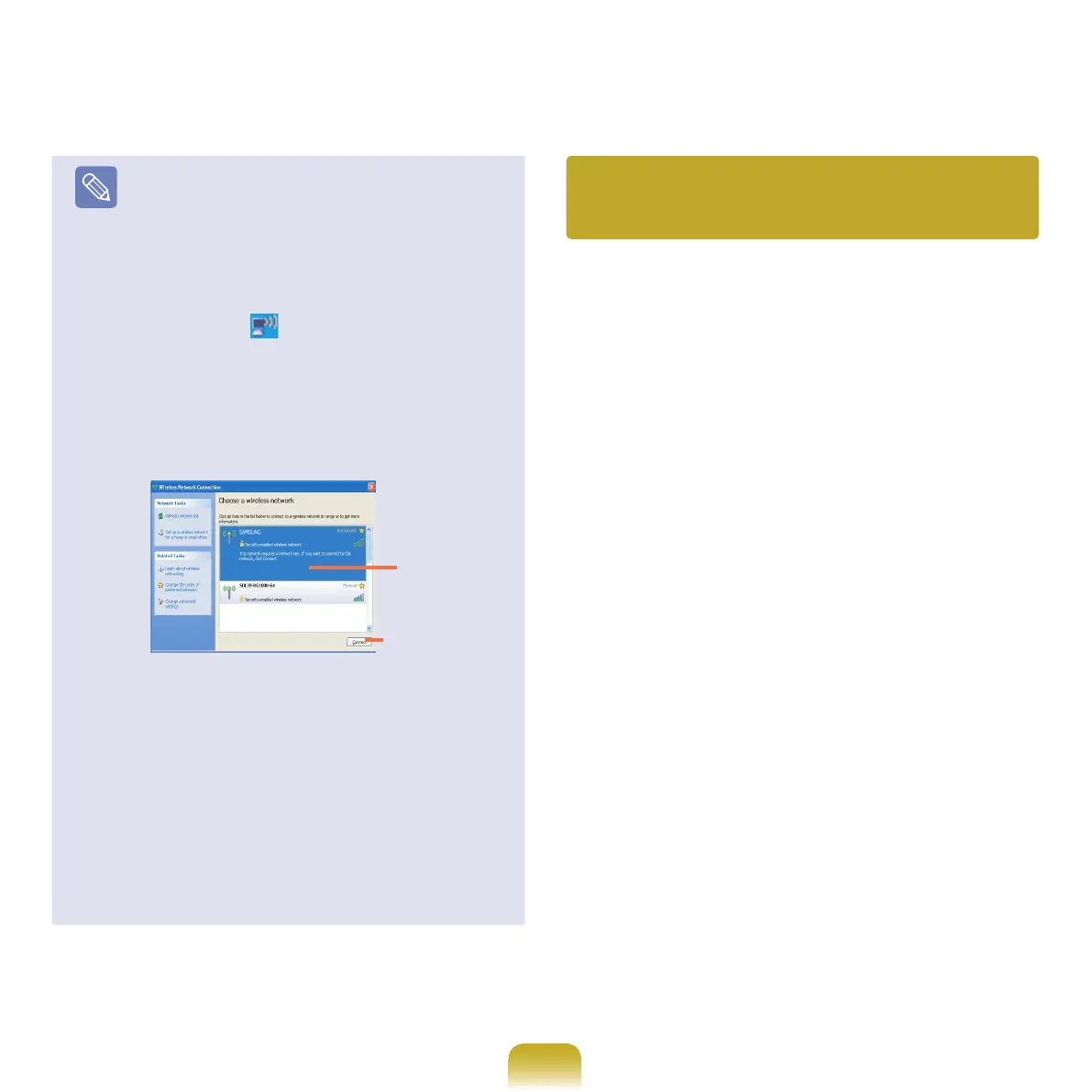
1.Right-clickovertheWireless Network
Connection (
)iconontheTaskbarandclick
View Available Wireless Networks.
2
. Click Search AP from the Wireless menu to
search
forwirelessLANAPs.Selectanavailable
wirelessnetwork(e.g.SAMSUNG)andclickthe
Connect
button.Forinformationonavailable
wirelessLANAPs,askyournetworkadministrator.
3. The network key (security key) input window
appears.
-
IfanetworkkeyhasbeensetforthewirelessLAN
AP,enterthenetworkkeyandclicktheConnect
button.Forthenetworkkeyinformation,askyour
network administrator.
-
Ifnonetworkkeyhasbeensetforthewireless
LANAP,clicktheConnectbuttonwithoutentering
the network key.
4.
Whenthecomputerisconnectedtothewireless
LANAP,theConnectedmessagewillappearonthe
WirelessNetworkiconintheTaskbar.
Bysettingthenetworksettings(IPaddress,printersetting,
etc.)foreachlocation,you
can immediately access the network without performing
the network setting procedures
regardless of your location.
1
RunSamsungNetworkManagerwhenconnectedto
the Internet.
2
Select an icon that represents the corresponding
location from the Saved Locations window and then
click Move.
3
Whenthenetworksettingsoftheselectedlocation
areapplied,thenewlocationandthenetwork
connection information are displayed in The detailed
Information for window.
AvailableAP
Connect
Using the network after moving
location



 To Next Page