66
User Account
WindowsXPallowstosetmultipleuserswithaccounts.
Thissectiondescribeshowtoaddauseraccountandto
switch a it.
How to Add a User Account
1
Click Start > Control Panel.
2
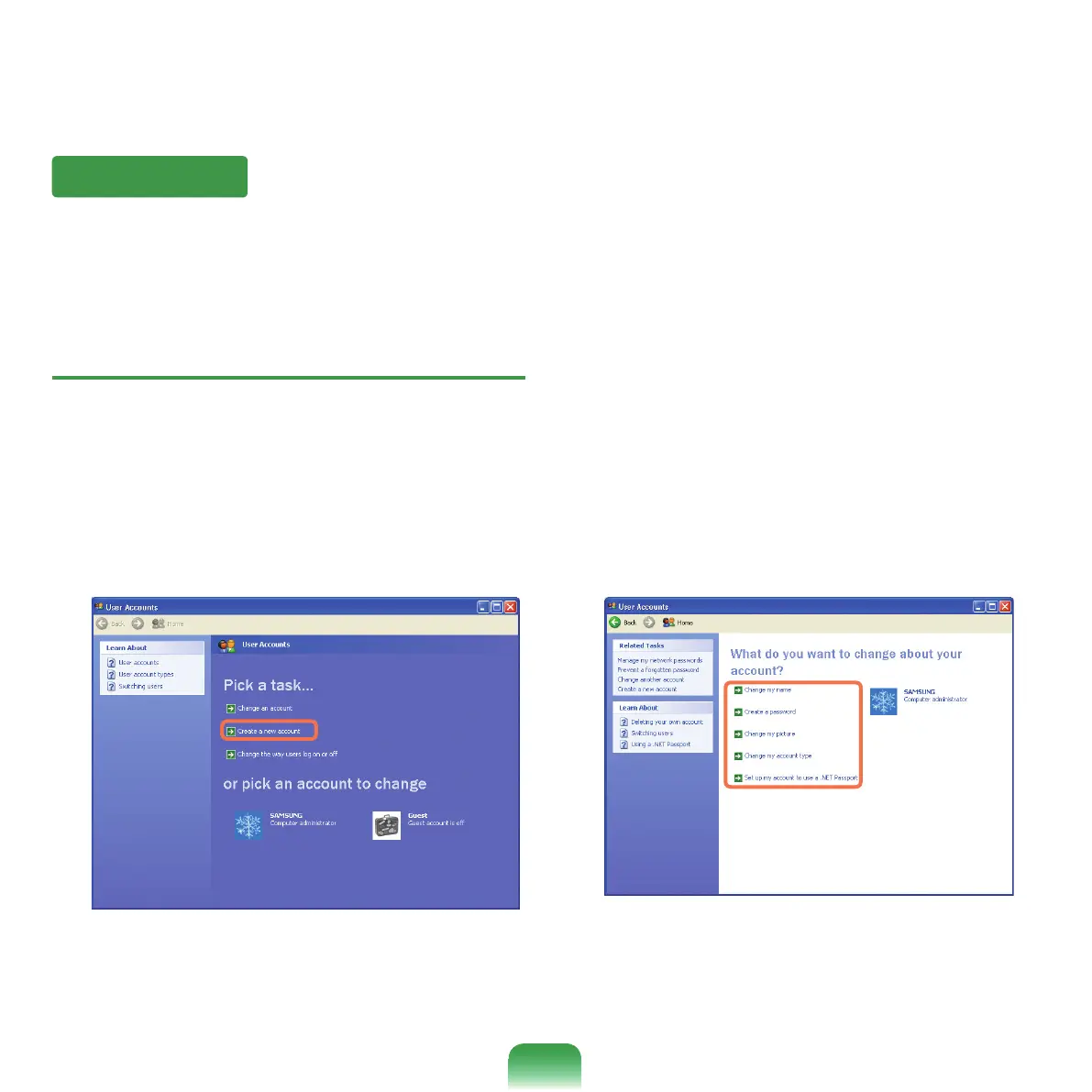
Click User Accounts and Create a new Account in
sequence.
3
Enter your name and click Next.
4
Select an account type and click the Create
Accountbutton.Then,checkthecreatedaccount
from the User Account window.
5
Click the target account and change the user
account information.
Youcanchangetheaccountname,password,
accounttype,andpicture.



 To Next Page