1
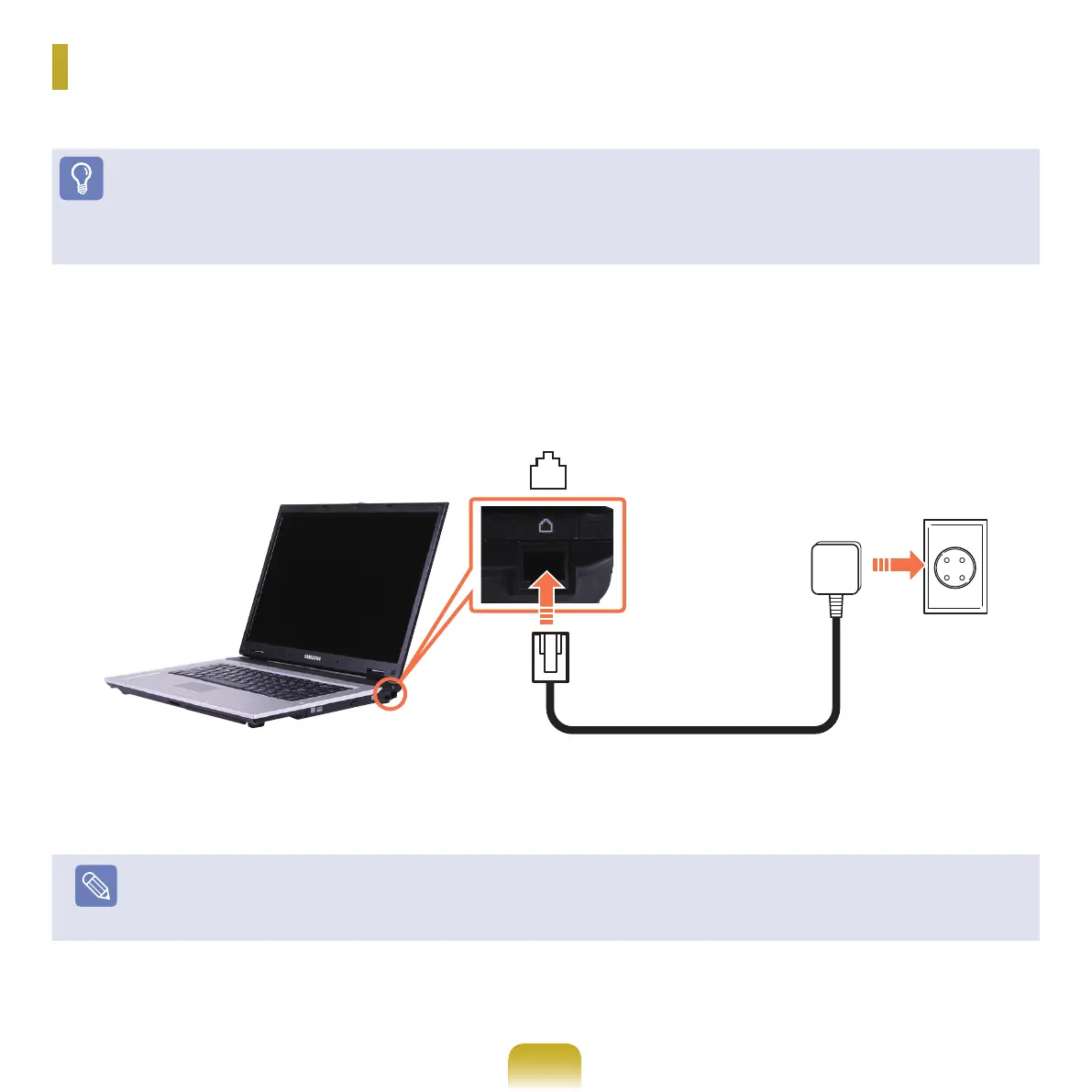
ConnectthephoneCabletotheModemport.
Take care to not connect a digital phone line to the modem port.
2
Connect to the Internet according to the instructions of your Internet service provider (ISP).
Note
IftheInternetconnectionisterminatedabnormally,theconnectionisnotreleasedandthecorrespondingcostcanbeaccrued.
Connecting with a Modem
TheprocedurestoconnecttotheInternetviaaphoneconnectionaredescribedbelow.
Before You Start!
■
ToconnecttotheInternet,youhavetosubscribetoanInternetconnectionserviceofanInternetserviceprovider(ISP).
■
A modem port is optional and provided for some models only.



 To Next Page