63
Window
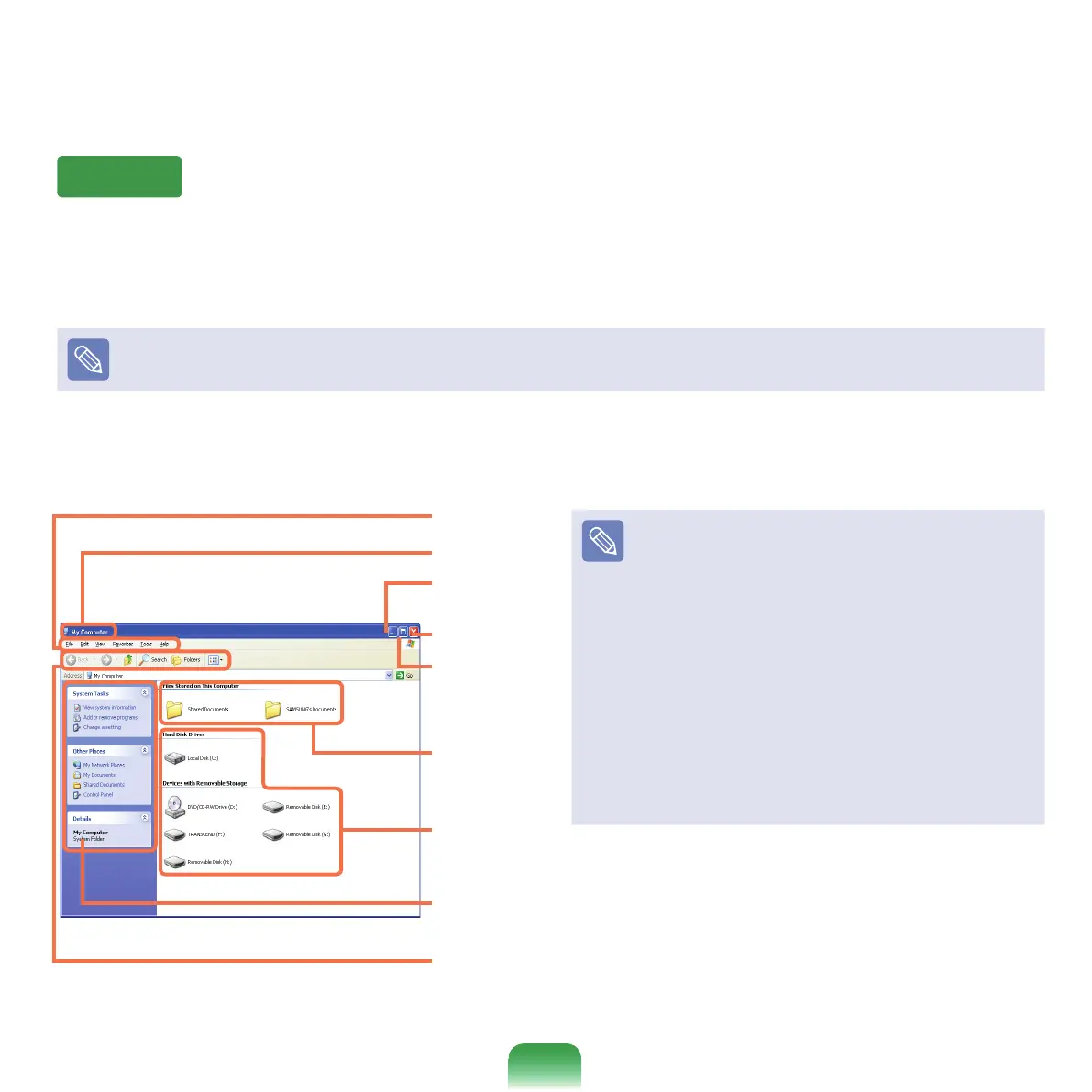
Awindowisabasicfoundationforoperatingyourcomputer.Forinstance,awindowofyourcomputerisconguredas
follows:
Click Start > My Computer.
Displayedmenusandnamesmaybevaried.
Double-clickthe Local Disk,whichisaharddiskdrive,toviewthefoldersandlessavedinyourcomputer.
Ifanyfolderorleisnotshown,clickShow Folder Contents.
Title Bar
Menu Bar
Toolbar
Fast Operation Window
Minimize
button
Maximize
button
Close button
Folder Icon
What is a Drive?
A drive is a storage device that can read or write data
such
asfoldersandles.
What is a Folder?
A
folderisjustlikeacabinetthatkeepslesorfolders.
Youcankeeplesorfoldersofsimilarkindsinafolder.
What is a File?
A
leistheminimumunitofmaterialscreatedbyusinga
program and is also called data.
How to View the Entire Drive Structure
Click
thefoldericonfromtheToolbartoviewthedrive
structure.
Click the icon again to return to the Fast Operation
window.
Drive Icon
(Memory)



 To Next Page