102
To update the software and drivers
1
Select Start > All Programs > Samsung >
Samsung Update Plus > Samsung Update Plus.
Ifthisisthersttimeyouarerunningtheprogram,
a window will appear asking you if you agree to the
agreement in the window.
Click Agree to use this software.
2
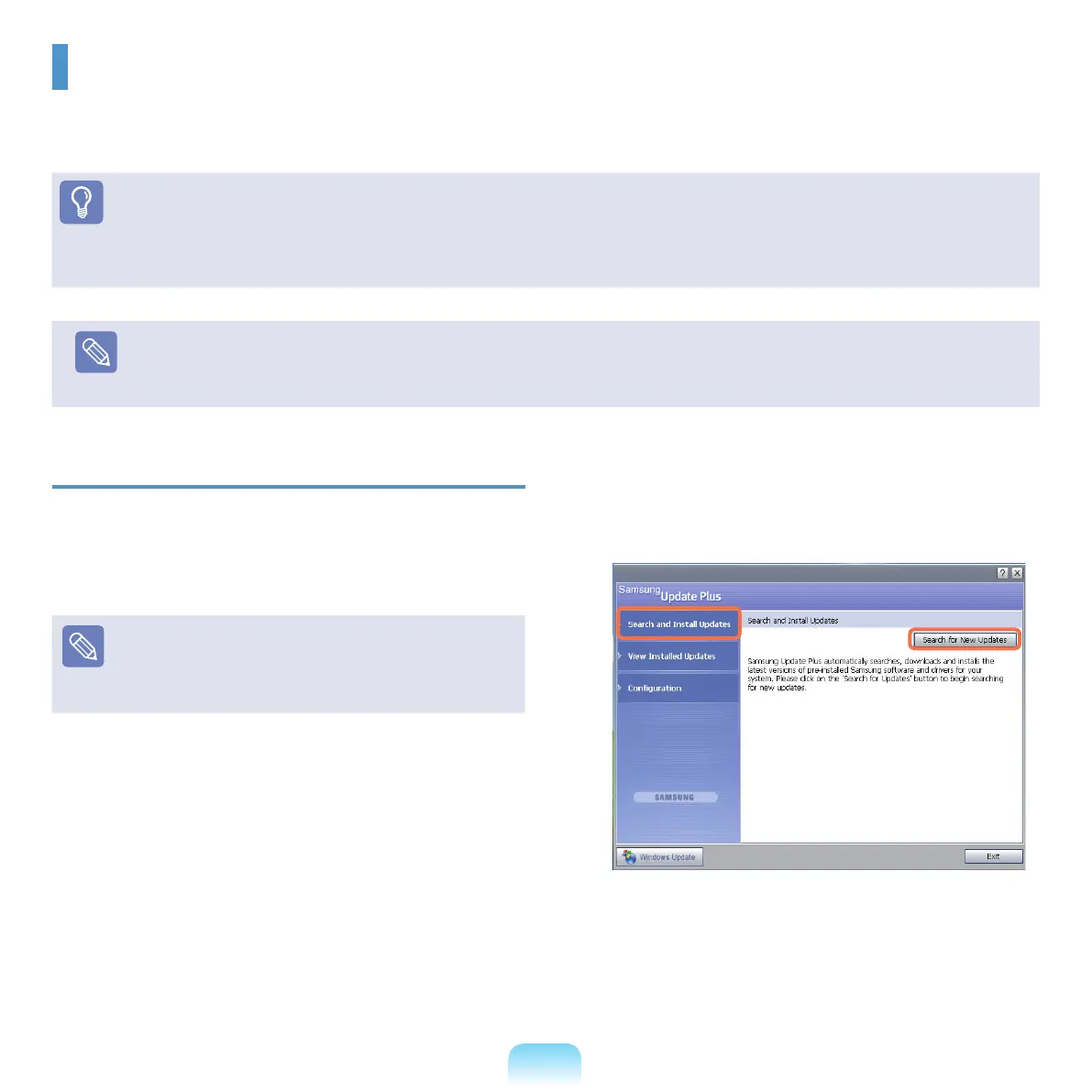
Click Search for and Install Updates and click
Search for New Updates.
Samsung Update Plus
SamsungUpdatePlusissoftwarethatexaminesandupdatestheSamsungsoftwareanddriversinstalledonyour
Samsung computer to the latest version.
Before You Start!
■
TosearchforupdatesandupdateyourcomputerusingSamsungUpdatePlus,yourcomputermustbeconnectedtotheInternet.
■
The update search result may differ depending on your computer model.
Note
Samsung Update Plus does not provide updates for applications installed after purchasing the computer.



 To Next Page