62
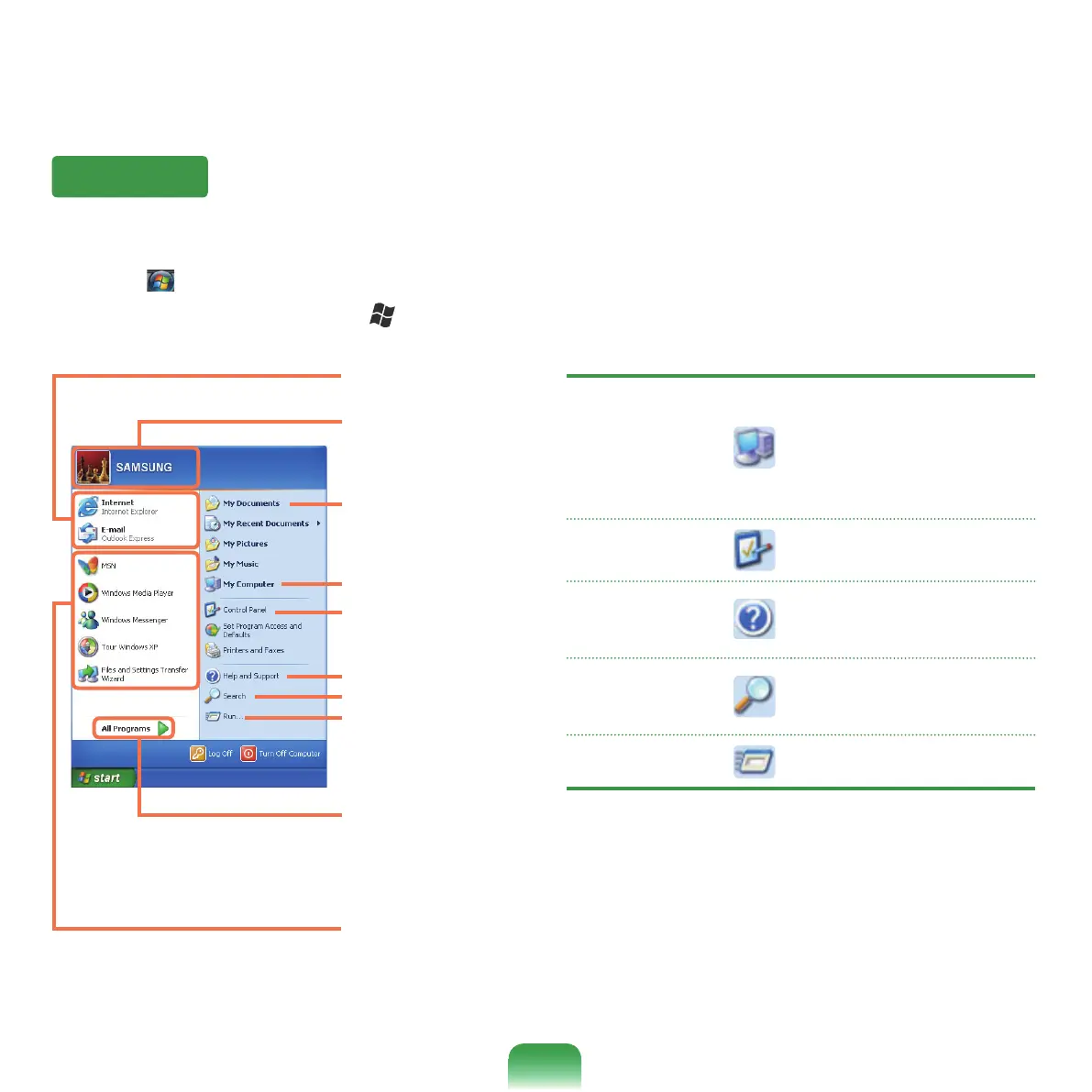
Start Menu
My Computer
Displays the contents of the
harddisk,theCD-ROMdrive,
thenetworkdrive(s),and
oppydisks.Itcanalsobe
usedtosearchandopenles
and folders.
Control Panel
Enablesuserstocongure
settings on the computer.
Help and
Support
Provideson-linehelp,
informationonWindowsand
troubleshooting.
Search
Enablesuserstosearchfor
informationinlesorthe
Internet.
Run
Run programs or documents.
Frequently used
programs
All Programs
My Computer
Control Panel
Help and Support
The menu from which you can launch programs.
Click Start(
). The Start menu appears.
Alternatively,presstheWindows key (
)onthekeyboard.
My Documents folder
Search
Run
User account name
Items that are pined
to the Start menu.



 To Next Page