101
1
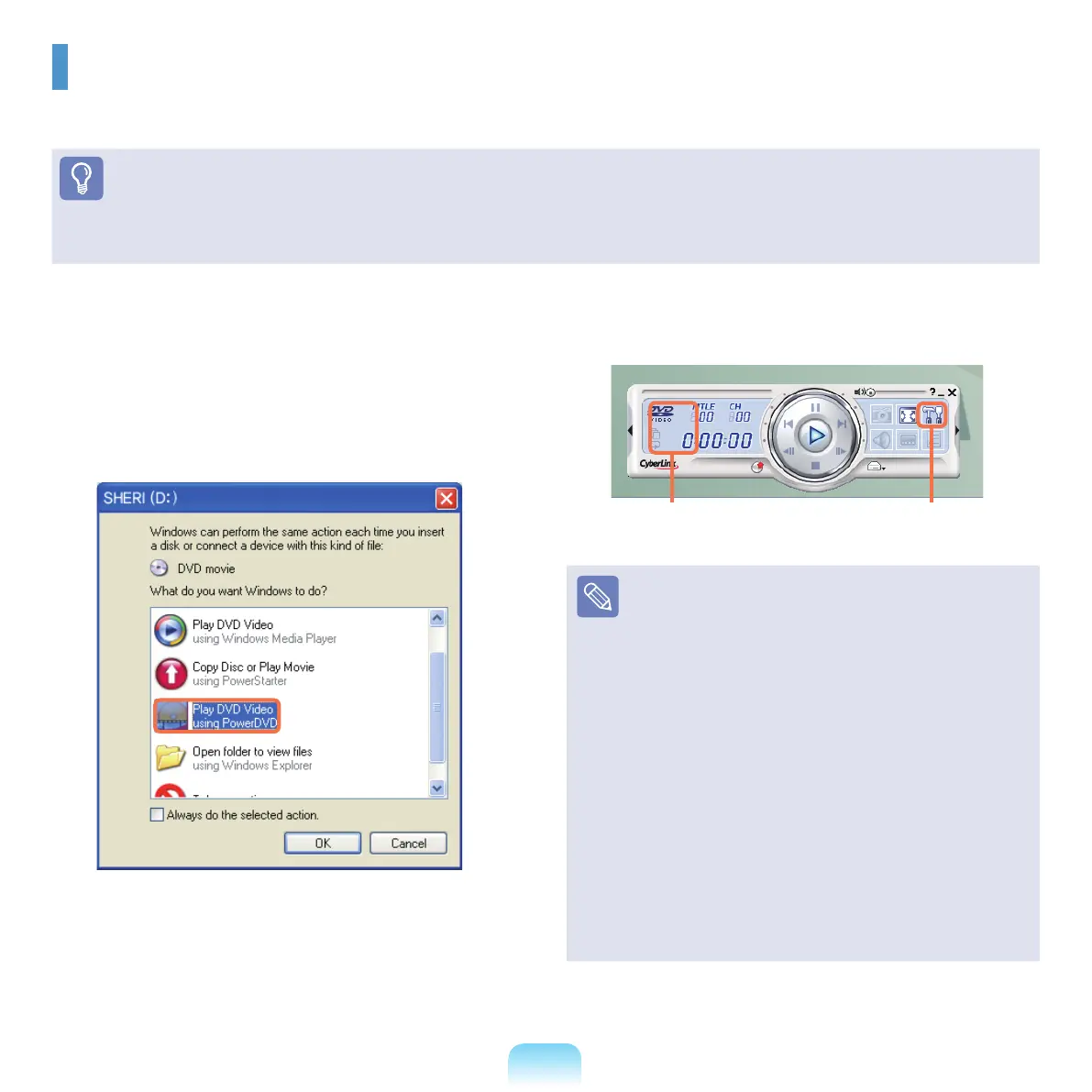
Insert a DVD title into the DVD drive.
2
Select Play DVD Video and click OK. DVD movie
starts to play in a moment.
3
IftheDVDmoviedoesnotstartimmediately,Click
Start > All Programs > CyberLink PowerDVD >
CyberLink PowerDVD.
4
Click PlayfromtheCyberLinkskinmenu.
The DVD movie starts to play.
■
Detailed Instruction:
Fordetailedinstruction,clickStart > All Programs >
CyberLink PowerDVD > CyberLink PowerDVD help.
■
DVD region code information:
EachDVD-Videodisccontainsoneormoreregion
codes,denotingtheareasoftheworldinwhich
distributionandplaybackareintended.Thecommercial
DVDplayerspecicationdictatesthataplayermustonly
play discs that contain its region code.
The
defaultregioncodeofDVDdriveissettoblank.
EverytimeyouinsertaDVDtitleforyournewproduct,
The region code of DVD drive changes corresponding
to the inserted DVD title. Changes to the region code
of
DVDdrivearelimitedtotherstvetimesandthe
lastinsertedDVDtitlenallydenestheregioncodeof
DVD drive. If you already have changed the region code
more
thanvetimes,pleasecallforfurtherassistance.
Services charges may apply in this case.
CongurationPlay
CyberLink PowerDVD
YoucanenjoyaudioandvideoplaybackofyourDVDmoviesusingtheCyberlink PowerDVD program.
Before You Start!
Ifitisnotinstalledonyourharddiskdrive,installitusingtheSystemSoftwaremedia(oradditionalCD).
TheCyberLinkPowerDVDprogramisoptionalandmaybenotprovidedforsomemodels.



 To Next Page