Bluetooth Software Setup
Bluetooth software is installed on computers supporting
Bluetooth.
Forrsttimeuse,setuptheBluetoothsoftwareas
follows.
1
Double-clickMy Bluetooth Places icon( )
on the desktop.
2
Click the Nextbuttontostartsettingup.
■
Inthesettingupsteps,enteradevicenametobe
displayed in t he Bluetooth Manager program. Enter
a name in the Computer Name
eldandselect
Laptop for the Computer Type
eld.
■
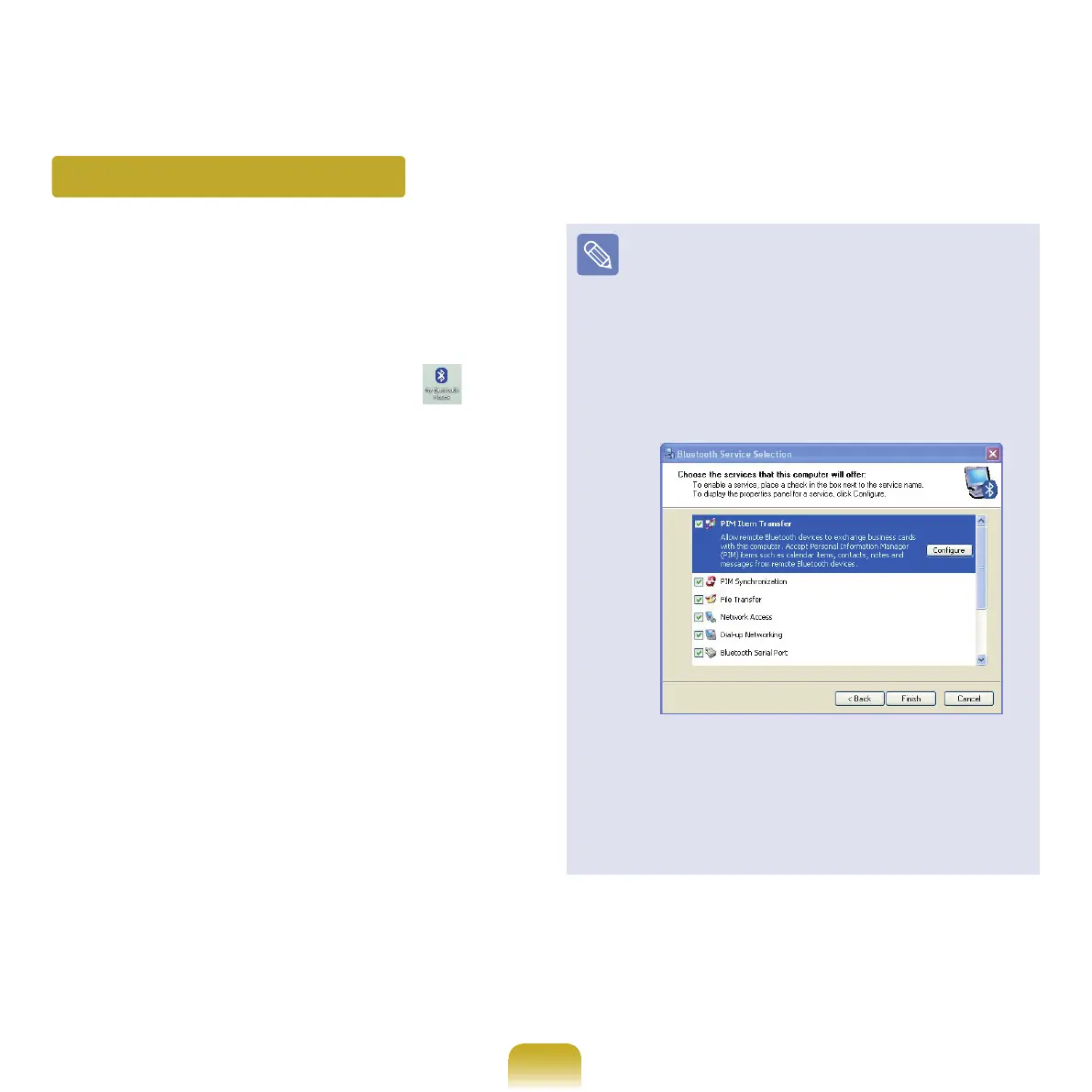
Also,astepappearsforselectingtheservicestobe
providedbyyourBluetoothdeviceforotherBluetooth
devices.Atthispoint,theprogramautomatically
detectsavailableservicesanddisplaysthemas
selected. It is recommended not to change the
default selection.
If
youchangetheservicesettings,thedriver
necessary for the additionally selected services are
installed.
At
thispoint,awarningmessagemayappear
informing you that there is no Microsoft logo.
Since
itdoesnotaffecttheoperation,continuethe
installation.



 To Next Page