45
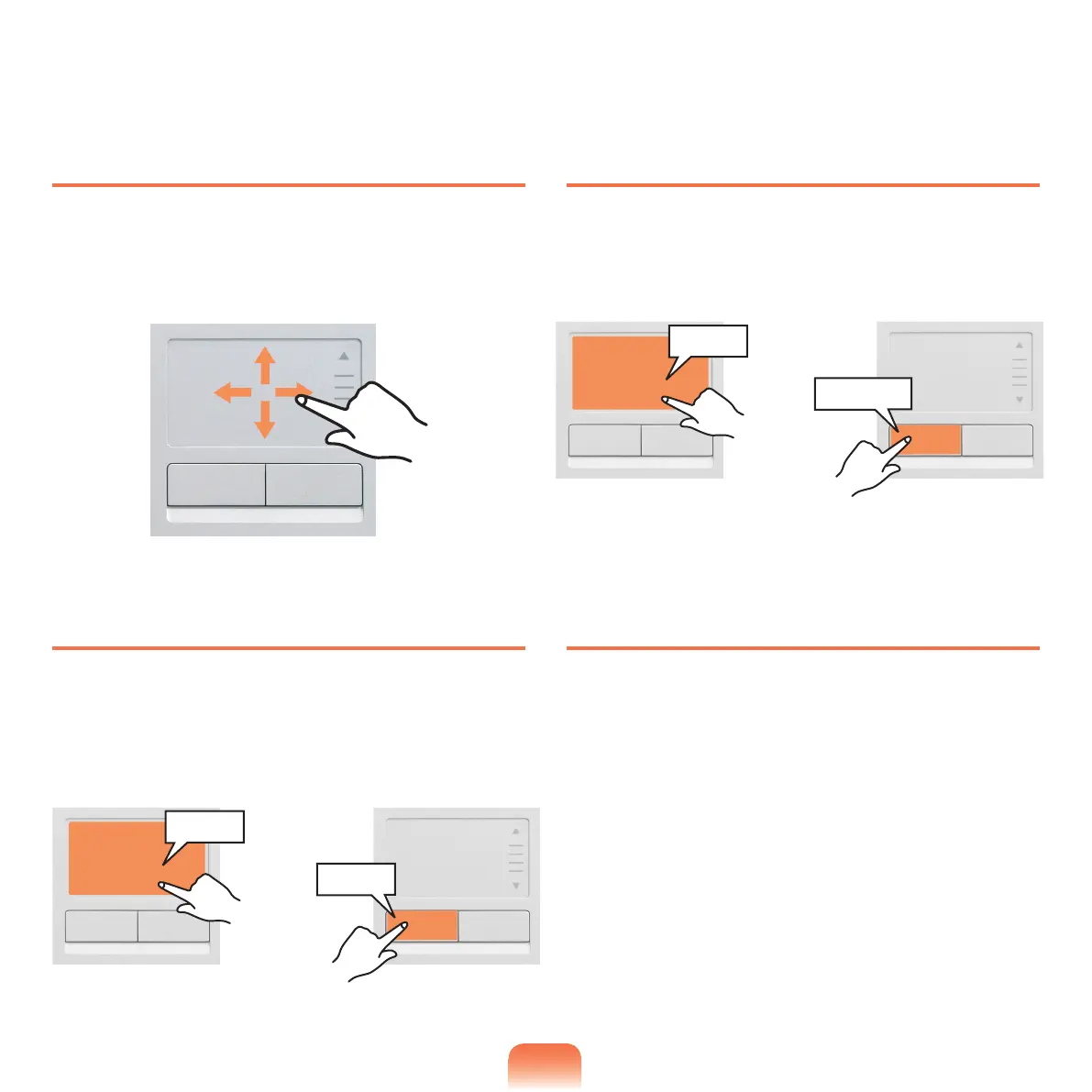
Moving the cursor on the screen
Placeyourngeronthetouchpadslightlyandmoveyour
nger.Themousecursorwillmoveaccordingly.Move
yourngerinthedirectionyouwishtomovethecursor.
Click Function
Placeyourngeronthetouchpadandtapyournger
once over an item you want.
Alternatively,pressthelefttouchpadbuttononce.
Double-Click Function
Putyourngeronthetouchpadandquicklytaptwicewith
yourngeronanitemyouwant.
Alternatively,pressthelefttouchpadbuttontwicequickly.
Right Button Function
Thiscorrespondstoclickingtherightmousebutton.
Presstherighttouchpadbuttononce.Thecorresponding
pop-upmenuappears.
or
Tap
Click
or
ClickClick
TapTap



 To Next Page