50
To Insert and Use a Memory Card
1
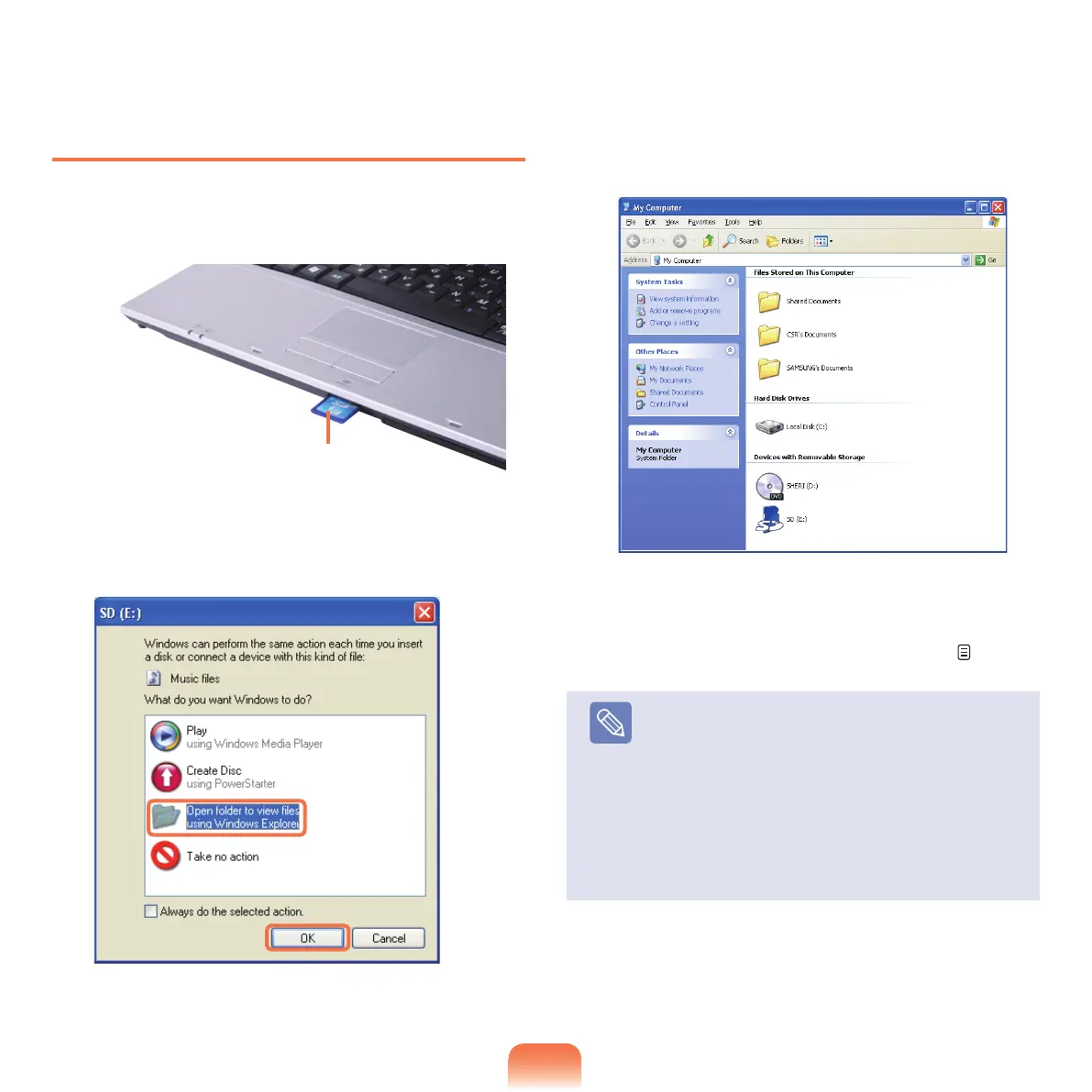
Insert a card into the slot according to the directions
printed on the slot.
2
Click Start > My Computer. The inserted memory
card is displayed.
3
Youcansave,moveanddeletedatabydouble-
clicking the corresponding drive.
Sinceyoucanonlyusethecardafterformattingit,
ifitisnotformatted,formatthecardreferringtothe
descriptionsof“Toformatamemorycard”.
p. 51
Note
Using a Memory Stick Duo, Mini SD and RS-MMC
Sincetheabovecardsaretoosmall,youcannot
insert the cards into the slot directly.
Insert the card into the dedicated adapter and then
insert the adapter into the multi card slot.
Due
tocompatibilityissues,someadaptersmaynot
properlyrecognizeMemoryStickDuocards,please
checkwiththevendoroftheadapterforcompatibility
issues.
Example) SD Card



 To Next Page