71
5
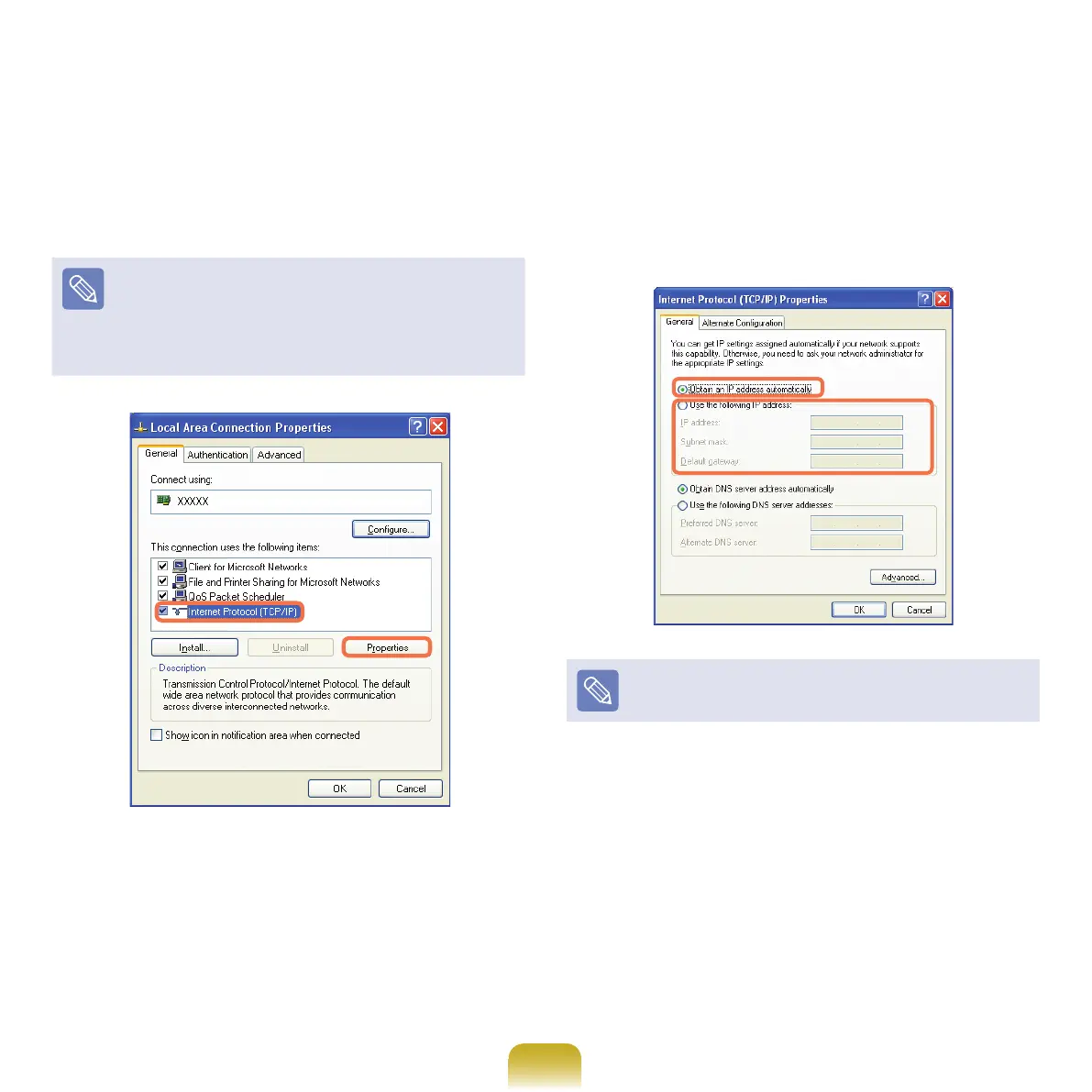
Click GeneraltabandselectaLANdriverfrom
Connect using:. Select Internet Protocol(TCP/IP)
and click Properties.
ThedisplayedLANdrivermayvarydependingonthe
LANdevicetype.
Click Install to add a network component as shown in
the
gurebelow:Youcanaddaclient,aservice,ora
protocol.
6
CongureIPsettings.
Select Obtain an IP address automatically when
usingDHCP.IfyouuseastaticIP,selectUse the
following IP address and enter the values.
IftheIPofyourcomputerisnotautomaticallyassigned,
contact the network administrator.
7
Ifallsettingsaremade,clickOK.Nowthenetwork
congurationisnished.



 To Next Page