Confidential
Chapter 2 Installing System
RFV01U-D2A Installation Manual v2.0 34
Copyright © 2017, All Rights Reserved.
4
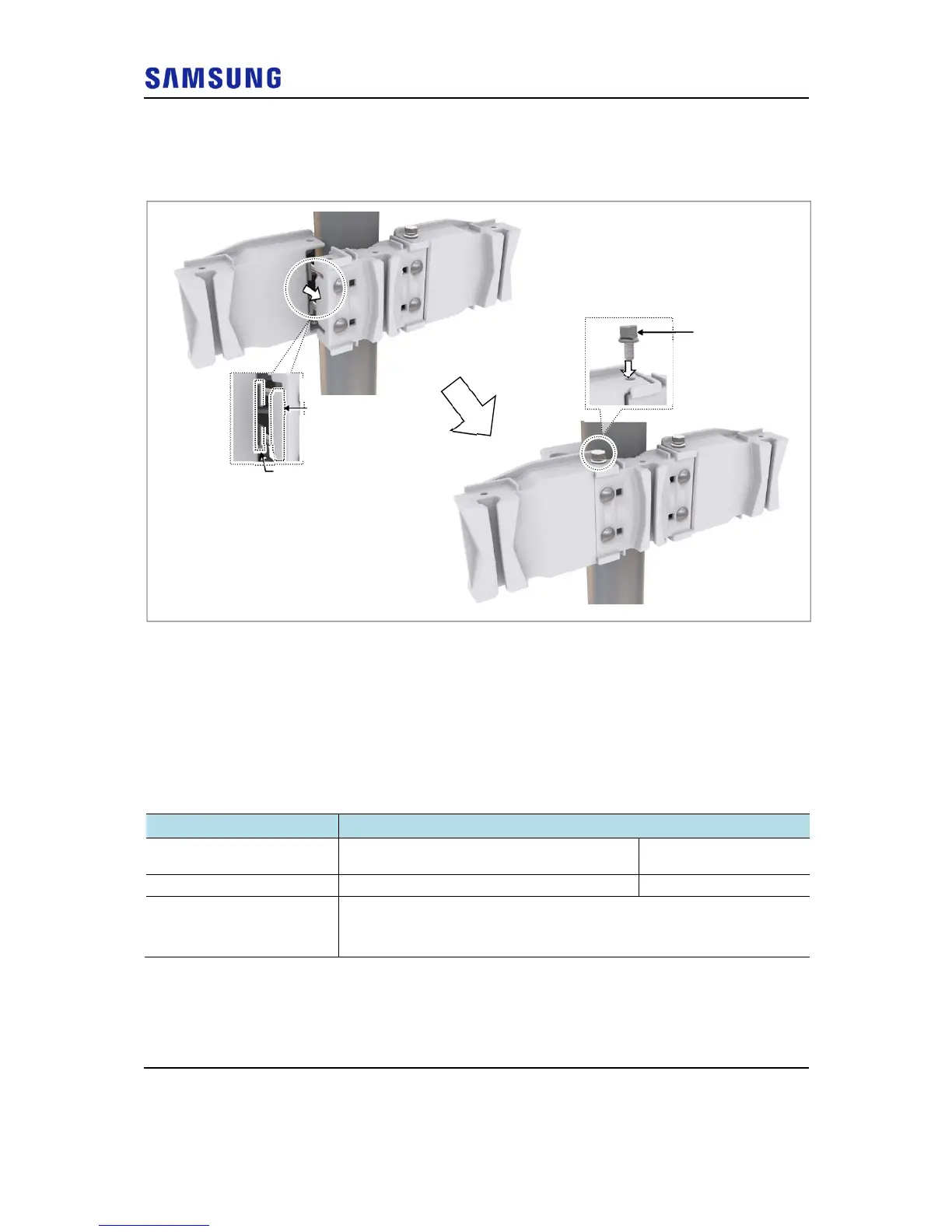
Fit the groove of the extension mounting bracket into the left hook of the
mounting bracket_front, and then fix it using fasteners.
Figure 33. Fixing Mounting Bracket Assembly_2 Sector Pole Type (Side Installation 3)
Fixing RRH
For 1 Sector
To fix the RRH_1 sector pole type for standard and side installation, do the
following:
1
Make sure you have the following items:
Table 9. Fixing RRH_1 Sector Pole Type (Standard and Side Installation)
Category Description
Parts
M10 × 35L Hex. Bolt (washer assembly,
attached to the unit bracket)
1 EA
Recommended Torque Value M10 Hex. Bolt 217 lbfin (250 kgf·cm)
Working Tools
Torque Wrench (100 to 400 lbf·in)
Torque Wrench Spanner head (apply Hex. Head: 17 mm)
Spanner (17 mm)
2
Hang the unit bracket hook of RRH side on the groove of the mounting
bracket_front hook, and then fix it using fasteners.
M10 Hex. Bolt
(washer assembly)
Mounting Bracket



 To Next Page