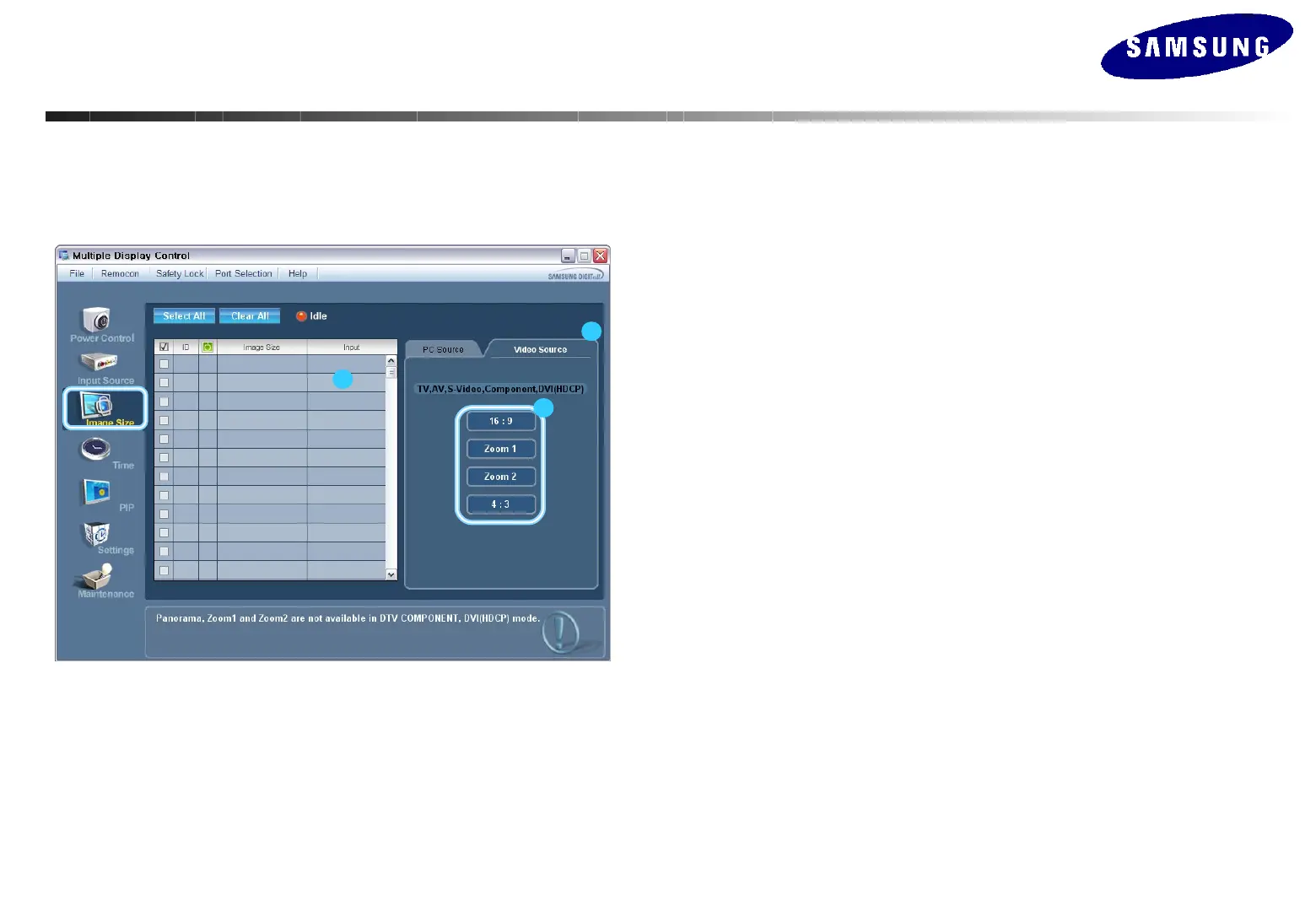
Image Size Control – Video Source
1. Click Image Size of the main icons to display the Image Size window.
- Info Grid shows some basic information necessary to Image Size Control.
1) Click the Video Source tab to adjust the Image Size of AV, S-Video, TV, Component, or
DVI(HDCP). Click Select All or use Check Box to select a display to control.
2) Info Grid displays only the display having AV, S-Video, TV, Component, or DVI(HDCP)
as input source
3) Adjust the Image Size of the display.
If the input signal for the component or DVI(HDCP) is 720p or 1080,
Zoom1 and Zoom are not available.
• The Image Size Control feature is available only for the displays whose
power status is ON.
1
2
3
MDC(Multi Display Control) Program
MDC(Multi Display Control) Program






 To Next Page