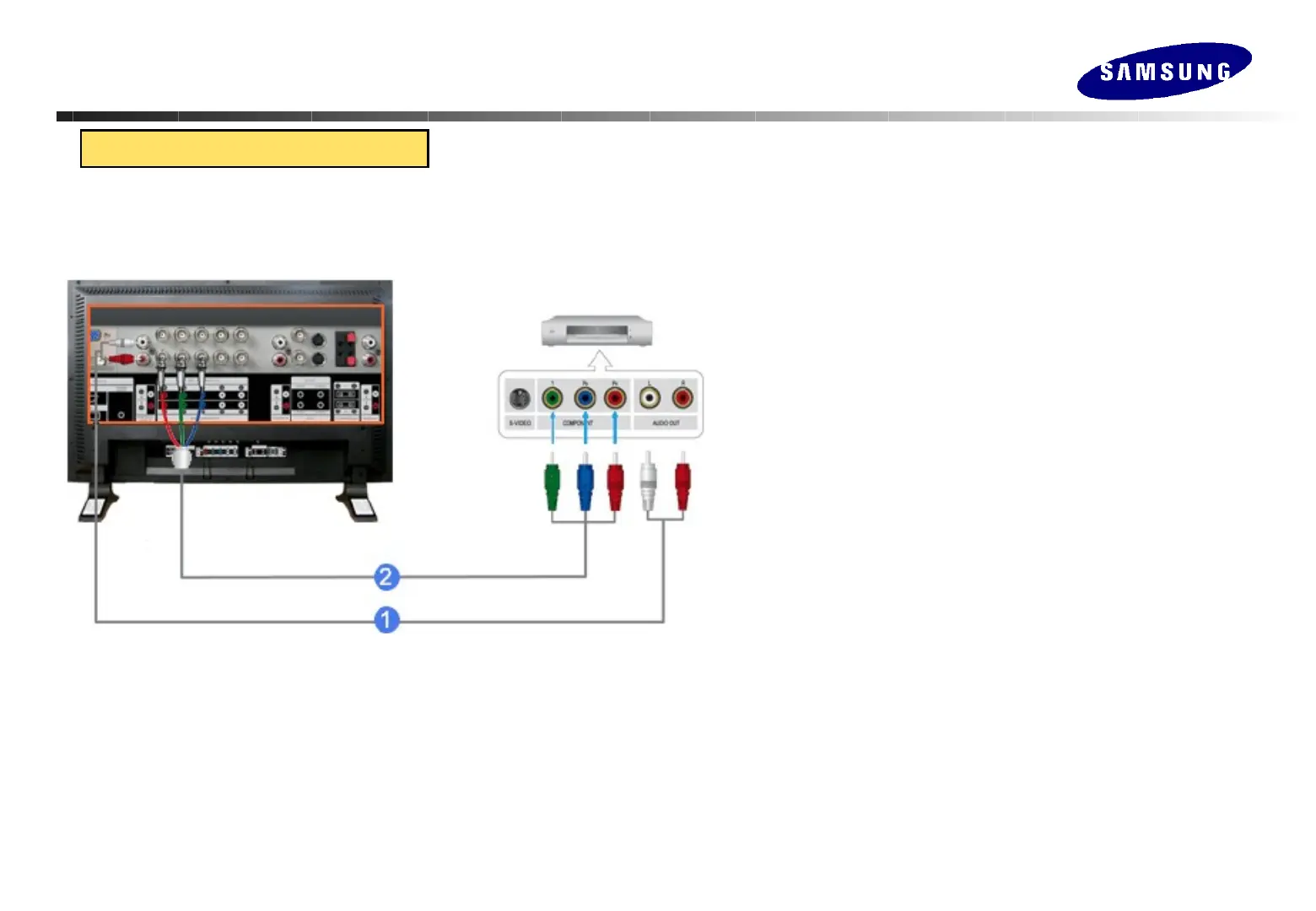
Connecting to a DVD Player
Connecting the Monitor
Connecting the Monitor
1.Connect a set of audio cables between the COMPONENT AUDIO IN
[L-AUDIO-R] on the Monitor and the AUDIO OUT jacks on the DVD
player.
2. Connect a Component cable between the BNC/COMPONENT IN - Pr, Y,
Pb port on the Monitor and the PR, Y, PB jacks on the DVD player.
3. Select Component that is connected to a DVD player using the Source
button on the monitor's front or remote control.
4. Then, start the DVD Player with a DVD disc inserted.






 To Next Page