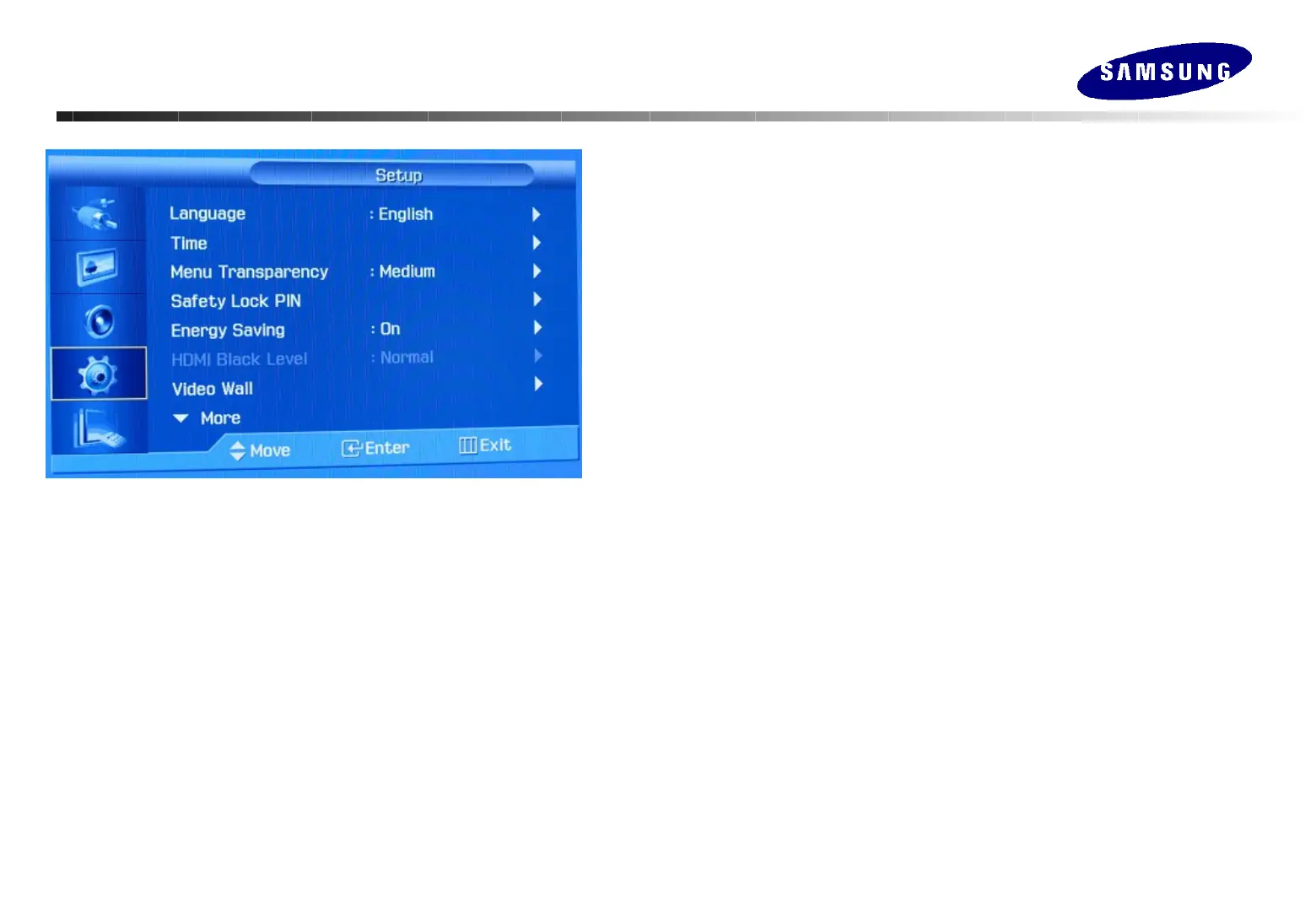
Adjusting Your Monitor
Adjusting Your Monitor
(Setup)
(Setup)
Language
Select the language
English, Germany, Spanish, French, Italian, Swedish, Japanese, Russian, Chinese, Korean,
Portuguese
Time
Use to choose one of 4 time settings, Clock Set, Sleep Timer, On Timer, and Off Timer.
When you select turning Yes the On Timer or Off Timer when Clock Set is
undefined, a guiding message pops up: "Set the clock first.".
Menu Transparency
Changes the opaqueness of the background of the OSD. High, Medium, Low, Opaque
Safety Lock PIN
You can change the password.
Energy Saving
When this menu is on, power consumption drops under 1W
by disabling RS232C communication, MDC program, and MagicNet.
Video Wall
Various monitors that are connected together, so that each screen shows a part of the whole
picture or so that the same picture is repeated on each screen.
1) Full : Provides a full screen without any margin.
2) Natural : Displays a natural image with the original aspect ratio intact.







 To Next Page