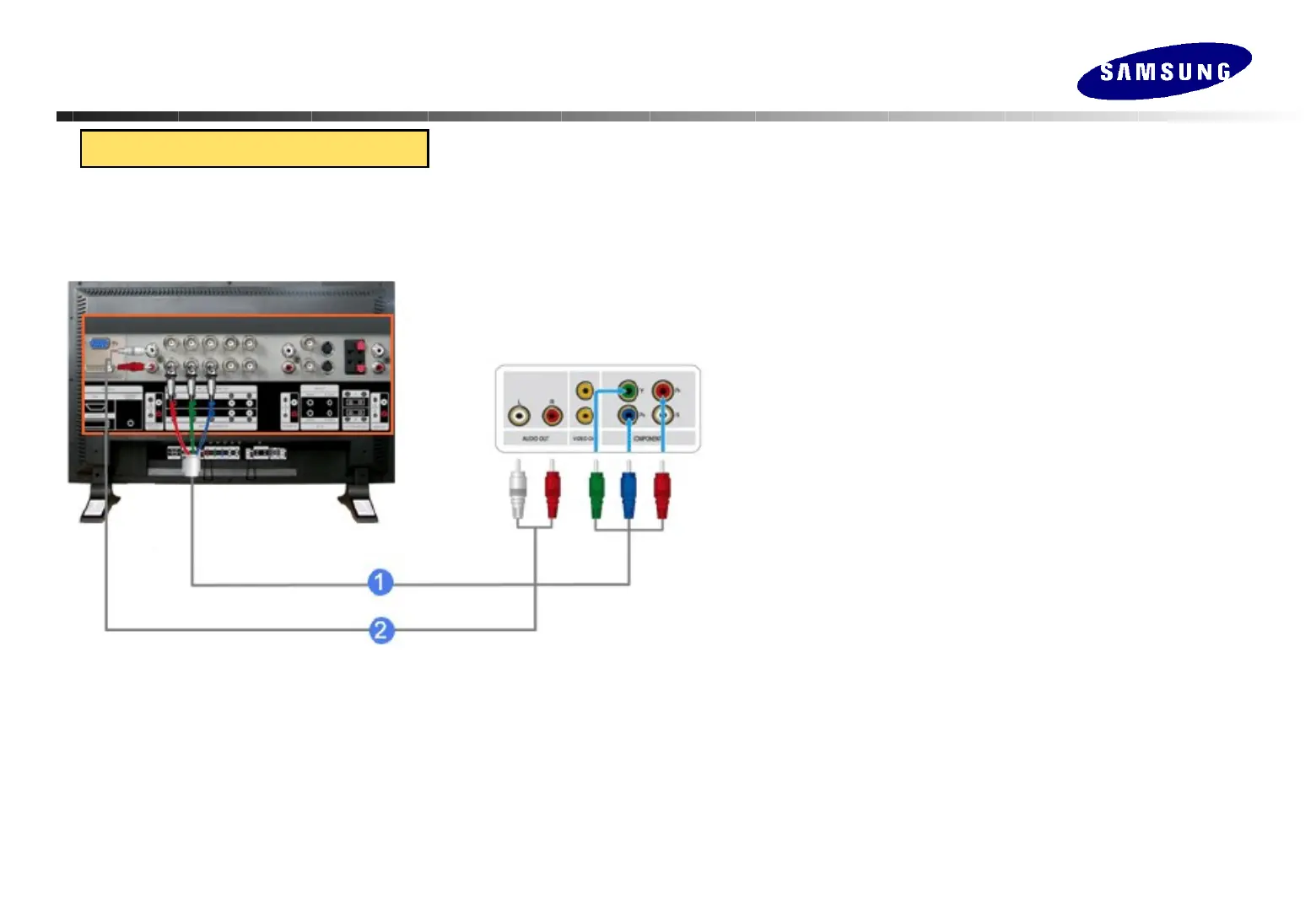
Connecting the Monitor
Connecting the Monitor
1. Connect a set of audio cables between the COMPONENT AUDIO IN
[L-AUDIO-R] on the LCD Display and the AUDIO OUT jacks on the
Set Top Box.
2. Connect a Component cable between the BNC / COMPONENT IN –
Pr, Y, Pb port on the LCD Display and the Pr, Y, Pb jacks on the Set
Top Box.
3. Select Component for the connection to a DTV Set Top Box using
the Source button on the front of the LCD Display or on the remote
control.
Connecting to DTV Set Top Box
◎ When connecting component of DVD or STB terminal, Y, Pb, Pr color must be distinguished
for normal color to appear.
◎ DVD or STB terminal also has separate input and output, so output terminal must be
connected to monitor.
◎ Set terminals must be connected with clear distinction of input and output.






 To Next Page