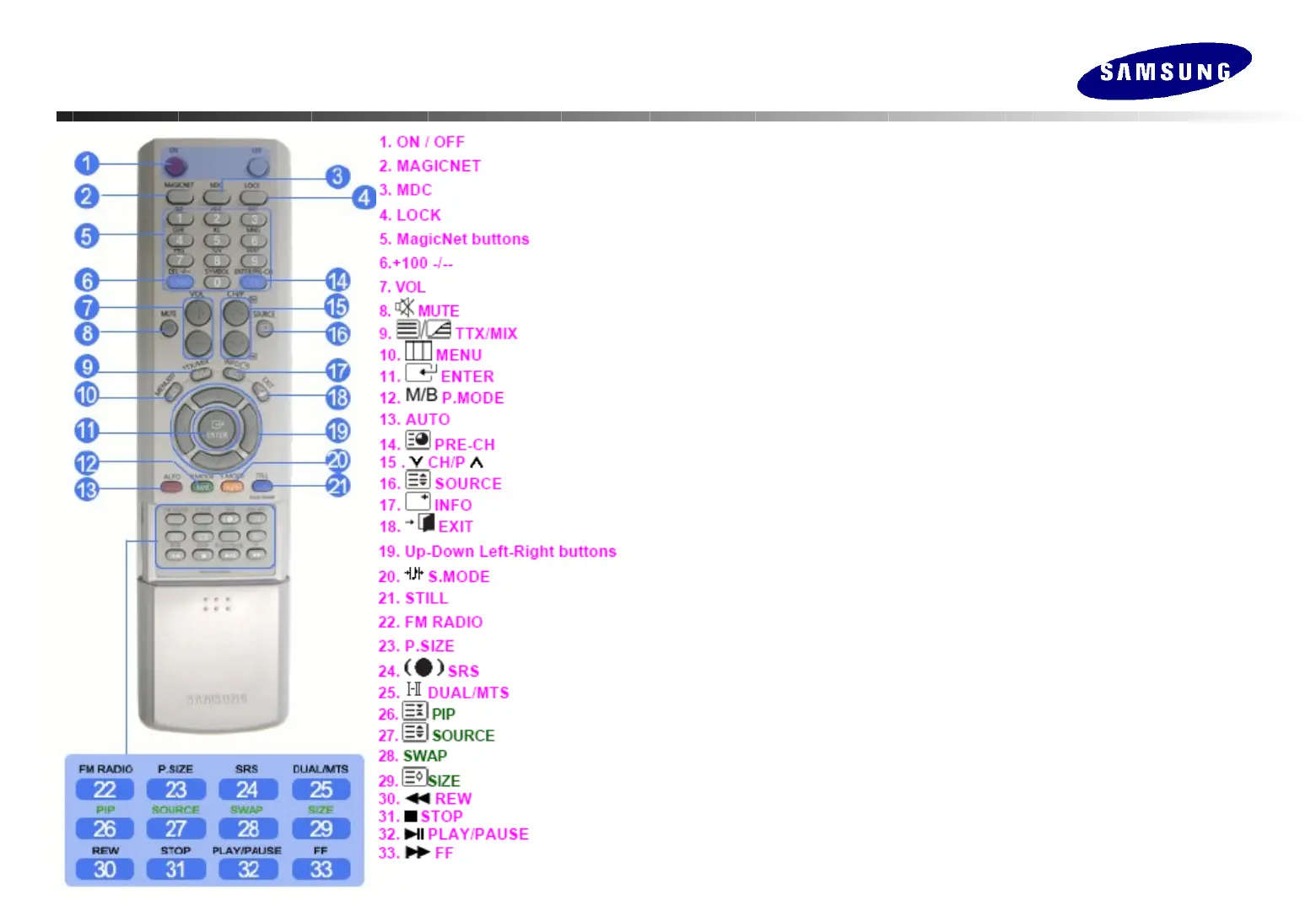
Introduction (Remote Controller)
Introduction (Remote Controller)
ON/OFF Turns the LCD display On/Off.
MagicNet MagicNet Quick Launch Button.
MDC MDC Quick Launch Button.
LOCK Activates or deactivates all function keys on both remote control and the LCD
except for the Power and LOCK buttons.
MagicNet buttons Used for MagicNet.
-. Alphanumeric : Used to enter the Internet address.
-. DEL : Function as the backspace.
-. SYMBOL : Used to enter the symbols. (., O. _, -, :, /)
-. ENTER : Used to enter values.
VOL Adjusts the audio volume.
MUTE Pauses (mutes) the audio output temporarily.
MENU Opens the OSD menu and exits from menu or closes the screen adjustment
menu.
ENTER Activates a highlighted menu item.
P. MODE Changes the available preconfigured picture mode.
AUTO Adjusts the screen display automatically in PC mode.
SOURCE Changes the video source.
INFO The current picture information is displayed in the top left corner of the screen.
EXIT Exits from the menu screen.
Up-Down Left-Right buttons Moves from one menu item to another horizontally,
vertically or adjusts selected menu values.
S.MODE Changes the available preconfigured sound mode.
STILL Press the button once to freeze the screen. Press it again to unfreeze.
P.SIZE Press to change the screen size.
SRS SRS Trusurround XT







 To Next Page