Updating the Program - MAIN
Updating the Program - MAIN
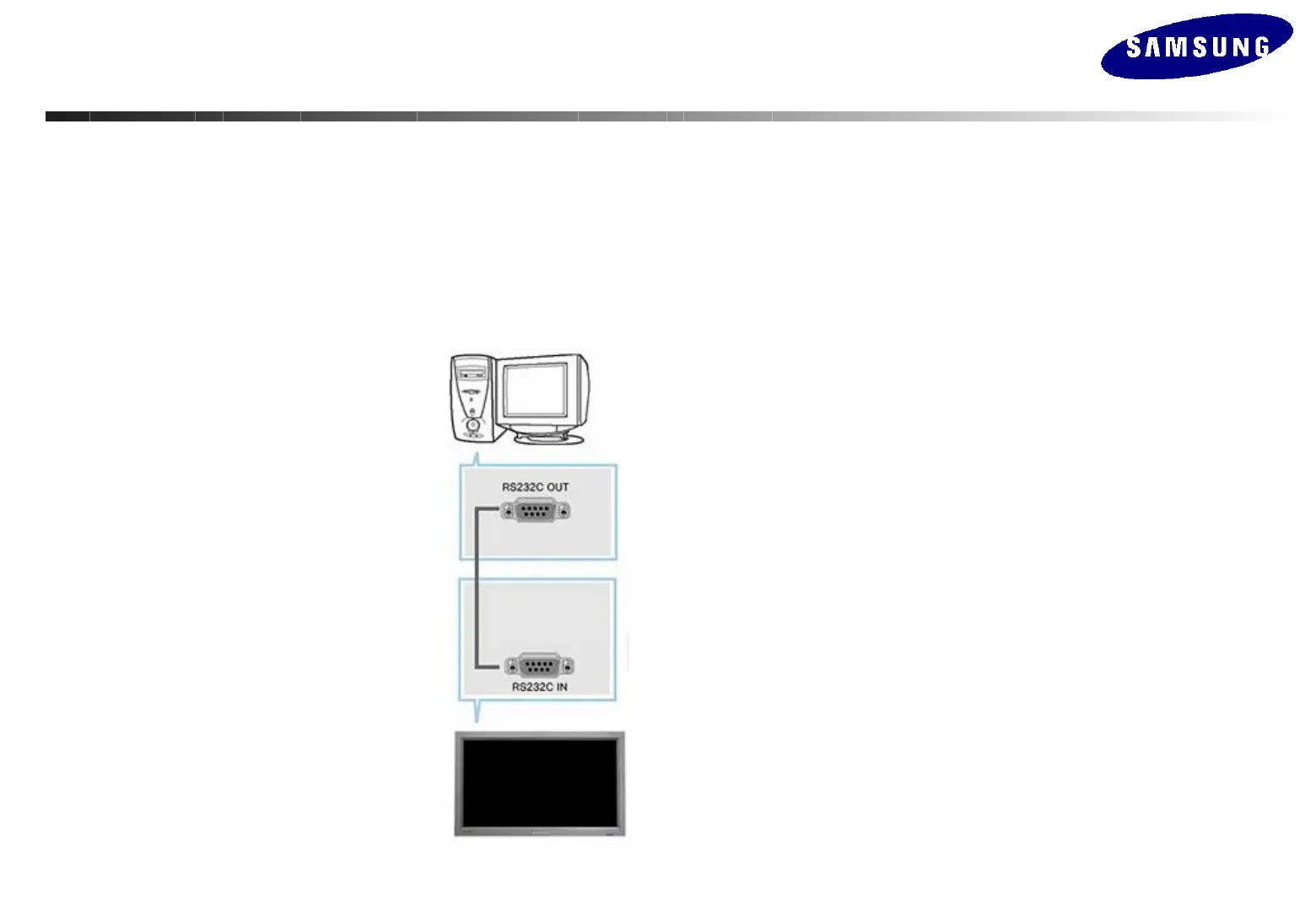
-. How to connect
Connect the serial port of the PC and the input serial port of Beethoven Board
with the RS232C cable.
Option in the Factory Menu : Check if BaudRate is set to 115200.
RS-232C, a standard of serial communication, is used for the
communication between a PC and a display. Therefore, a serial
cable should be connected between the serial port on a PC and the
serial port on a display.
Refer to the diagram.






 To Next Page