Adjusting Your Monitor
Adjusting Your Monitor
(Setup)
(Setup)
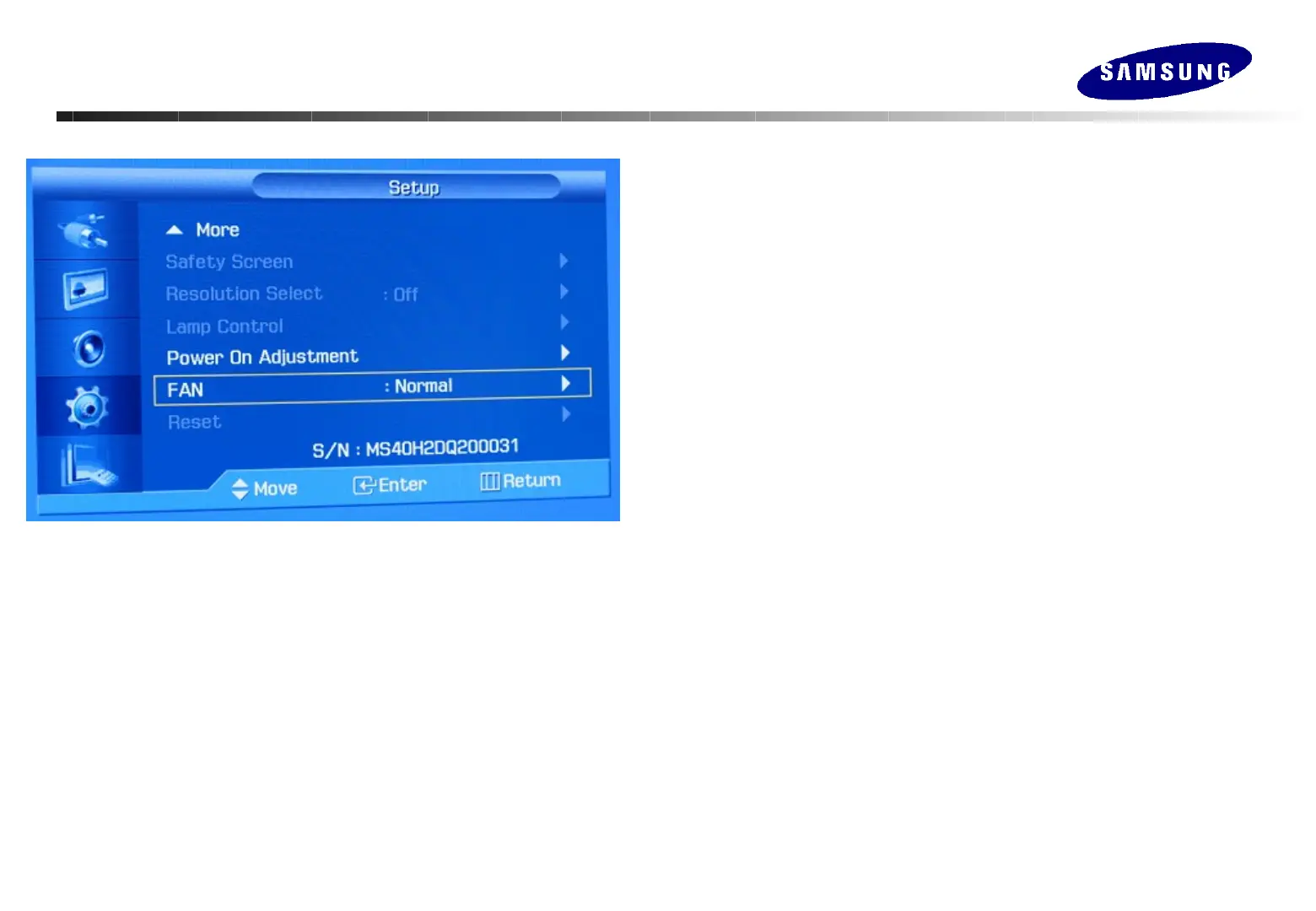
Resolution Select
When the picture is not displayed properly on the screen when setting the graphics
card resolution of the computer to 1024 x 768 @ 60Hz, 1280 x 768 @ 60Hz, 1360 x
768 @ 60Hz or 1366 x768 @ 60Hz, by using this function(Resolution Select) you can
have the picture displayed on the screen in the specified resolution.
Lamp Control
Used to adjust inverter lamp in order to reduce energy consumption.
Power On Adjustment
In order to decentralize the load of power supplier when many monitors that
are connected together turn on simultaneously, let some delay of power on
timing .
FAN
According to the rotation of monitor, change the movement of the FAN. : Normal, Pivot
Reset
Picture parameters are replaced with the factory default values.
Safety Screen
Prevent image retentions that may appear when a still picture is displayed
on the screen over a long time.
1) Interval : Determines the time interval to run the safety screen operation.
2) Second : Determines the time period to run the safety screen operation.
3) Type : Scroll / Pixel / Bar / Eraser






 To Next Page