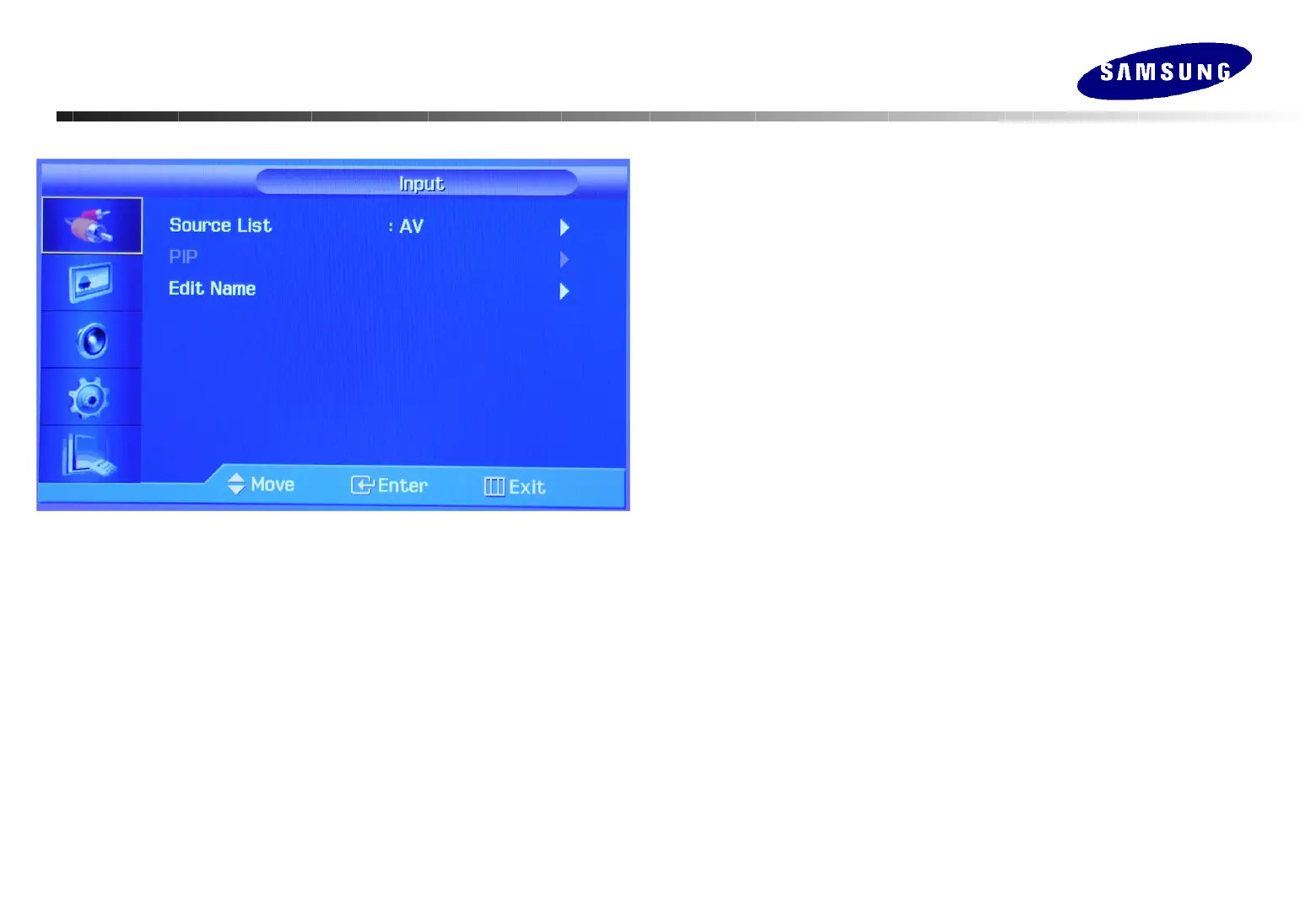
Adjusting Your Monitor
Adjusting Your Monitor
(Input)
(Input)
Source List
Use to select PC, BNC or other external input source connected to
the Monitor.
PIP
When external A/V devices such as VCRs or DVDs are connected to
the monitor, PIP allows you to watch video from those devices in a
small window super-imposed on the PC Video signal. (Off/On)
1) PIP
Off / On: Turn the PIP Screen on or off.
2) Source
: PC/DVI, BNC, AV/S-Video, Component, HDMI, MagicNet
: Select the input source for the PIP.
3) Swap : Swap the main picture with PIP picture
4) Size : Change the Size of the PIP window.
5) Position: Change the Position of the PIP window.
6) Transparency : Control the transparency of PIP picture
Edit Name
Name the input device connected to the input jacks to make your
input source selection easier.






 To Next Page