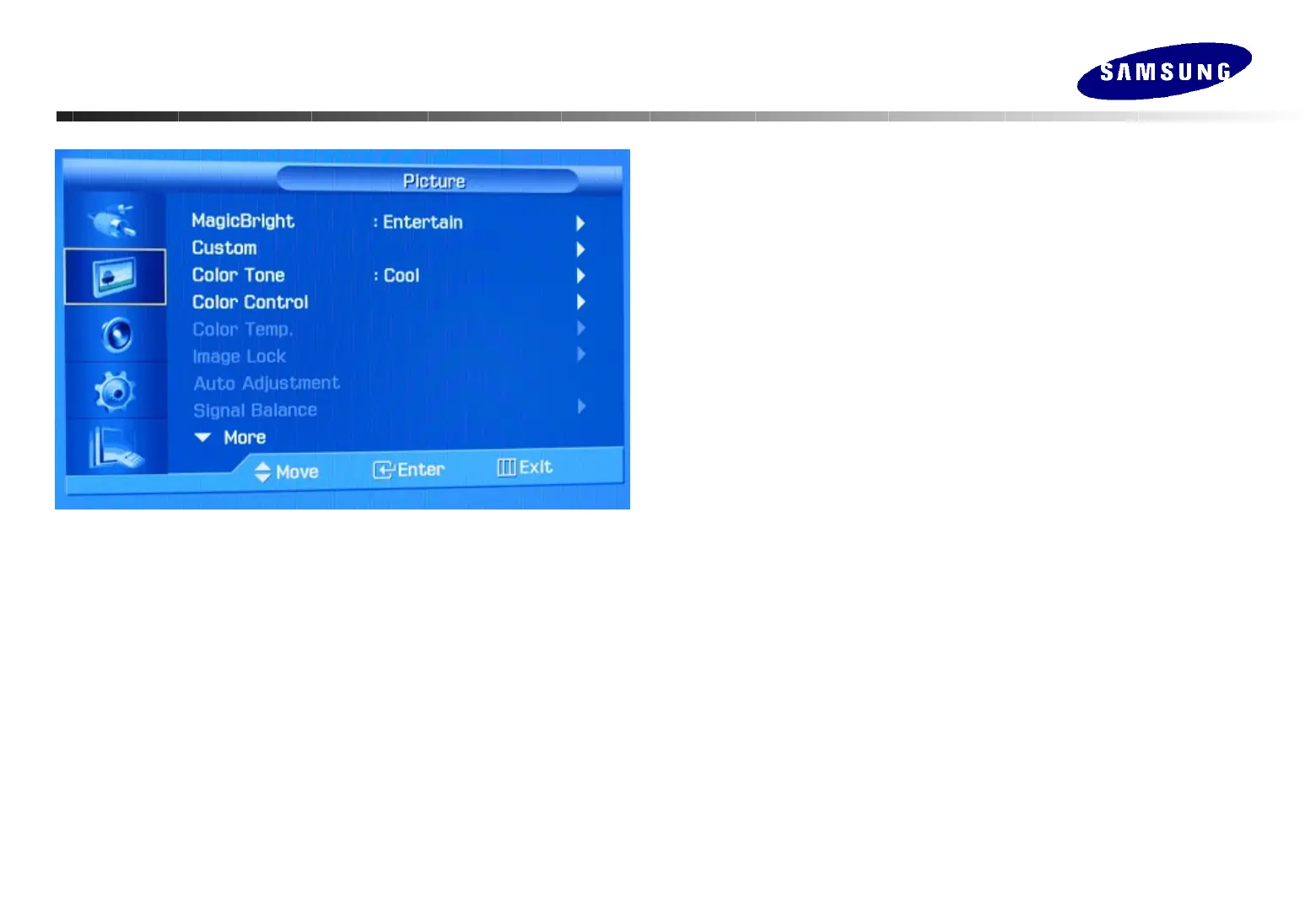
MagicBright™
MagicBright™ is a new feature providing the optimum viewing environment
depending on the contents of the image you are watching.
Currently four different modes are available: Entertain, Internet, Text and Custom.
Custom :Change the contrast and brightness according to personal preference.
1) Contrast : Adjust the contrast.
2) Brightness : Adjust the brightness.
Color Tone
The tone of the color can be changed : Cool, Normal, Warm, and Custom
Color Control
1) Red 2) Green 3) Blue
Adjust the individual R, G, B color controls.
Color Temp
Choose color tone off on the first stage and so can control color temperature.
Color Temperature Range : 5000 ~ 15000K (Step : 1000K)
Image Lock
Image Lock is used to fine-tune and get the best image by removing noise that
creates unstable images with jitter and shimmer.
1) Coarse : Removes noise such as vertical stripes.
2) Fine : Removes noise such as horizontal stripes.
3) Position : Adjusts the screen location horizontally and vertically.
Auto Adjustment : The values of Fine, Coarse, position are adjusted
automatically.
Signal Balance : Used to make up for the weak RGB signal which has been
transmitted by a long signal cable.
Adjusting Your Monitor
Adjusting Your Monitor
(Picture : PC/BNC/DVI)
(Picture : PC/BNC/DVI)






 To Next Page