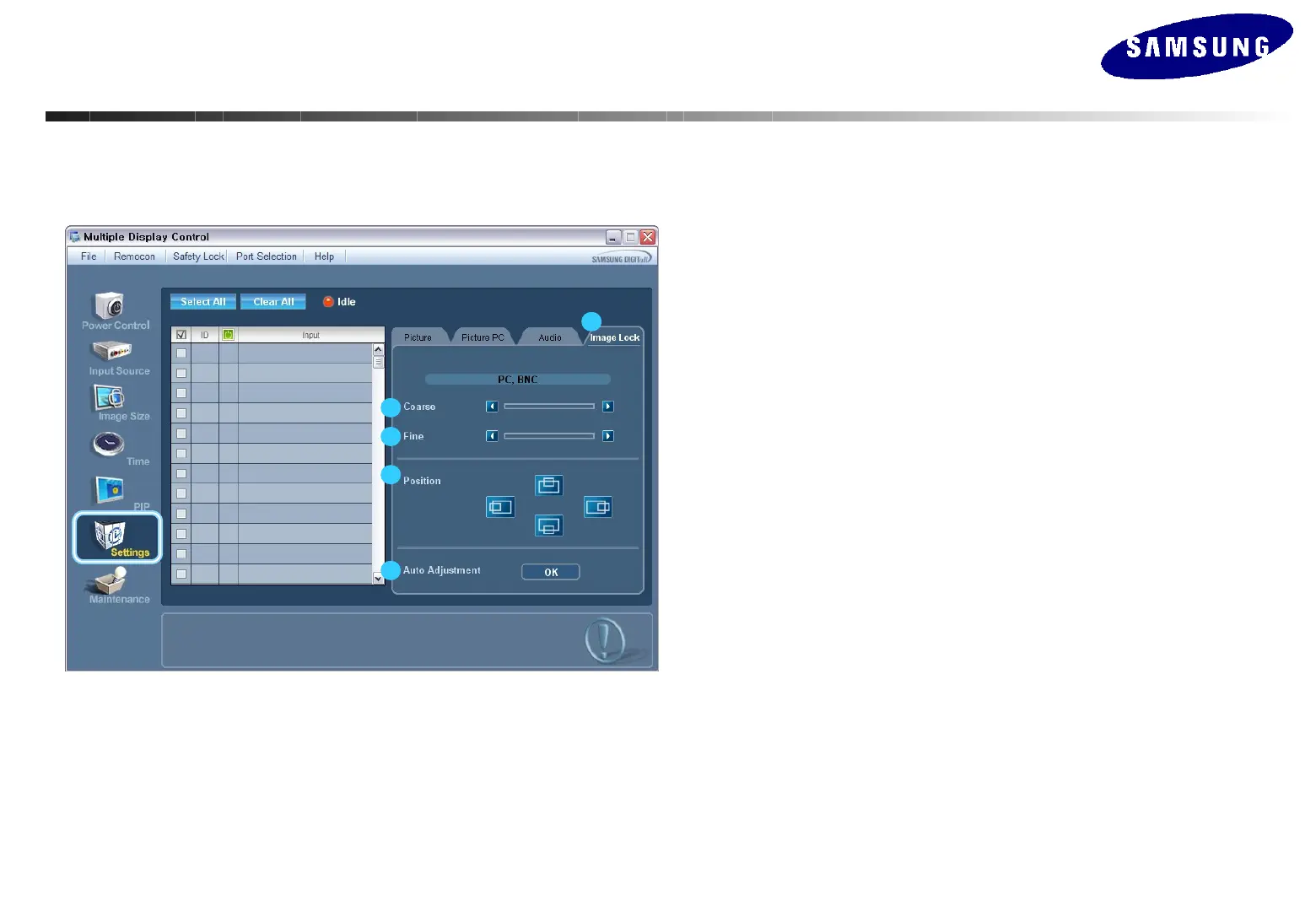
Setting Control – Image Lock
1. Click Settings of the main icons and select the Image tab to display the Setting
Control window.
- Info Grid shows some basic information necessary to Image Lock.
1) Image Lock
Available only the controls for PC and BNC.
2) Coarse
Adjusts Coarse of the selected display.
3) Fine
Adjusts Fine of the selected display.
4) Position
Adjusts Position of the selected display.
5) Auto Adjustment
Automatically adjusts the screen.
• This feature is available only for the displays whose power status is ON.
1
2
3
4
5
MDC(Multi Display Control) Program
MDC(Multi Display Control) Program






 To Next Page