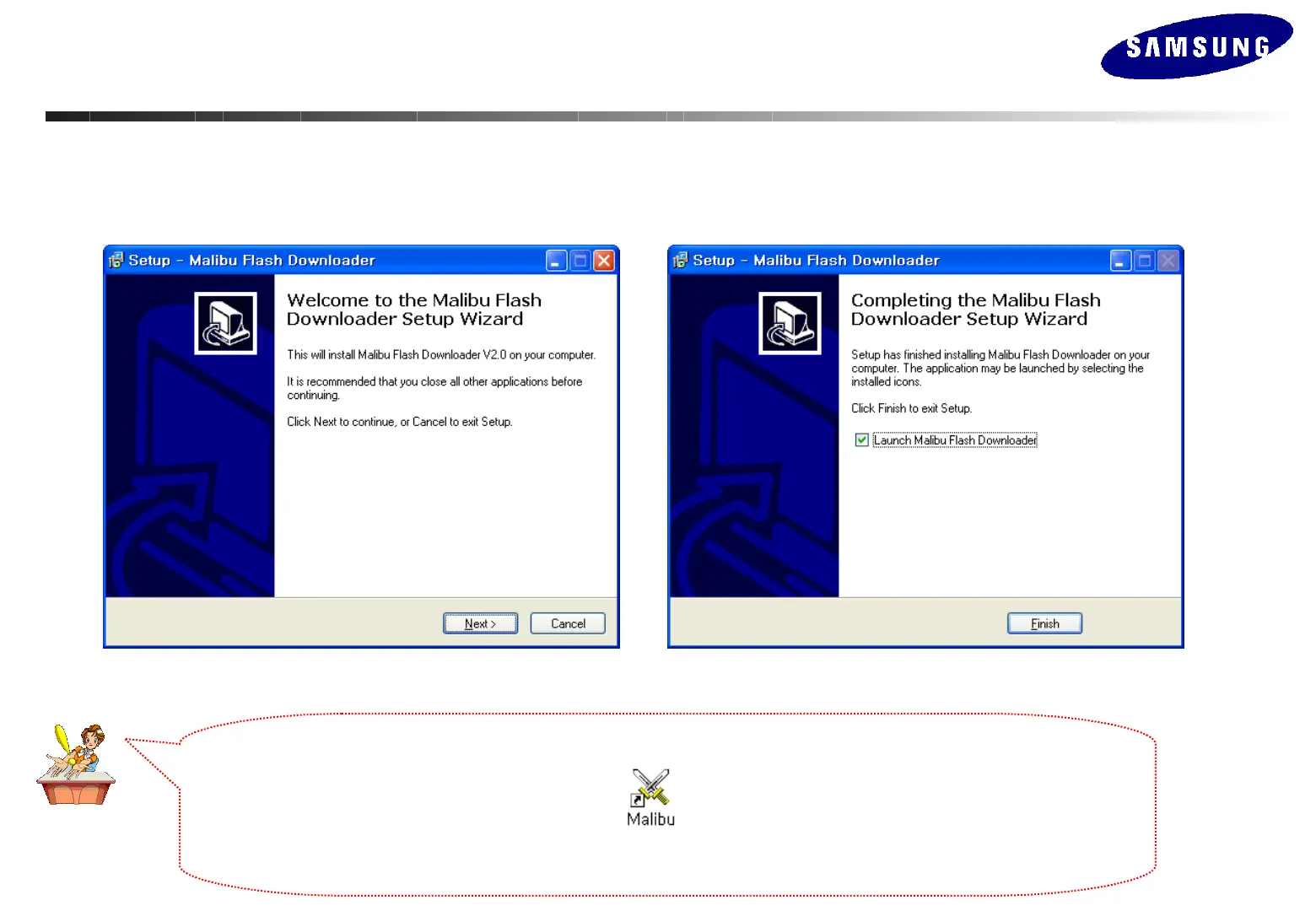
Run the .exe file and press the “OK” button, then press “Next” to complete the installation. (Attached)
The program is not affected by Windows OS system.
The program is not affected by Windows OS system.
When the installation is complete using the Setup.exe file, the icon appears on your desktop.
Double click the icon to run the program.
Updating the Program - MAIN
Updating the Program - MAIN






 To Next Page