Chapter 4 PAS Application Software Setting up your Submeters
Branch Feeder Monitor 136_Installation Operation and Manual 37
Chapter 4 PAS Application Software
The supplemental PAS software can be used for configuring the BFM136 through communication ports,
for retrieving real-time and energy profile data, and for remote upgrading device firmware.
To run PAS, you need Windows 98, Windows NT, Windows 2000 or Windows XP installed on your
computer. PAS will not run properly on Windows 95.
For information on how to install PAS on your PC, see the PAS Getting Started guide supplied on the
installation CD.
4.1 Setting up your Submeters
Each submeter in your device is accessed using a different communication address (see Submeter
Addressing).
To communicate with your submeters, create a separate site database for each submeter. During
configuration, store all setups to the site database so that PAS will recognize your device’s properties
regardless of whether the device is online or offline.
To create a new database for a submeter:
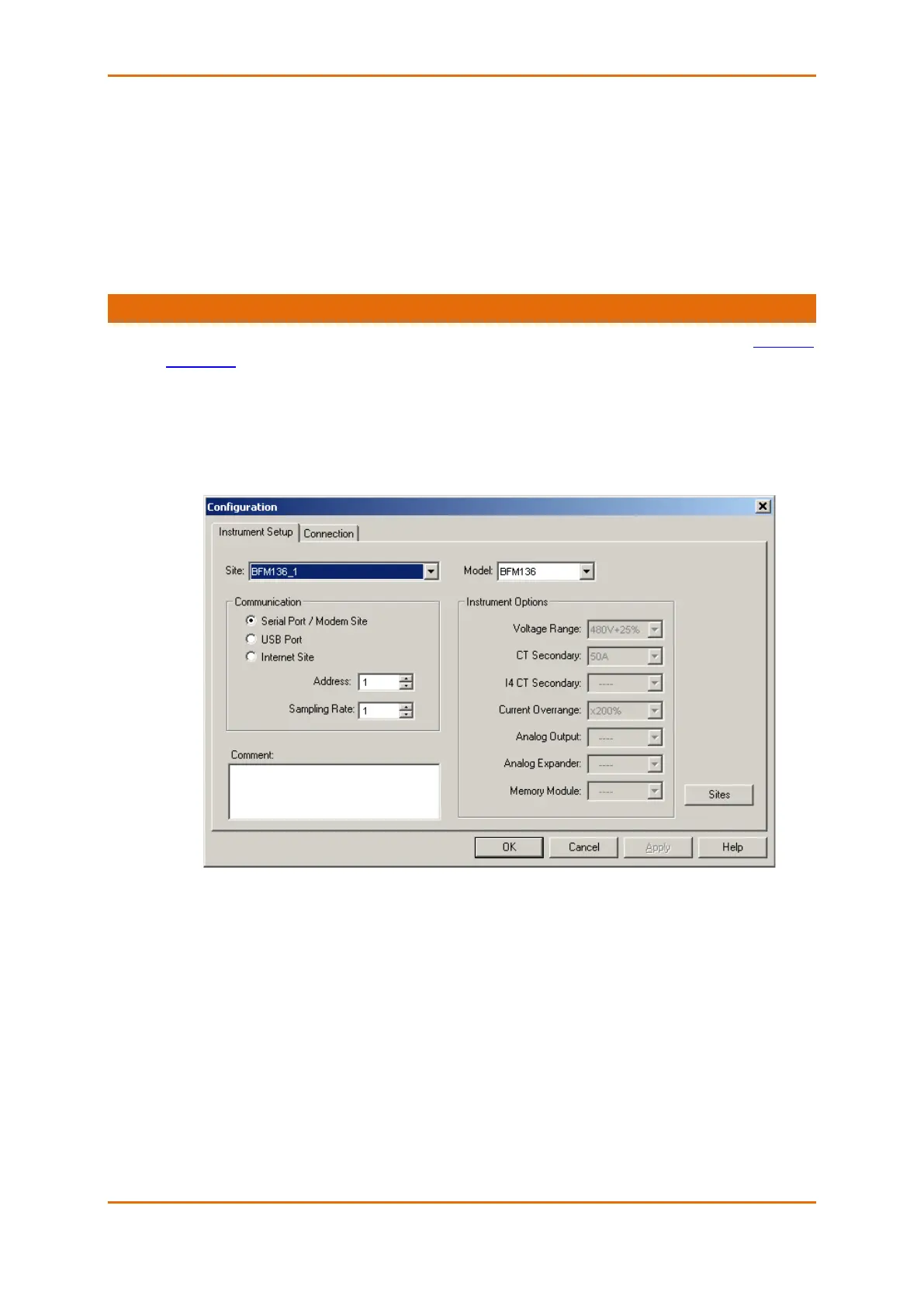
1. Select Configuration from the Tools menu, and then click the Sites button on the right-hand-side.
2. From the “Look in” box, select the directory where a new database will be stored. By default, it
will be the “Sites” directory. Type a site name for the submeter in the “File name” box, click New,
and then click OK.
3. On the Instrument Setup tab, select BFM136 in the “Model” box. PAS automatically selects the
appropriate instrument options for the submeter.
4. If you wish to add any comments for the submeter, type them into the “Comments” box.



 To Next Page