Chapter 4 PAS Application Software Administration
Branch Feeder Monitor 136_Installation Operation and Manual 56
4.9.3 Clearing Maximum Demands and Log Files
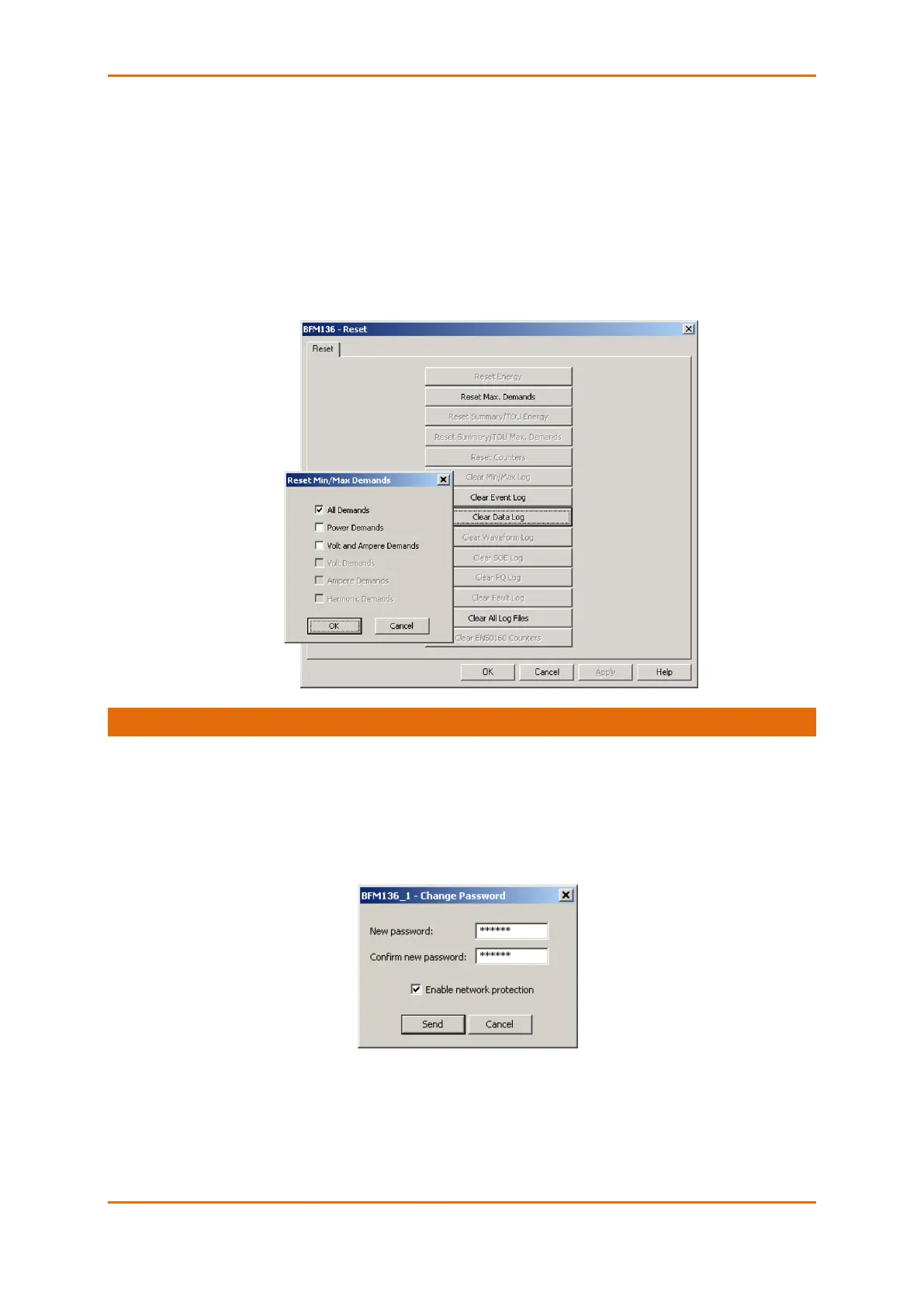
PAS allows you to remotely clear maximum demands and log files individually in each submeter.
To open the dialog box, select a device site from the list box on the toolbar, check the On-line button, and
then select Reset from the Monitor menu.
To reset the desired registers or to clear a file:
1. Click on the corresponding button, and then confirm your command.
2. If a target has more than one component, you are allowed to select components to reset.
3. Check the corresponding boxes and click OK.
4.10 Administration
PAS allows you to remotely change the password or network security in your BFM136 . Use the device
base address to access your device.
To change the password, select a device site from the list box on the PAS toolbar, check the On-line
button, click Administration from the monitor menu, and then select Change Password.
To change the password, type in a new 8-digit password, repeat the password in the Confirm box, and
then click Send.



 To Next Page