Chapter 4 PAS Application Software Preparing Setups
Branch Feeder Monitor 136_Installation Operation and Manual 39
4.2.2 Communicating through the Internet
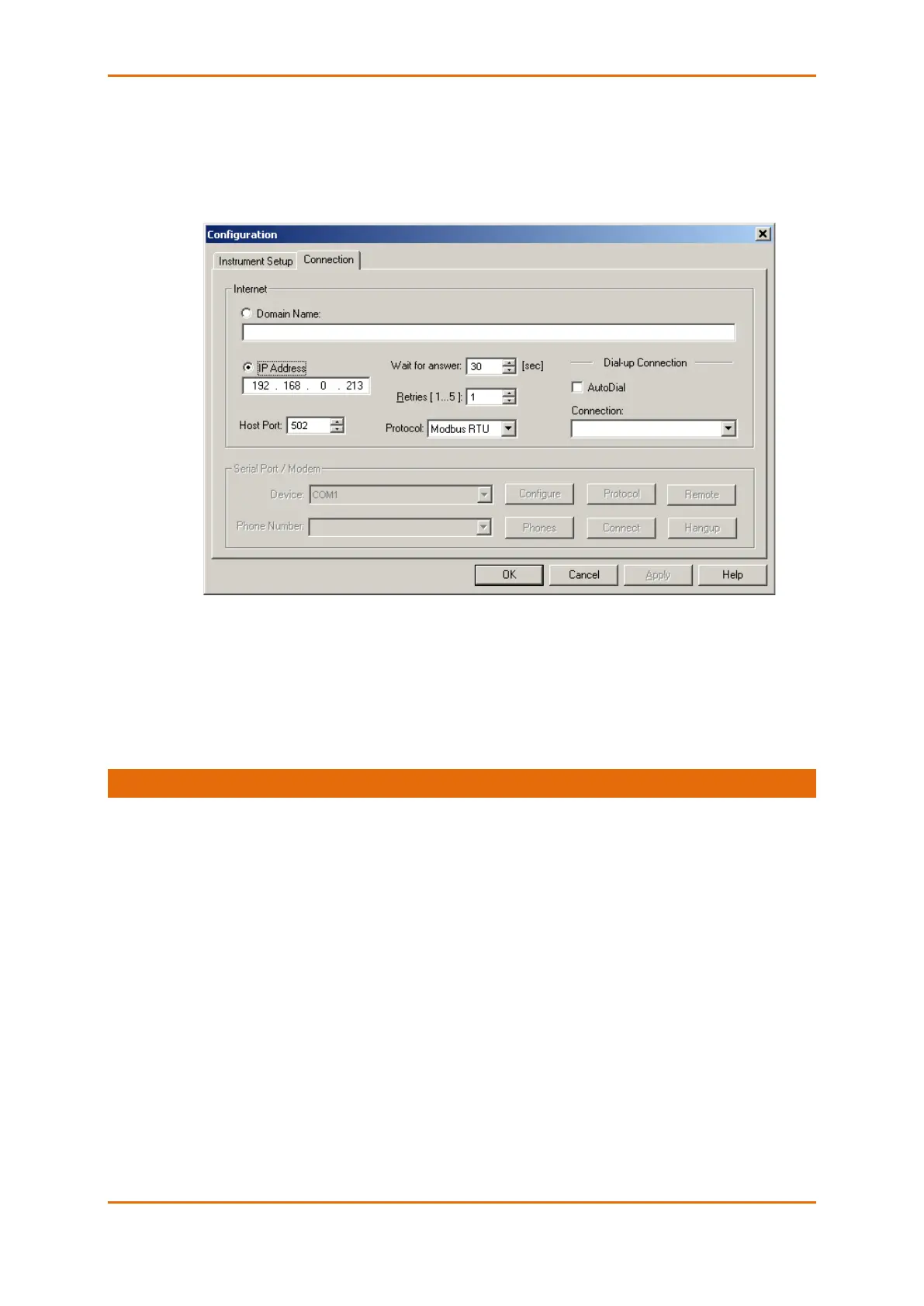
If you are communicating via the Ethernet, define the IP address of your BFM136 on the network.
1. On the Instrument Setup tab, select Internet Site.
2. Click on the Connection tab.
3. Click IP address and type in the IP address of your BFM136 . The factory-set IP address is
192.168.0.203.
4. In the Protocol box, select Modbus RTU. The default host port 502 is set automatically as you
select the protocol.
5. In the Wait for answer box, adjust the time that PAS will wait for a connection before announcing
an error and the number of retries PAS will use to receive a response from the device if
communications fail.
4.3 Preparing Setups
PAS allows you to prepare setup data for your BFM136 off-line without the need to have it connected to
your PC.
Select the appropriate site from the list box on the PAS toolbar, and then select the desired setup group
from the Meter Setup menu. Click on the tab with the setup you want to create or modify, and then fill in
the boxes with the desired configuration data. Click the “Save as…” button to store the data to the site
database.
To save your setup to another site database, select it from the file pane. Click OK.
To reuse setups from another site, copy them to your present site database. Click Open, select the desired
site database, and click OK. The opened setup is copied to your site database.
You can also copy all setups from one site database into another site's database. Select a device site from
the list box on the toolbar from which you want to reproduce setups, and then select “Copy to...” from the
Meter Setup menu. Select the site database to which to copy setups, and then click OK.



 To Next Page