EasyManua.ls Logo

Satec BFM 136 - Configuring Wireless RF Connections

Satec BFM 136
72 pages
Print Icon
To Next Page IconTo Next Page
To Previous Page IconTo Previous Page
Loading...
Chapter 4 PAS Application Software Changing Port Settings
Branch Feeder Monitor 136_Installation Operation and Manual 42
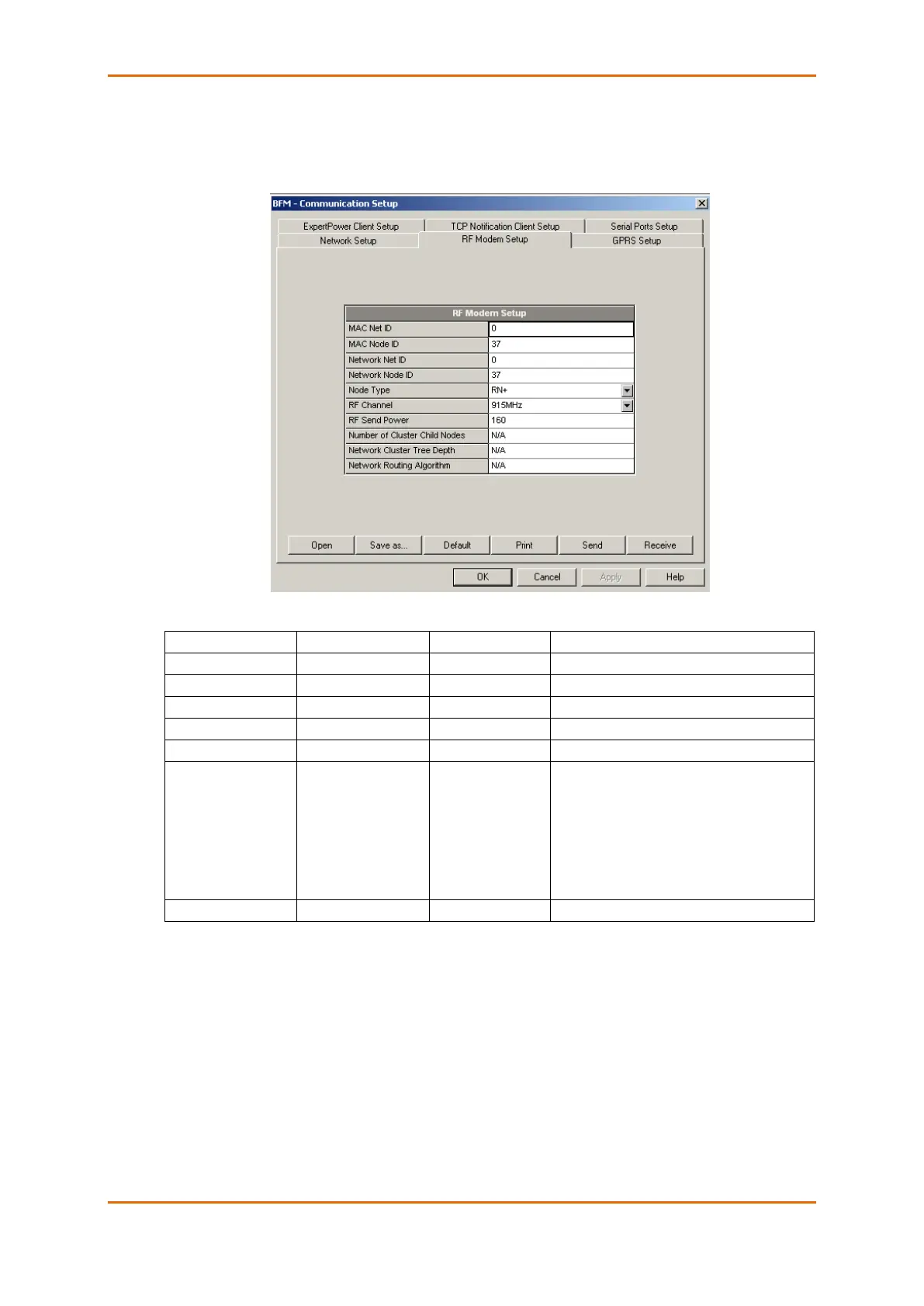
4.5.3 Configuring Wireless RF Connections
To enter the Setup dialog, select the site from the list box on the PAS toolbar, select Communications
Setup from the Meter Setup menu, and then click on the RF Modem Setup tab.
The following table lists available RF modem options.
Label
Options
Default
Description
MAC Net ID
0-255
0
MAC layer network ID
MAC Node ID
1-247
1
MAC layer node ID
Network Net ID
0-255
0
Network cluster ID
Network Node ID
1-247
1
Network layer node ID
Node Type
RN+, RN-, RFD
RN+
Node router type
RF Channel
907 MHz,
910 MHz,
912 MHz,
915 MHz,
917 MHz,
920 MHz,
922 MHz
915 MHz
RF channel frequency
RF Power
0-255
255
RF send power
NOTES:
1. Set the RF channel frequency and the MAC Network ID the same as you selected in the ETC2002
network router.
2. Set the Network Layer Net ID the same as the MAC Network ID.


Table of Contents

Related product manuals