Chapter 4 PAS Application Software General Meter Setup
Branch Feeder Monitor 136_Installation Operation and Manual 44
4.6 General Meter Setup
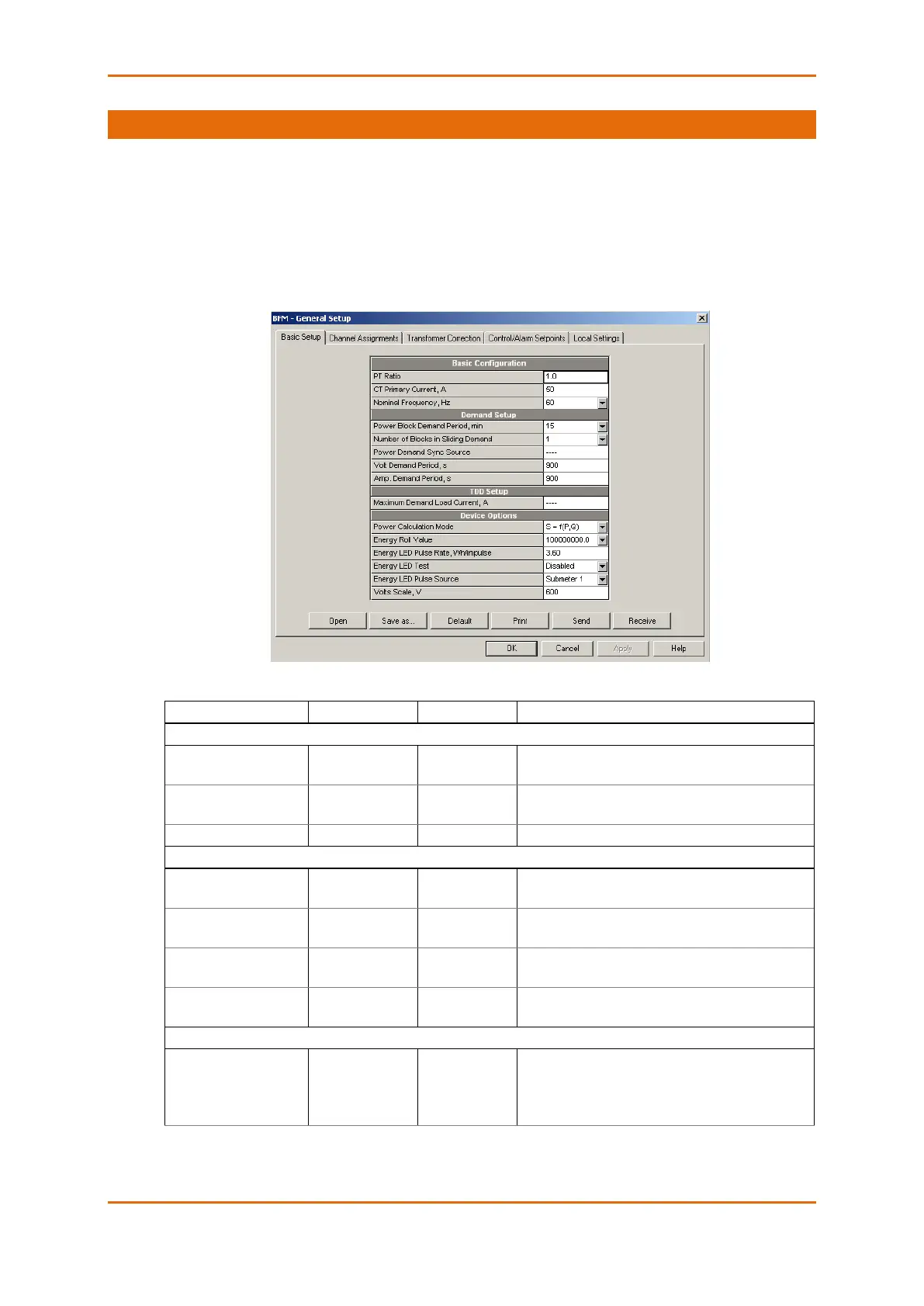
This section describes how to configure the BFM136 for your particular environment and application using
PAS.
4.6.1 Basic Meter Setup
Before operating your meter, provide the device with basic information about your electrical network.
To enter the setup dialog, select the device site from the list box on the PAS toolbar, and then select
General Setup from the Meter Setup menu.
The following table lists available device configuration options.
The phase potential transformer’s primary to
secondary ratio
The HACS primary current of the submeter’s; for
information only.
The nominal power frequency
Block power demand
period
1, 2, 5, 10, 15, 20,
30, 60 min
The length of the demand period for power demand
calculations
The number of blocks in
the sliding window
The number of block demand periods to be
averaged for sliding window demands
The length of the demand period for volt demand
calculations
The length of the demand period for ampere
demand calculations
S=f(P, Q) (using
reactive power),
Q=f(S, P) (using
non-active power)
The method used for calculating reactive and
apparent powers (see “Power Calculation Modes”
below)



 To Next Page