Chapter 4 PAS Application Software General Meter Setup
Branch Feeder Monitor 136_Installation Operation and Manual 45
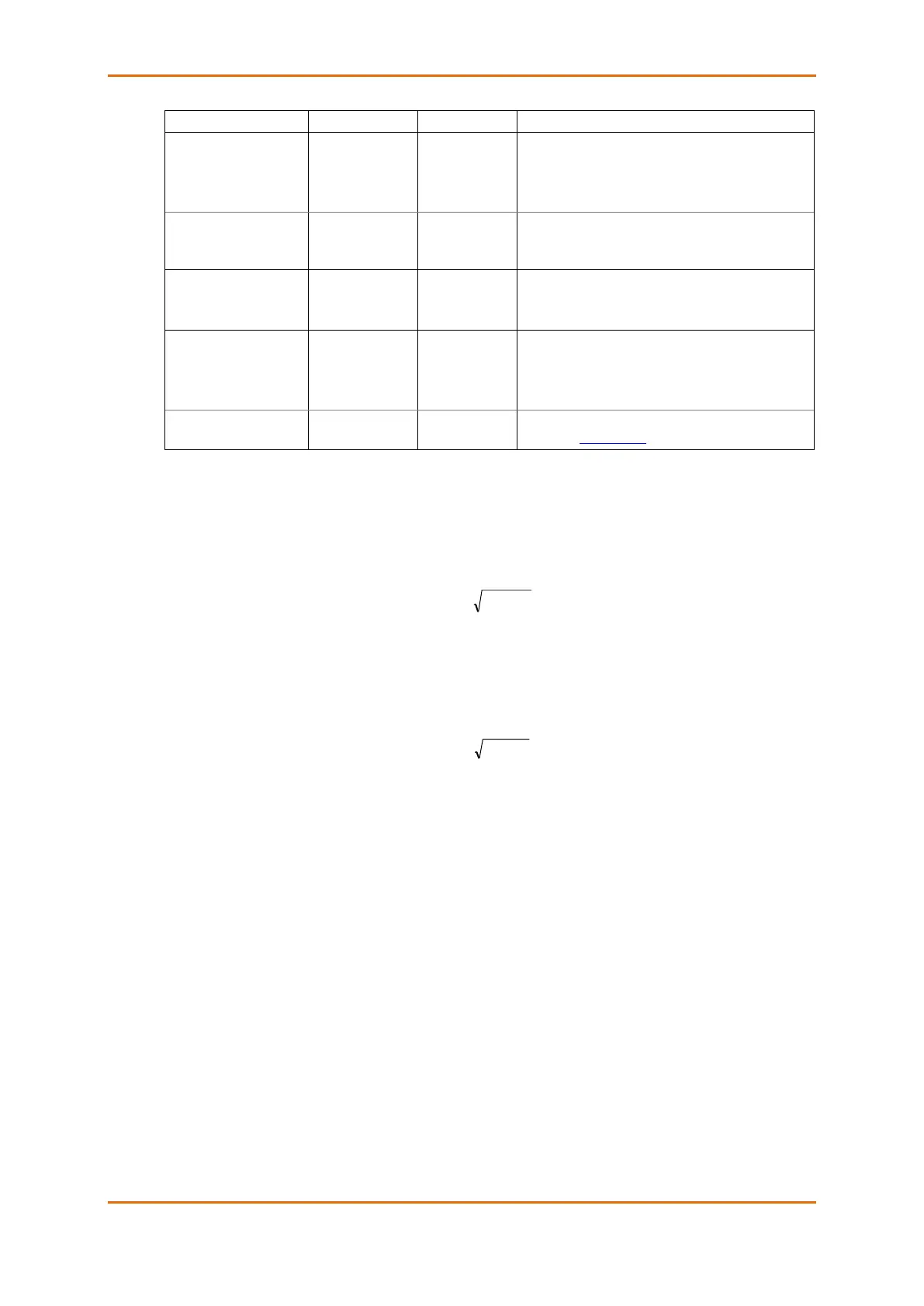
100000.0 kWh
1000000.0 kWh
10000000.0 kWh
100000000.0 kWh
The value at which energy counters roll over to zero
Energy LED pulse rate,
Wh/pulse
5.40 Wh/pulse
(one equivalent
disk revolution)
LED pulse constant - the amount of accumulated
energy (in secondary readings) giving one pulse via
“Wh”.
Disabled,
Wh Pulses,
varh Pulses
The type of accumulated energy giving pulses via
“Wh” LED.
SubMeter 1,
SubMeter 2,
…
SubMeter 40
The submeter uses as source of accumulated
energy giving pulses via “Wh” LED.
The maximum voltage scale allowed, in secondary
volts. See Data Scales in Appendix E
Power Calculation Modes
The power calculation mode option allows you to change the method for calculating reactive and apparent
powers in presence of high harmonics. The options work as follows:
1. When the reactive power calculation mode is selected, active and reactive powers are measured
directly and apparent power is calculated as:
This mode is recommended for electrical networks with low harmonic distortion, commonly with THD < 5%
for volts, and THD < 10% for currents. In networks with high harmonics, the following method is preferable.
2. When the non-active power calculation mode is selected, active power is measured directly,
apparent power is taken as product S = V x I, where V and I are the RMS volts and amps, and
reactive power (called non-active power) is calculated as:



 To Next Page