Chapter 4 PAS Application Software General Meter Setup
Branch Feeder Monitor 136_Installation Operation and Manual 46
4.6.2 Channel Assignments
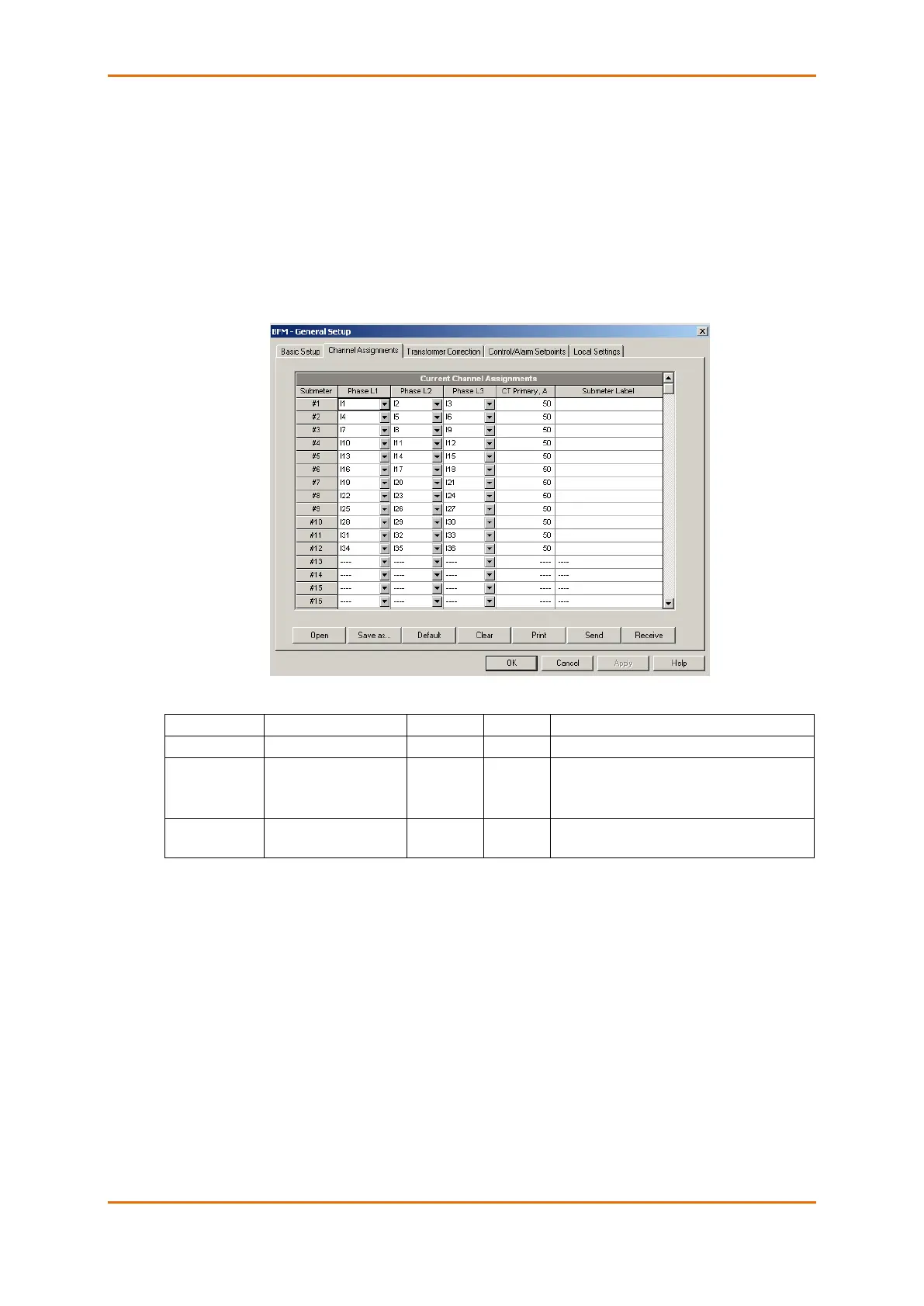
The Channel Assignments setup allows you to link the device current terminals to submeters so they can
monitor them. Additionally, this setup allows you to specify the primary current rating of the current
transformers connected to the device terminals. The number of the selected current inputs for a submeter
specifies if it will be a single-, two-, or three-phase meter.
Always select your submeters (both metering and totalization) in a sequence without gaps so that
your device does not occupy unnecessary network addresses.
To enter the setup dialog, select the device site from the list box on the PAS toolbar, select General Setup
from the Meter Setup menu, and then click on the Channel Assignments tab.
1
The device is pre-configured for twelve three-phase submeters as shown in the picture.
2
Specify the HACS ratings assuming a 200% device inputs overrange. The device inputs are preset for
100A current transformers with a 50A primary rating.



 To Next Page