Chapter 4 PAS Application Software Configuring Billing Energy and TOU Registers
Branch Feeder Monitor 136_Installation Operation and Manual 51
4.7.1 Setting up Total and Tariff Registers
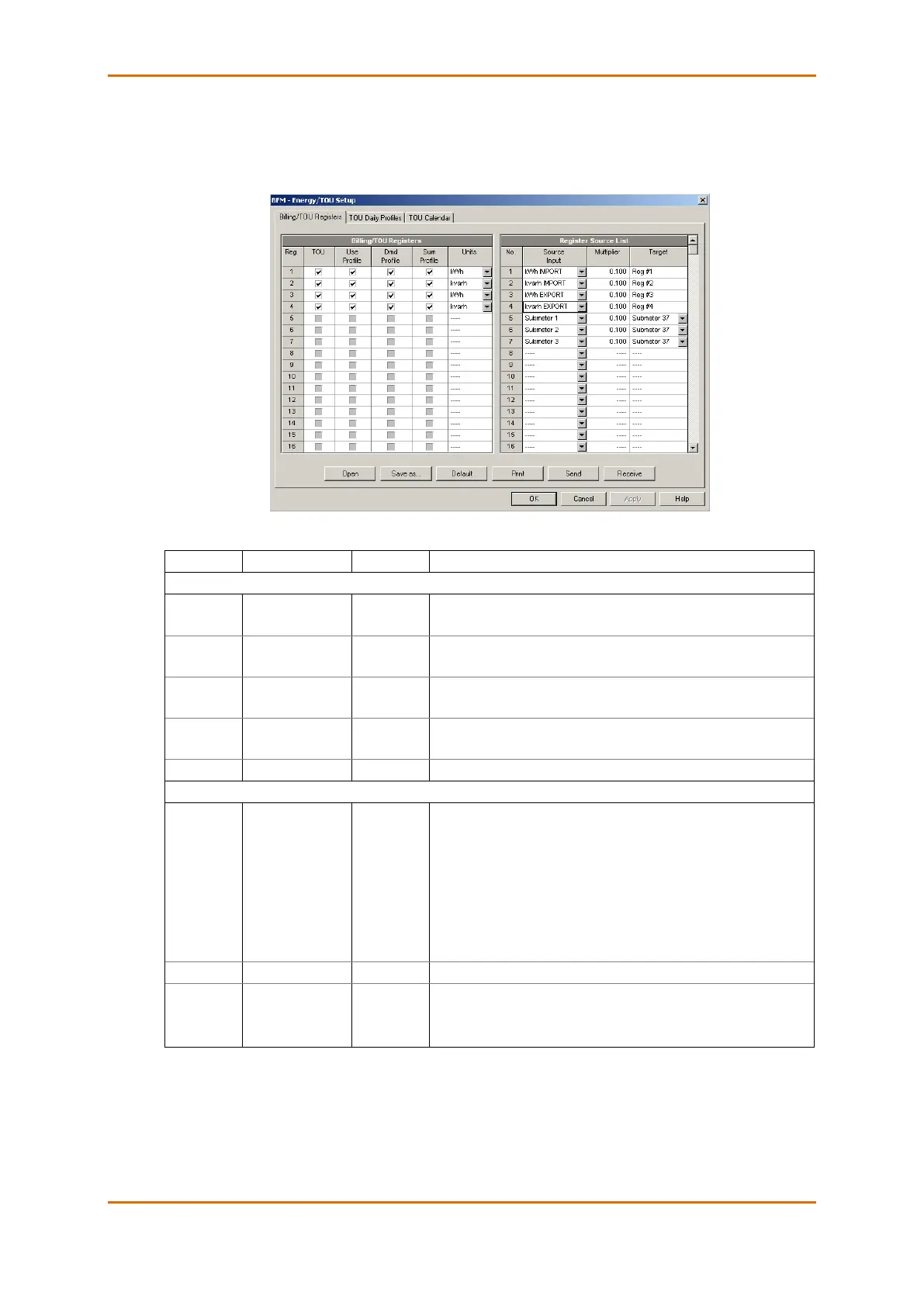
To configure the device total (summary) and TOU registers, select Energy/TOU from the Meter Setup
menu.
The available options are shown in the following table:
Links tariff registers to the selected energy source
Enables automatic daily profiling for energy usage registers (both
total and tariff registers if TOU is enabled)
Enables automatic daily profiling for maximum demand registers
(both total and tariff registers if TOU is enabled)
Enables daily profiling for summary registers (total of all tariffs).
Automatically set when profiling is enabled.
The register measurement units. It is set automatically.
None
kWh IMPORT
kWh EXPORT
kvarh IMPORT
kvarh EXPORT
kVAh TOTAL
Submeter 1 -
Submeter 40
1
Links an energy source to the target register of all metering
submeters, or links all registers of a source submeter to a totalization
submeter.
The multiplication factor for the energy source.
Reg#1- Reg#3
Submeter 1 -
Submeter 40
1
Defines the target register for the energy source. It is set
automatically for target energy registers.
1
Linking a submeter to another totalization submeter connects all its configured energy registers to the
corresponding registers of the target submeter.



 To Next Page