SATEL VERSA 15
Entering hexadecimal values
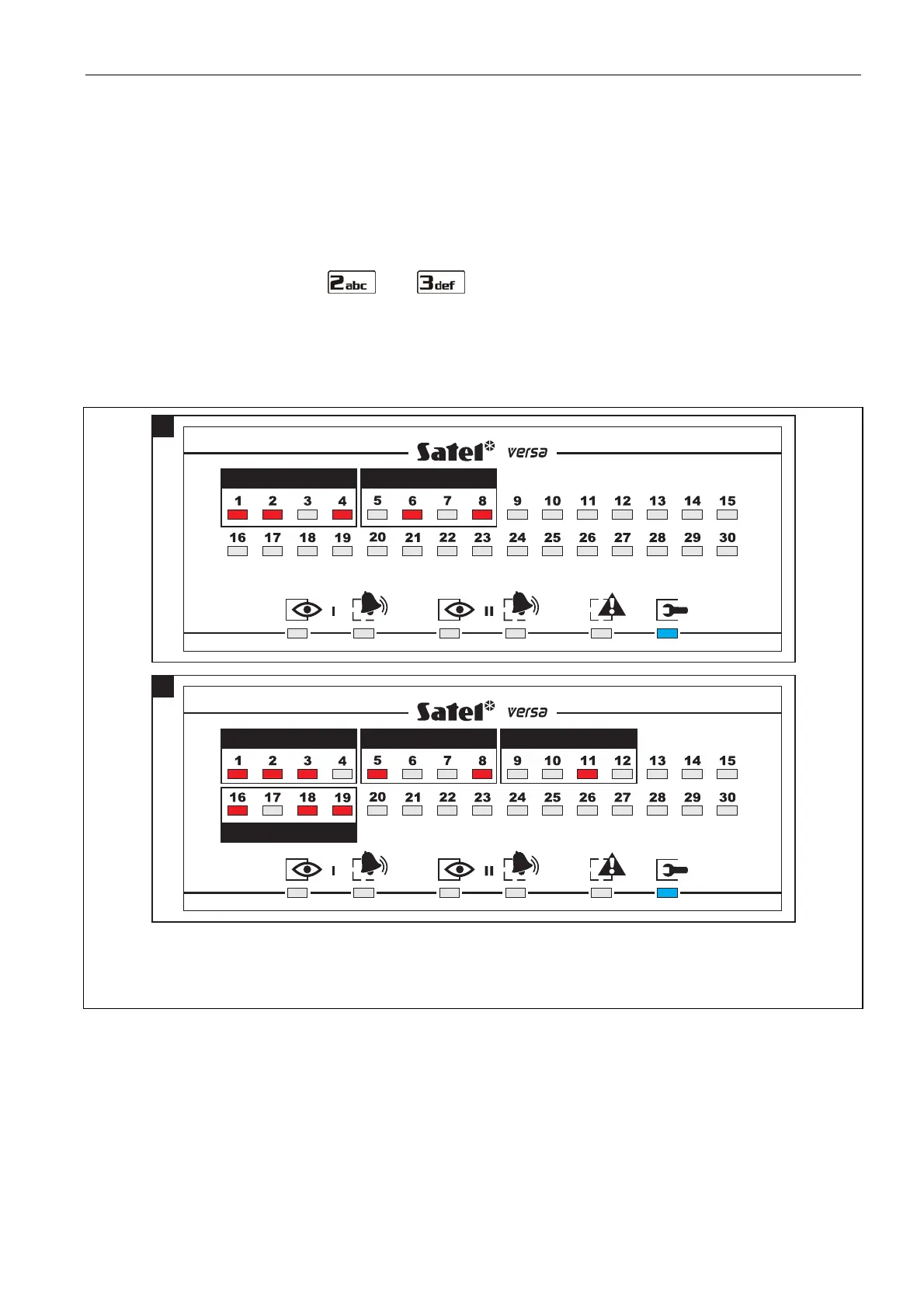
After entering the selected parameter programming function, the currently programmed
value will be presented on the LEDs. Up to 6 characters can be presented (most
functions require a lesser number: 2 or 4 characters). LEDs 1-4 present in binary format
(see: page 14 Table 4) the first character, LEDs 5-8 – the second one, LEDs 9-12 – the
third one, LEDs 16-19 – the fourth one, 20-23 – the fifth one, and LEDs 24-27 – the
sixth one.
The digits are to be entered by pressing the corresponding keys. Characters from A to F
are available under the and keys. Keep pressing the keys until the required
character is displayed in binary mode on the LEDs (see: page 14 Table 4).
The arrow keys are not used.
Correction of the entered value is only possible after re-entering the selected parameter
programming function.
E 29
B
B
D 5
A
Fig. 2. Examples of presenting hexadecimal values by means of LEDs in the
VERSA-LED-GR keypad. Two-character value D5 is programmed in Example A, and four-
character value E92B in Example B.
Programming telephone numbers
The telephone numbers are entered in much the same way as in the VERSA-LCD-GR
keypad, however the LEDs can only present the first 6 characters (only digits and
characters B, C, D, E and F – see: page 14 Table 4).
The arrow keys are not used.
Correction of the entered value is only possible after re-entering the selected parameter
programming function.














 To Next Page