16 Programming Manual SATEL
2.1.9 Quitting the service mode
In order to quit the service mode, use the QUIT SERVICE MODE function:
To end the service mode, do the following:
– in the VERSA-LCD-GR keypad, keep pressing the key until the 0. SRVMOD
CONFIG
submenu will appear in the upper line of the display, and then press
successively the keys;
– in the VERSA-LED-GR keypad, press the key and then press successively the
keys.
2.2 DLOADX program
The DLOADX program enables data exchange between the computer and the control panel,
facilitates alarm system configuration, and ensures easy viewing of the status of zones,
partitions, outputs, troubles, and other components of the system. Access to the program is
protected by a code (password). To obtain access at the first run of the program, enter the
factory default code: 1234 (you need not enter the factory code, just click on the "OK"
button). It is recommended that the factory access code be changed.
Note: Entering an invalid code three times will terminate the program.
Communication between the program and the control panel is coded. The alarm control
panel may be programmed locally or remotely:
1. Local programming requires connection between the RS-232 (TTL) port on control
panel mainboard (RJ type socket) and the computer COM port. The connection should be
made by using the cable manufactured by SATEL and available in the DB9FC/RJ-KPL
set.
2. Remote programming is possible, owing to the built-in 300 bps modem. This
programming method requires connection of the control panel to the telephone line. An
analog modem must be connected on the computer side.
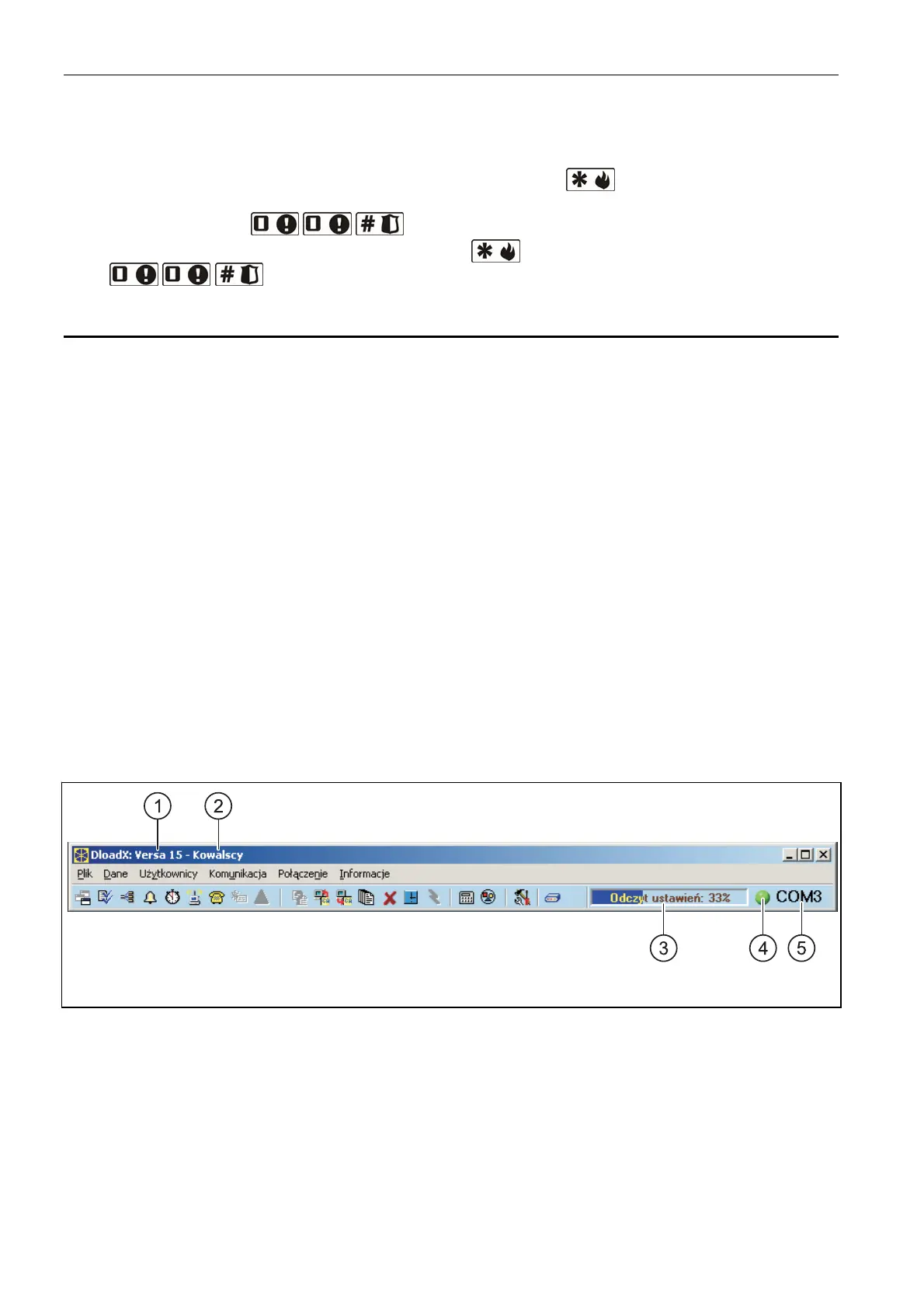
2.2.1 Main menu of the DLOADX program
Fig. 3. Main menu of DLOADX program.
Explanations for Fig. 3:
1 - type of alarm control panel.
2 - name of alarm system / data file.
3 - information on data writing/reading progress.
4 - icon indicating the status of communication with the module:
– green color – COM port ready for sending data;
– alternating green and yellow color – data transmission in progress;
– gray color – COM port disabled.














 To Next Page