18 Programming Manual SATEL
2.2.2 Changing the program access code
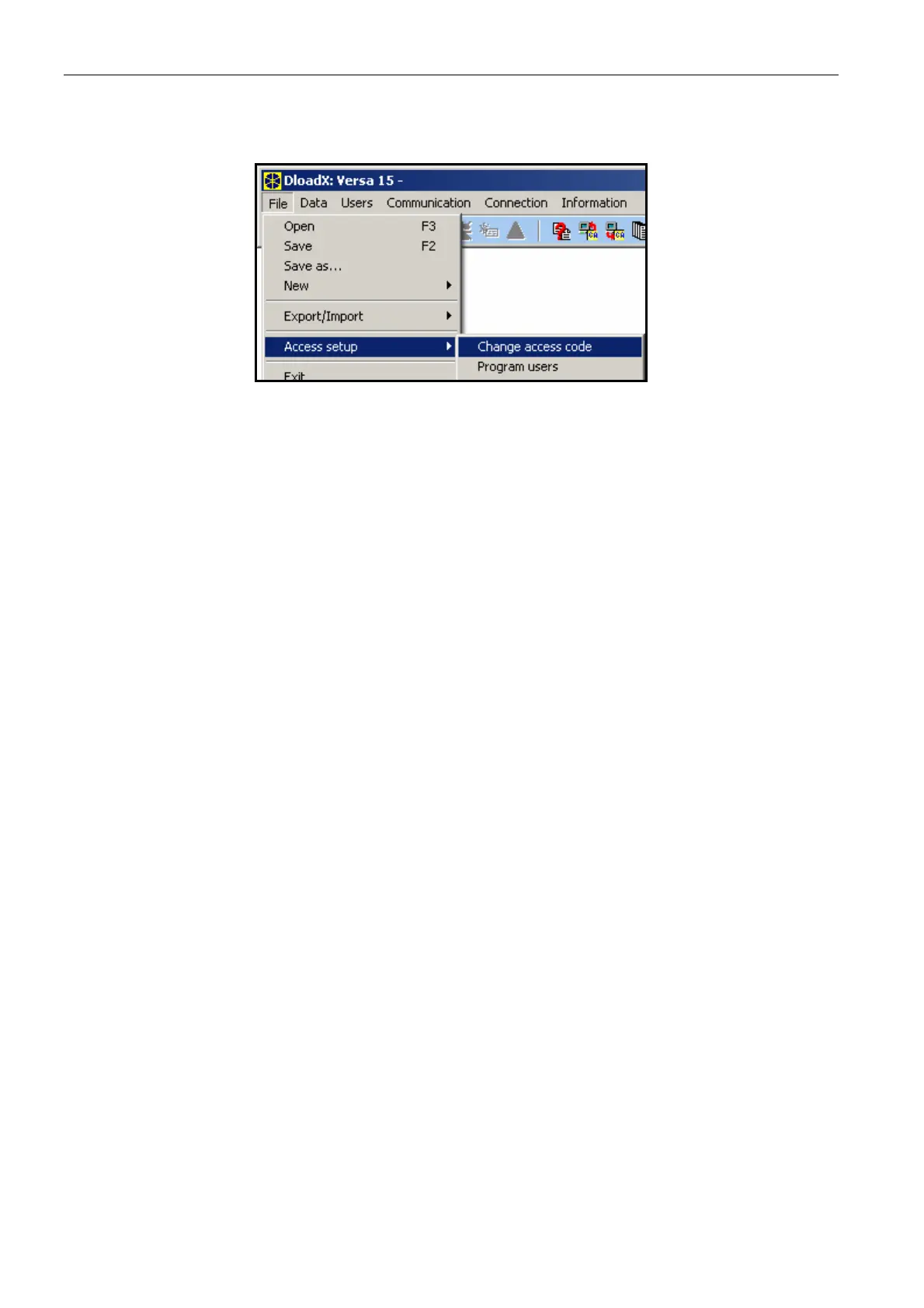
1. Open the FILE menu, select ACCESS SETUP and then CHANGE ACCESS CODE (see: Fig. 5).
Fig. 5. Functions related to the access to DLOADX program.
2. Enter your present access code to the program and click on the "OK" button.
3. Enter the new access code to the program and click on the "OK" button.
4. Re-enter the new program access code and click on the "OK" button.
The program allows you to obtain access, based on additional access codes, which can be
defined and for which the authority level can be defined (FILE ÆACCESS SETUP ÆPROGRAM
USERS
– see: Fig. 5).
2.2.3 Parameters related to programming by means of the DLOADX program
In case of remote programming, it is necessary to configure some communication
parameters and options in the control panel. In case of local programming without verification
of identifiers, the parameters described below may be configured after communication with
the control panel is established.
VERSA communication identifier – identifier of the alarm control panel which makes it
possible to identify the control panel and match the data file to it, provided that the data file
has been saved on the computer. It consists of 8 hexadecimal characters (digits or letters
from A to F). The same identifier must not be programmed for different control panels
operated from the same computer (the DLOADX program will be incapable of distinguishing
between them).
DLOADX communication identifier – identifier of the computer with DLOADX program. If
communication is effected, including verification of identifiers, the control panel will only
establish connection with the program which uses the valid identifier. It consists of 8
hexadecimal characters (digits or letters from A to F).
Note: In case of establishing communication with the alarm system whose identifiers have
factory defaults (00000000), the DLOADX program will suggest random generated
identifiers.
VERSA panel telephone number – telephone number of the control panel. Available for
programming only in DLOADX program.
PC telephone number – telephone number of the computer from which the control panel is
to be programmed. It should be programmed if the telephone connection is to be made by
the control panel (the panel initiates the connection or calls back).
Rings before answer – number of rings after which the control panel will go off hook.
In the DLOADX program, the identifiers and telephone numbers are programmed in the
window "Identifiers andtelephone numbers". The command to open this window is available
in the COMMUNICATION menu. It can also be opened by using the Ctrl+R key shortcut. In the














 To Next Page