SATEL VERSA 41
– AUX. alarm – press the key for approx. 3 seconds to trigger the medical
assistance call alarm.
– Panic alarm – press the key for approx. 3 seconds to trigger the panic alarm.
– Panic alarm silent – if the PANIC ALARM option is enabled, press the key for about
3 seconds to trigger the silent panic alarm. The silent panic alarm is not signaled, but
the event code is reported to the monitoring station.
– Alarm: 3 incorrect codes – if an invalid code is entered three times, alarm will be
triggered.
Alarm messages – these options apply to the VERSA-LCD-GR keypad:
– Partitions – an alarm in the partition will result in the alarm message being displayed.
The message includes name of the partition in which the alarm was triggered.
– Zones – an alarm from zone will result in the alarm message being displayed. The
message includes name of the zone which triggered the alarm. The zone alarm
message has priority.
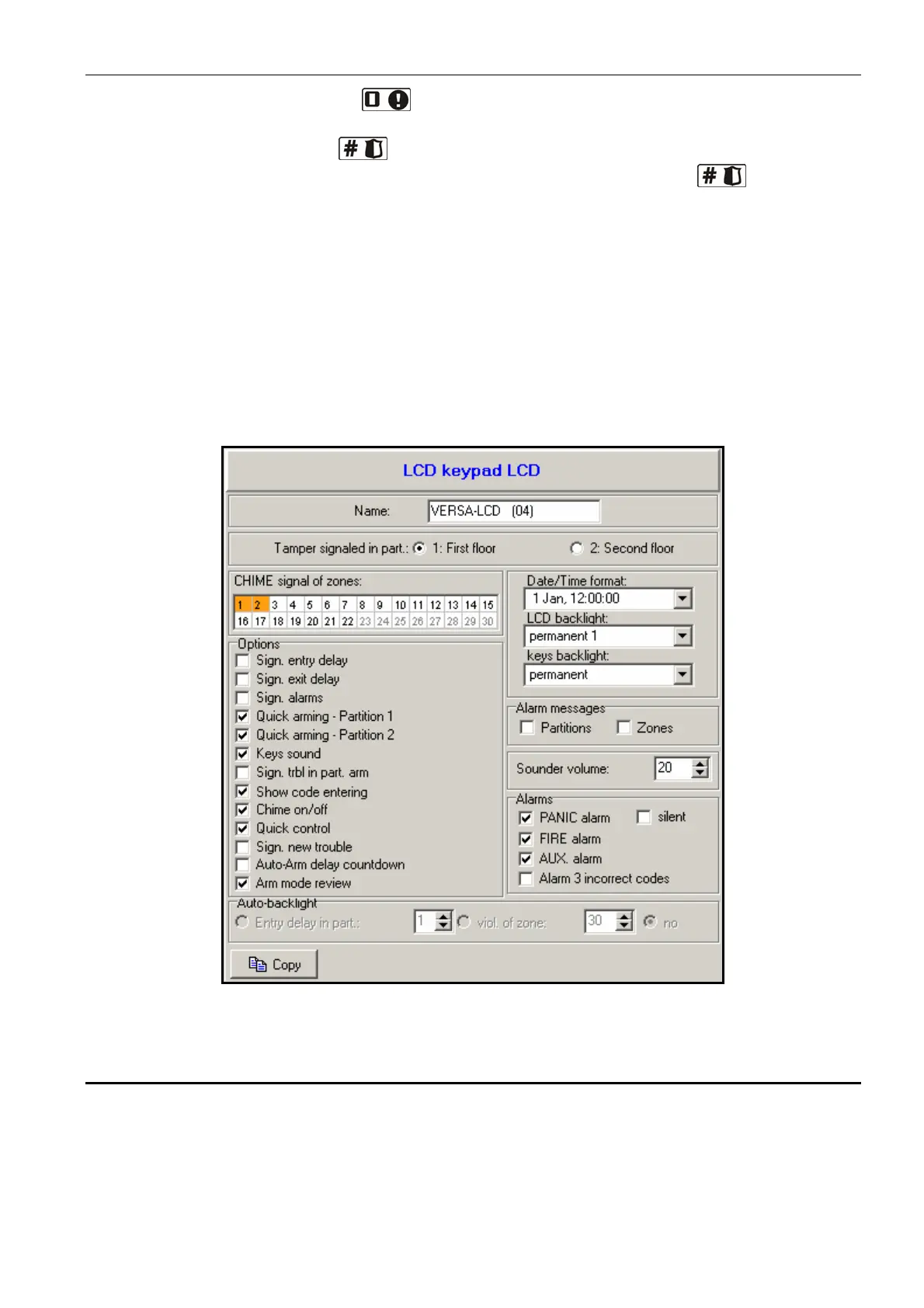
Fig. 13. Programming keypad settings in the DLOADX program (an example of configuration).
7.2 ABAX wireless system controller
Response period – communication with the wireless devices takes place in preset time
intervals. During that time the controller collects information on the status of devices and, if
necessary, sends commands to the devices, e.g. switches the detectors to active/passive
mode, enables/disables the test mode and modifies configuration of the devices. The
response period can be 12, 24 or 36 seconds. The less frequently communication between
controller and wireless devices takes place, the more wireless devices can work within














 To Next Page