SATEL VERSA 27
5. Zones
A zone can be assigned to one or two partitions. If the zone is assigned to two partitions, it
can be armed when both partitions are armed or one of them only.
The system supports the following zones:
• hardwired – on the control panel PCB and in expanders. The number of available
hardwired zones is determined by the control panel during the identification procedure.
• wireless – after connection of the ACU-100 controller. The number of available wireless
zones depends on the number of wireless devices registered in the system and is
determined during the procedure of adding the same.
• virtual – zones which do not physically exist, but are controlled by means of key fobs.
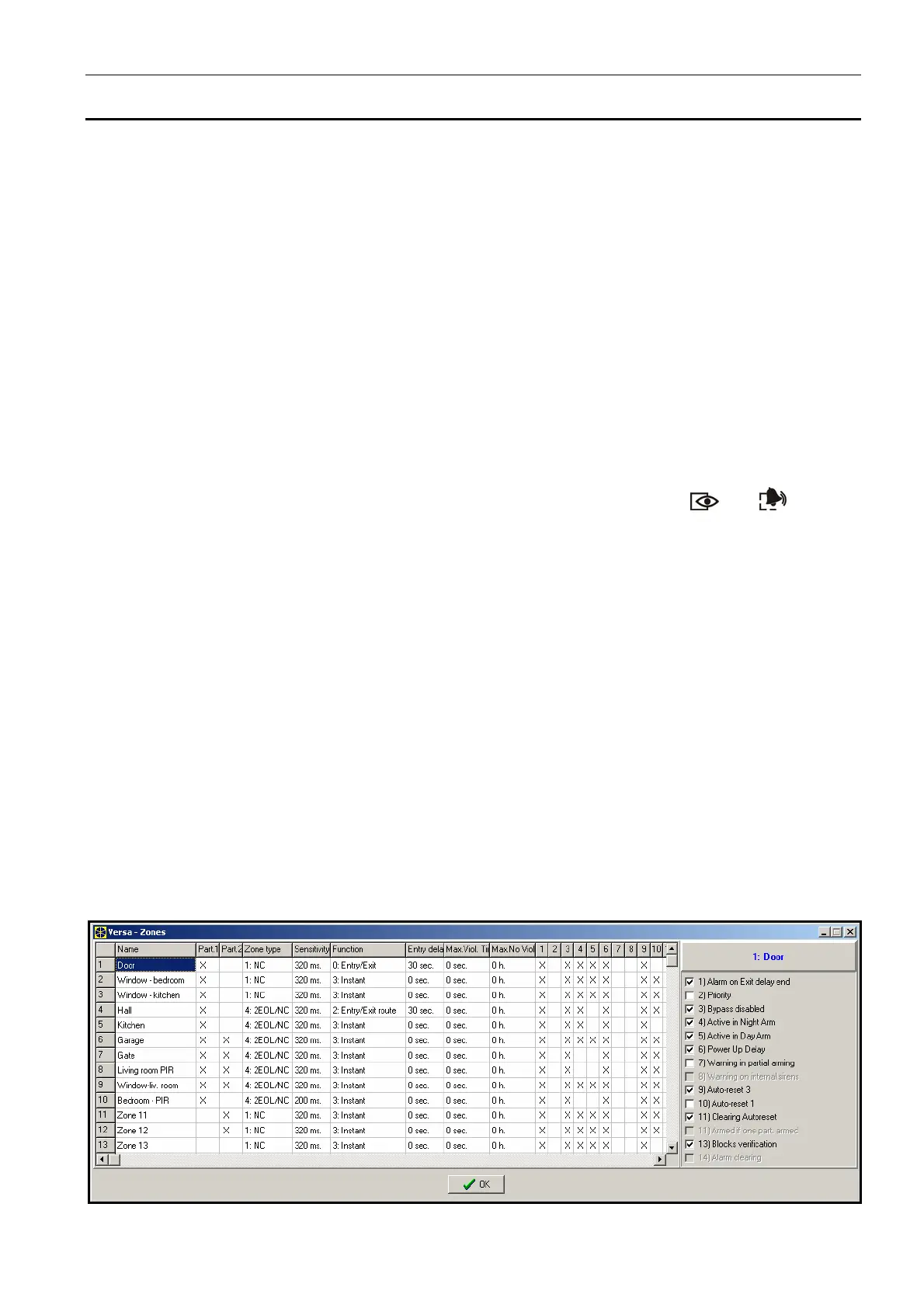
In the DLOADX program, parameters and options of the zones can be programmed in the
"Versa – Structure" window, "System" tab. Partition and zones are presented in the tree-like
form on the left-hand side of the window (see: Fig. 6). The zone parameters and options can
also be programmed in the "Versa – Zones" window (see: Fig. 8).
In the keypad, parameters and options of the zones are configured by means of the Zones
function (SERVICE MODE X2. HARDWARE X2. ZONES). The programming is performed using
the "step by step" method (the numbers are shown in binary form on the and LEDs of
the first and second partitions):
1. Zone selection.
2. EOL type.
3. Sensitivity [line type NO, NC, EOL and 2EOL].
4. Pulse validity [only for ROLLER type of line].
5. Pulses count [only for ROLLER type of line].
6. Sensitivity [only for Vibration type of line].
7. Pulses count [only for Vibration type of line].
8. Reaction type.
9. Alarm delay [A
RM MODE should be programmed in this step for zones with reaction type
13. A
RM/DISARM and 14. ARMING].
10. Max. violation time.
11. Max. no violation time.
12. Zone options.
13. Zone name [only in LCD keypad].
Fig. 8. "Versa – Zones" window in the DLOADX program.














 To Next Page