SATEL VERSA 17
A click on the icon button:
– in case of communication via the RS-232 port – will enable/disable the COM port;
– in case of communication via the modem – will display the modem connection
window.
5 - information on the way of communication with the alarm control panel:
– COMn (n = number of COM port) – communication via the RS-232 port;
– Modem – communication via the modem.
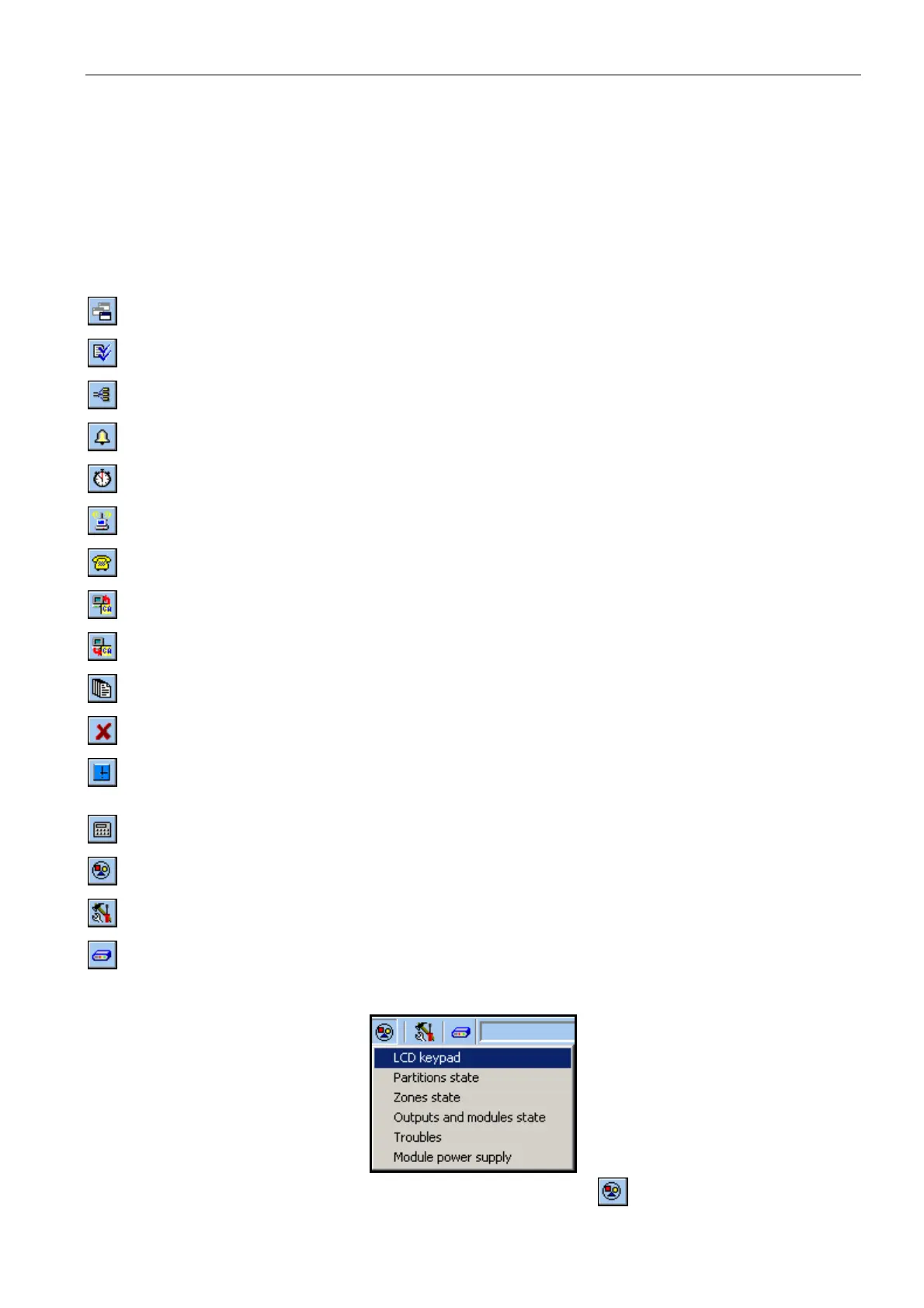
Buttons:
System and hardware structure – button opens the "Versa – Structure" window.
Options and global times – button opens the "Global parameters" window.
Zones data – button opens the "Versa – Zones" window.
Outputs data – button opens the "Versa – Outputs" window.
Timers – button opens the "Versa – Timers" window.
Reporting – button opens the "Versa – Reporting" window.
Telephone messaging – button opens the "Versa – Tel. messaging" window.
Panel’s data reading – button enables data reading from the control panel.
Write to panel – button enables data writing to the control panel.
Event log – button opens the window containing event log.
Cancel – button makes it possible to cancel the data reading/writing.
Clock setting – button saves the time in the control panel, based on the computer
clock.
LCD keypad – button displays a virtual keypad.
System status – button opens the drop-down menu shown in Fig. 4.
Configuration – button opens the "Configuration" window.
Connection – button opens the drop-down menu, where you can select the method
of establishing communication between the program and the alarm control panel.
Fig. 4. Menu displayed after pressing the button.














 To Next Page