16 User Manual SATEL
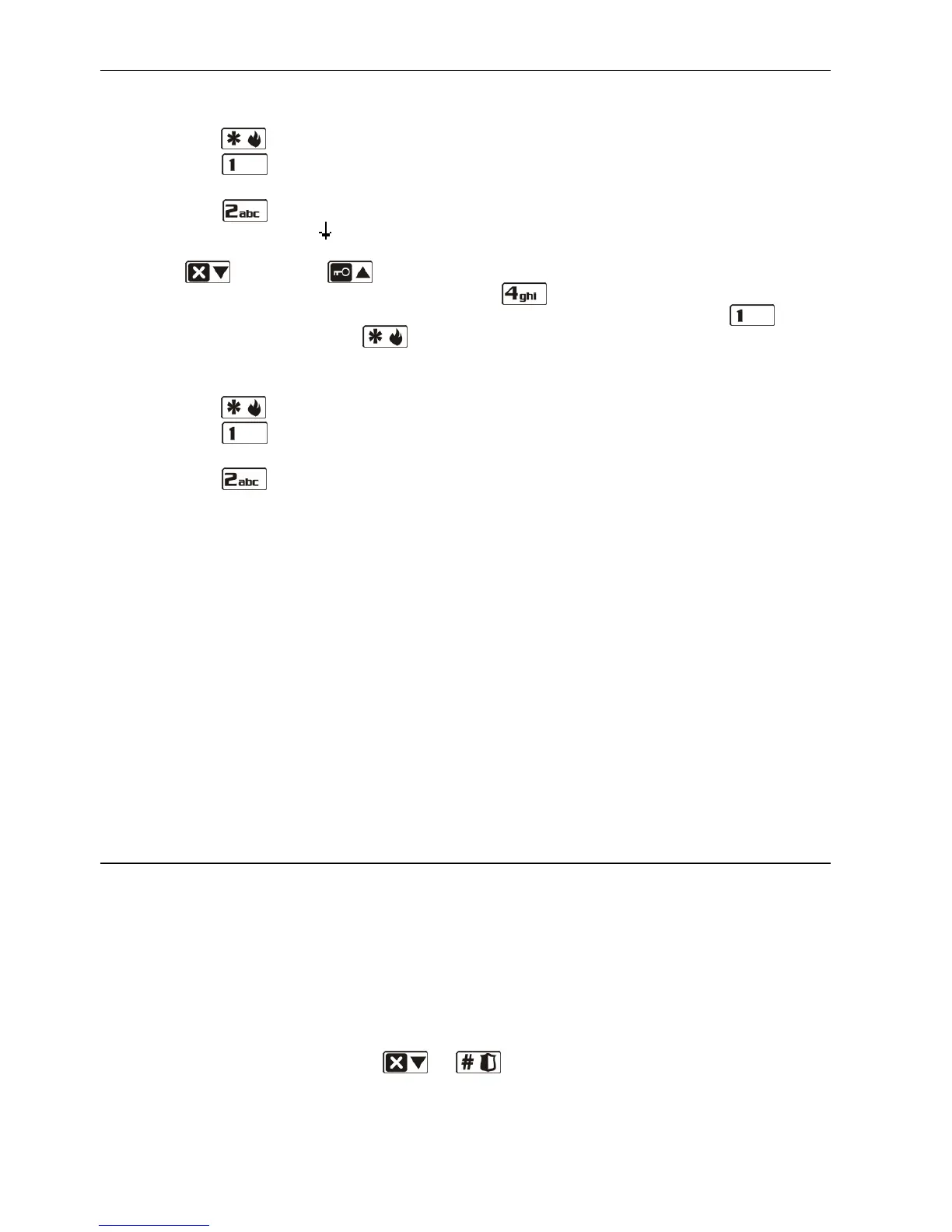
"Violated zones 1=Ok 2=Check" – a warning that an alarm zone is violated in the partition,
beyond the exit route. The user can:
– press the key to cancel the arming;
– press the key to force the arming – the arming procedure can be initiated despite
the violated zones;
– press the key to check which zone is violated. If, after information on the violated
zone is displayed, the
arrow is flashing in the lower line of the display, this means that
several zones are violated. You can scroll through the list of violated zones by using the
keys (down) and (up). If the user has the ZONE INHIBITION right, it is possible
to inhibit the violated zone by pressing the key. A message will be displayed
prompting the user to confirm the command to inhibit the zone (press the key to
inhibit the zone; press the key to go back to the list of violated zones without
inhibiting the zone).
"Troubles 1=Ok 2=Check" – a warning that there is a trouble in the system. The user can:
– press the key to cancel the arming;
– press the key to force the arming – the arming procedure can be initiated despite
the trouble;
– press the key to view the trouble log – the 7. SYSTEM STATE user function will start
(see: CHECKING TROUBLES AND SYSTEM STATE).
Note: Information on the forced arming is written into the event log.
The users who do not have the INSPECTION right and the users using the LED keypad are not
informed about the causes of the denial of arming.
6.7.8 Failure of arming procedure
The alarm system can be configured by the installer so that the arming procedure may fail
even if it has been started (it does not apply to the quick arming procedure). The arming will
fail, if at moment of completion of the exit delay countdown:
– a zone with enabled PRIORITY option or an alarm zone beyond the exit route is violated
in the partition,
– there is a trouble in the system.
Note: In the event of forced arming the control panel will ignore violations and troubles
reported before the moment of starting the arming procedure.
6.8 Disarming and/or alarm clearing
The user must have the DISARMING and ALARM CLEARING rights.
Disarming and alarm clearing are carried out in the same way, the procedures being
interconnected. If the partition is armed and an alarm is triggered in it, then disarming will
also mean alarm clearing.
Note: In order to clear the alarm without disarming the partition, arm again the partition in the
same mode (see: ARMING).
6.8.1 Disarming and/or alarm clearing without partition selection
Enter the code and then press the or key. Based on the user data, the control
panel will define the partitions which are to be disarmed and/or where alarm is to be cleared.
The disarming and/or alarm clearing should be confirmed by 3 short beeps.















 To Next Page