SATEL VERSA 29
however when assigning functions to the buttons the control panel does not suggest
the functions provided for by the user schedule.
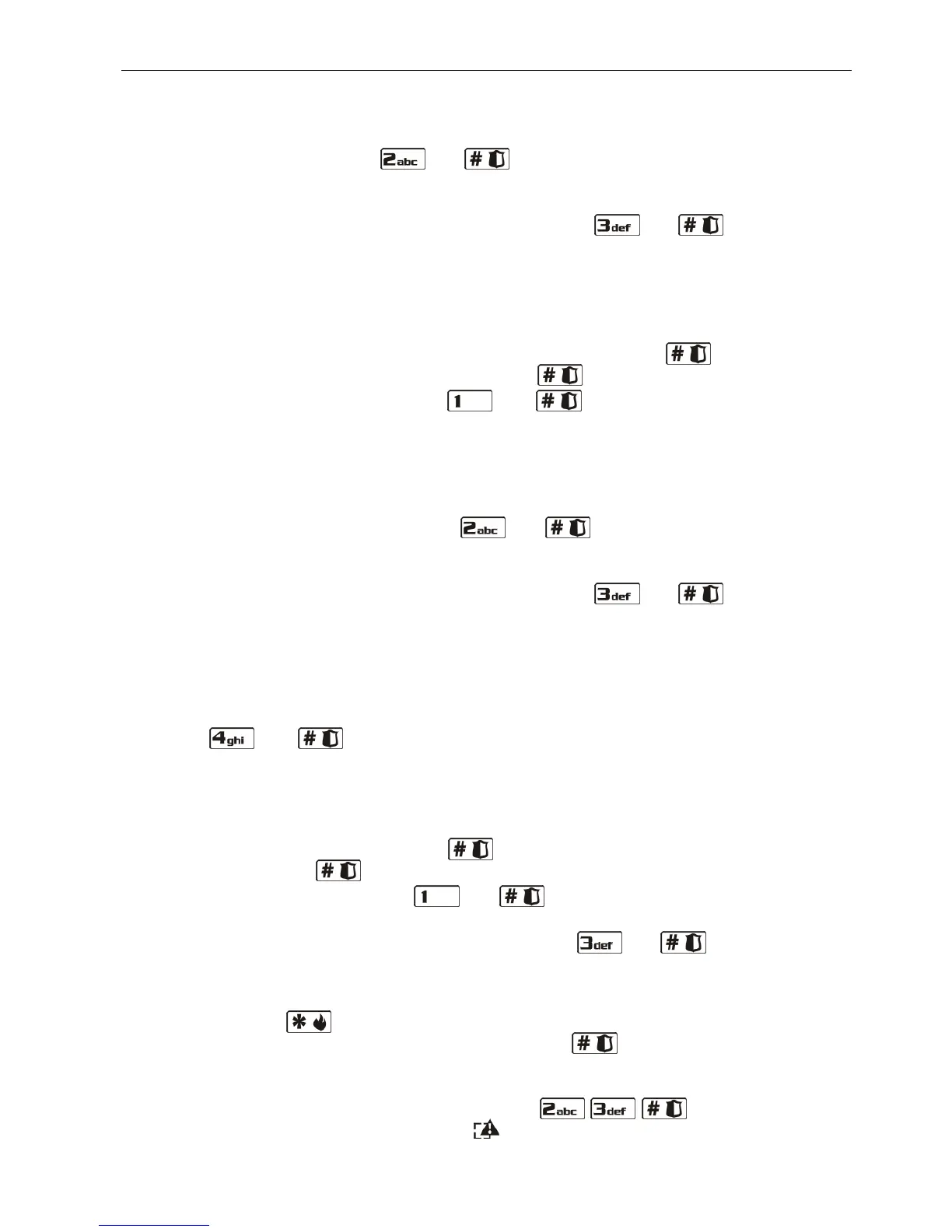
– edit functions assigned to the keyfob buttons, provided that the user has a 433 MHz
keyfob – press in turn the and keys. The procedure runs in the same way
as when assigning functions, after 433 MHz keyfob has been added to a new user
(Steps from 5c to 5h).
– remove keyfob, if the user has one – press in turn the and keys.
Note: Removing a keyfob does not mean resetting the functions assigned to the keyfob.
After adding new keyfob to the user, the same functions will be assigned to the buttons
as in the removed keyfob.
7. Step 6. Editing APT-100 keyfob. You can:
– skip this step and go over to the next one – press at once the key, or any other
key with a number from 5 to 9, and then press key;
– add a keyfob – press in turn the and
keys. The procedure runs in the
same way as when adding the APT-100 keyfob to a new user (Steps from 6a to 6k),
however when assigning functions to the buttons and defining the confirmation rules
for LEDs, the control panel does not suggest the settings provided for by the user
schedule.
– edit functions assigned to the APT-100 keyfob buttons, provided that the user has a
APT-100 keyfob – press in turn the and keys. The procedure runs in the
same way as when assigning functions, after the APT-100 keyfob has been added to a
new user (Steps from 6c to 6h).
– remove keyfob, if the user has one – press in turn the and keys;
Note: Removing a keyfob does not mean resetting the functions assigned to the keyfob and
the confirmation rules. After adding new keyfob to the user, the same functions will be
assigned to the buttons, and the same information will be displayed on LEDs as in the
removed keyfob.
– edit the confirmation rules for LEDs, if the user has a APT-100 keyfob – press in turn
the and keys. The procedure runs in much the same way as when
defining the confirmation rules, after the APT-100 keyfob has been added to a new
user (Steps from 6i to 6k).
8. Step 7. Editing proximity card. You can:
– skip this step and go over to the next one (LCD keypad) or complete the procedure
(LED keypad) – press at once the key or any other bearing a number from 4 to
9, and then press key;
– add a card – press in turn the and keys. The procedure runs in the same
way as when adding card to a new user (Steps 7a and 7b).
– remove card, if the user has one – press in turn the and keys.
9. Step 8. Editing user name. This step is only available in the LCD keypad. Proceed in the
same way as when adding a new user.
Note: Pressing the key means termination of the user editing procedure, but the
changes made in steps terminated by pressing the key will be saved.
6.14.3 Removing a user
1. Enter the user menu and press successively the keys. 2 short beeps
will confirm entering the function, and the LED will go on.















 To Next Page