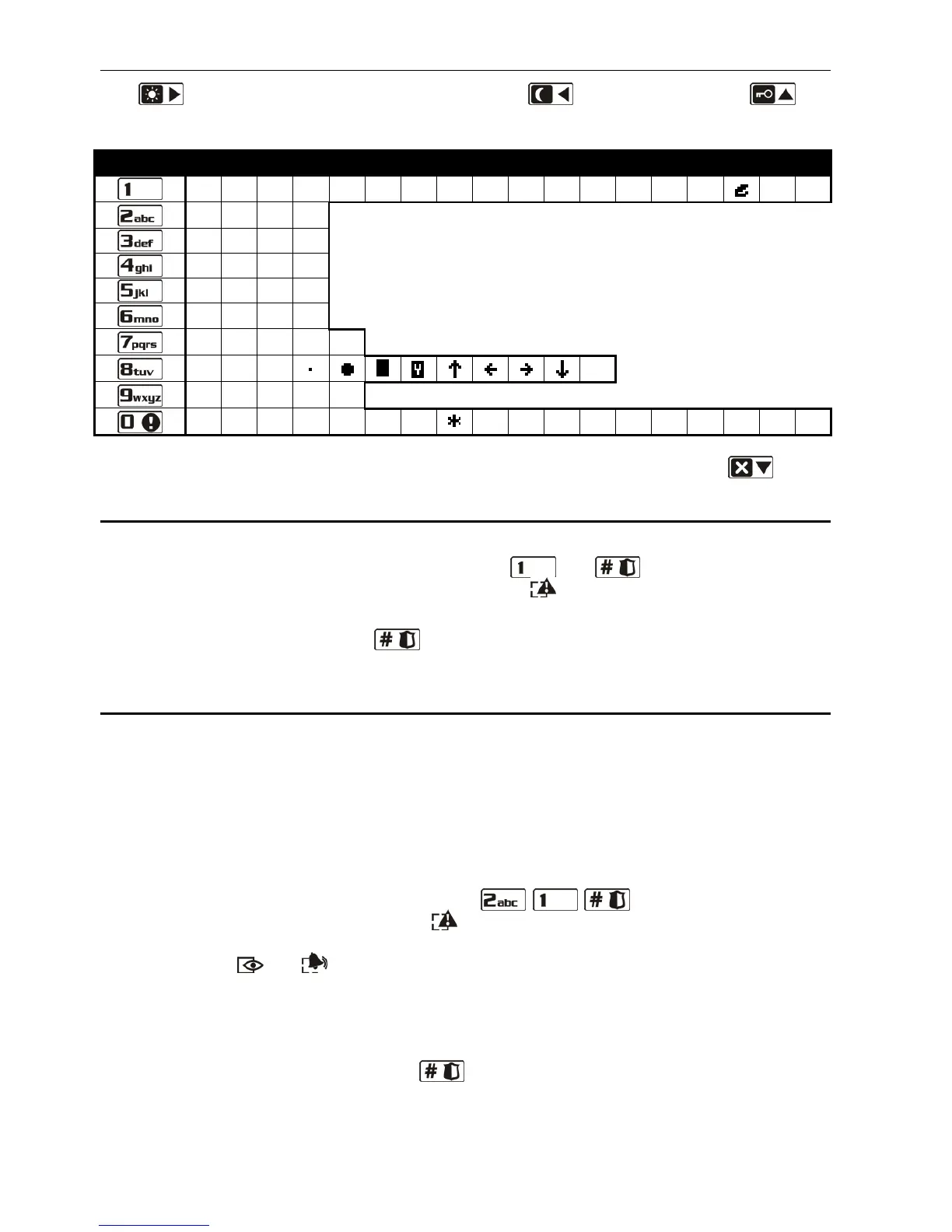
/ = _ < > ( ) [ ] 0
Table 2. Characters available in the LCD keypad when entering names. The lower case
letters are available under the same keys (to change the letter case, press ).
6.13 Change own code
The user must have the CHANGE ACCESS CODE right.
1. Enter the user menu and press successively the and keys. 2 short beeps will
confirm that the function has been entered, and the LED will go on.
2. Enter the new code, pressing the suitable number keys (see: ENTERING DIGITS).
3. Confirm the new code with the key. 4 short beeps and 1 long beep will confirm the
code change.
6.14 Users
The functions which enable adding, editing and removing users are available to the users
having the USERS EDITING right.
There can be up to 30 users in the system. A person using the service code (installer
/ service technician), who is an additional user, has a special status, but his/her access can
be limited by means of suitable functions in the 0. SERVICE submenu (see: SERVICE CODE
ACCESS RULES
).
6.14.1 Adding a user
1. Enter the user menu and press in turn the keys. 2 short beeps will
confirm entering the function, and the LED will go on. Adding the user is effected by
the "step by step" method, hence the number of programming step is presented in binary
format on the and LEDs of the first and second partitions (see: page 20, Table 1).
2. Step 2. Entering new user code. In the LCD keypad, information on the number of the
user to be added is presented in the display upper line. The same information in the LED
keypad is provided by blinking of the LED whose number corresponds to that of the user
to be added. Enter the new user's code by pressing the appropriate number keys (see:
ENTERING DIGITS), and then press the key.
3. Step 3. Selecting user schedule. Five installer defined schedules are available. The
schedule determines the user's rights and the default operating mode of the remote
control keyfobs assigned to the user (the keyfobs are added in subsequent steps). To
select a schedule, press the key with number corresponding to the selected user















 To Next Page