SATEL VERSA 35
6.21 Programming the telephone numbers to be notified
This function can be started by the user who has the PROGRAMMING right.
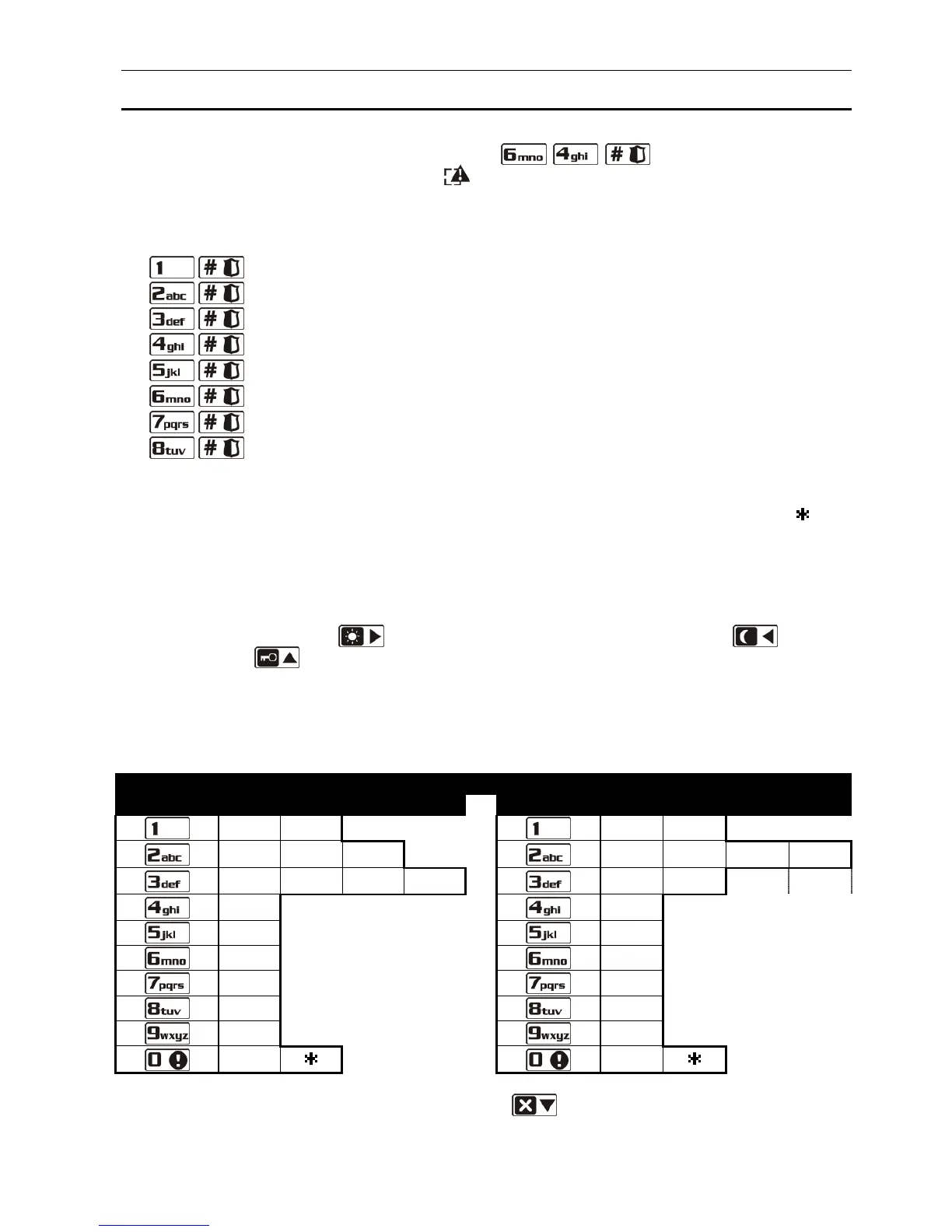
1. Enter the user menu and press in turn the keys. 2 short beeps will
confirm entering the function, and the LED will go on.
2. Press in turn the suitable keys to select the telephone number to be edited (the users can
only program the telephone numbers to be notified by voice messaging, while the installer
can program all telephone numbers):
- telephone 1;
- telephone 2;
- telephone 3;
- telephone 4.
- telephone 5;
- telephone 6;
- telephone 7;
- telephone 8.
3. Enter the telephone number by pressing individual keys until the required character
appears. The characters available in the keypad are presented in Table 4. Up to 16
characters can be programmed. Some of special characters (a, b, c, d, # and ) are
coded so that the character can take up two positions, hence, if such characters are used,
the maximum number of characters available for entering will be lower. In the LCD
keypad, the telephone number is displayed in the lower line of the display. Shown on the
right side in the upper line of the display is information about the letter case: [ABC] or
[abc] (it will be displayed after pressing any key and will be visible for a few seconds after
the last keypress). The key moves the cursor to the right, and the key – to
the left. The key deletes the character on the left side of the cursor. In the LED
keypad, only the first 6 characters are presented in binary format on the LEDs (see: page
20, Table 1 – not all characters used in a telephone number can be presented in this
way). Therefore, programming telephone numbers by means of this keypad is not
recommended.















 To Next Page