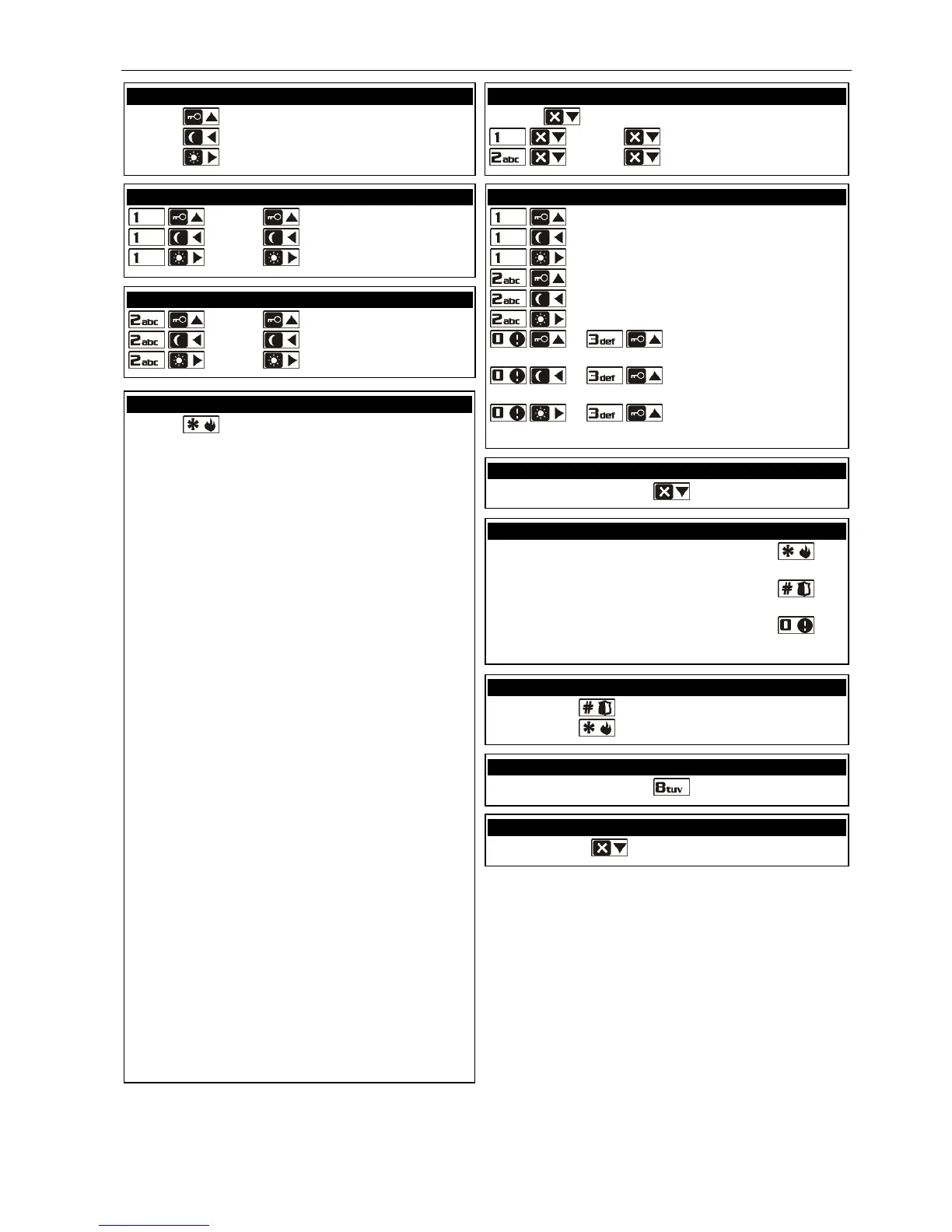
Arming without partition selection
[CODE] - full arming
[CODE]
- night arming
[CODE]
- day arming
[CODE]
- full arming
[CODE] - night arming
[CODE] - day arming
[CODE] - full arming
[CODE] - night arming
[CODE] - day arming
Disarming and/or alarm clearing
[CODE] - in both partitions
[CODE] - in partition 1
[CODE] - in partition 2
- partition 1 full arming
- partition 1 night arming
- partition 1 day arming
- partition 2 full arming
- partition 2 night arming
- partition 2 day arming
or - both partitions full
arming
or - both partitions night
arming
or - both partitions day
arming
[number key] - activating output
[number key]
- deactivating output
Triggering the alarm from keypad
fire alarm - press and hold down the key
for approx. 3 sec.
panic alarm - press and hold down the
key
for approx. 3 sec.
medical alarm - press and hold down the
key
for approx. 3 sec.
Enabling/disabling the chime signal
press and hold down the key for approx. 3 sec.
[CODE] - entering the user menu, in which the
following submenus and functions are available:
[1#] Change code
[2] Users
[21#] New user
[22#] Edit user
[23#] Remove user
[3#] Abort voice messaging
[4] Bypasses
[41#] Inhibit
[42#] Isolate
[5#] Event log [LCD keypad only]
[6] Settings
[61#] Auto-arming deferment
[62#] RTC clock
[63#] Timers
[64#] Telephone numbers
[65#] Messaging clearing codes
[7#] System state
[8#] Control
[9] Tests
[91#] Zone test
[92#] Output test
[93#] Signal from wireless devices
[94#] Manual Monitoring Station test
[95#] Monitoring Station 1 test
[96#] Monitoring Station 2 test
[97#] VERSA firmware version
[98#] Expander firmware version
[99#] Supply voltage
[90#] Outputs reset
[0] Service
[00#] Service mode
[01#] Start telephone connection
[03#] Start connection through RS-232
[04#] Finish connection through RS-232
[05#] Service access
[06#] Access time
[07#] ETHM-1DloadX
Quick inspection of partition status
press and hold down the
key for approx. 3 sec.
Simple auto-arming deferment















 To Next Page