4 Maintenance
4--19
F--9999--8 Build 8 Issue 1
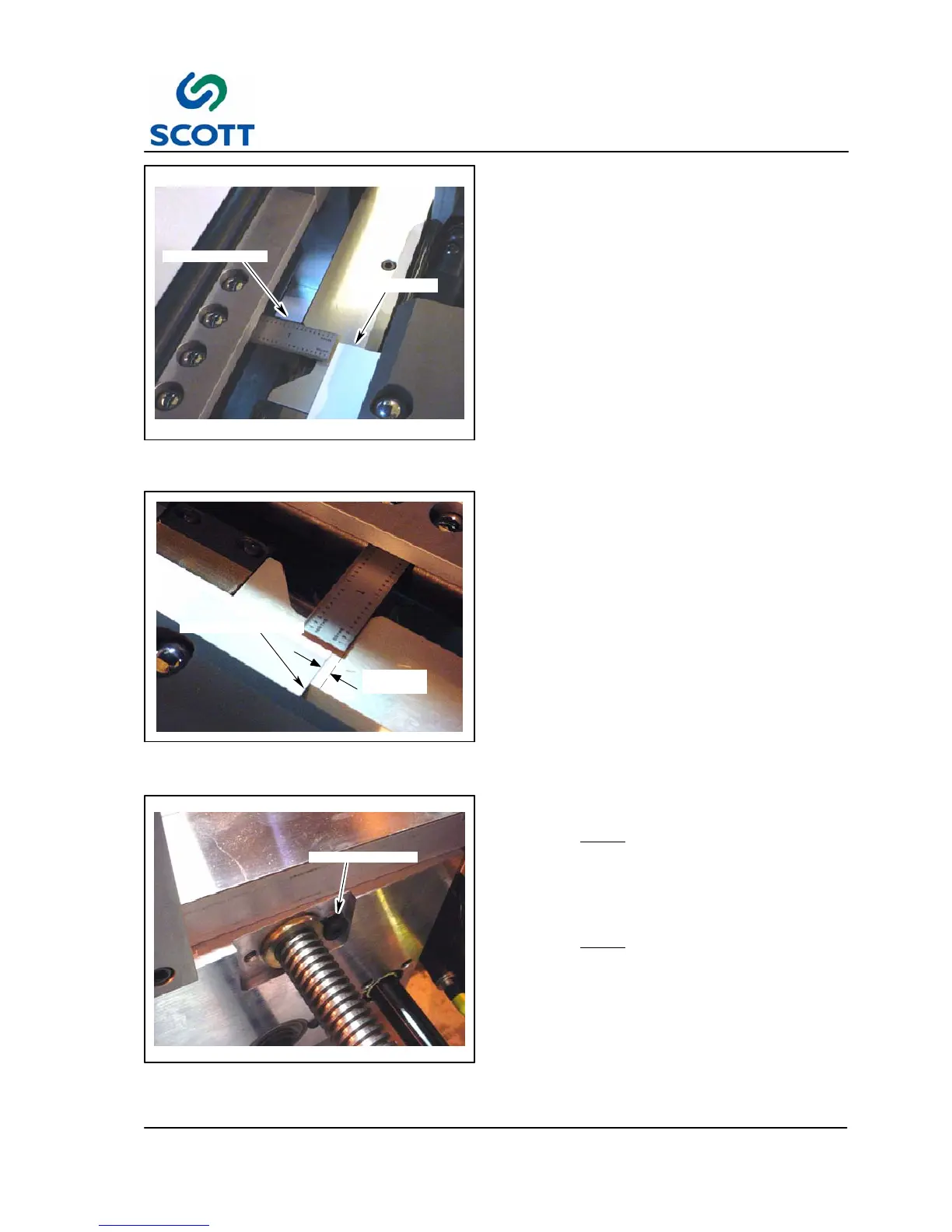
STRAIGHT EDGE
INDEX STOCK
Fig. 4 -21. Place Straight Edge Against Paper
Side Guide
4.2.3.2 Tab Position Handwheel
Step: 1. Place the tab position handwheel to the
same setting as the plastic position
handwheel.
Step: 2. Jog one piece of index stock through the
feeder register conveyor up to the middle
of the plastic feed plate and stop.
Step: 3. E--Stop the machine and turn the main
air supply off.
Step: 4. Place a straight edge (18--24 inches
long) against the paper side guide.
It should be underneath the ball holder
on the tab position register conveyor and
completely against the paper side guide.
INDEX STOCK EDGE
1/16”
(1.57 MM)
Fig. 4-22. Distance Between Index Stock and
Straight Edge Should Be 1/16th”
The distance between the straight edge and the
index stock should be 1/16” (1.57mm).
If the distance between the straight edge and the
index stock is not 1/6”, proceed to the next step.
LOCKING SCREW
Fig. 4 -23. Locking Screw
Step: 5. Remove the locking screw that holds the
conveyor into the handwheel lead screw.
NOTE:
Do not lose “D” washer that is
located behind the shoulder of the
adjustment screw.
Step: 6. Move the Tab Position register conveyor
adjustment until the 1/16” measurement
is achieved.
NOTE:
Make sure the straight edge is
maintained against the side guide when
the conveyor is being moved.
Step: 7. Replace locking screw.



 To Next Page